Apply project fields and project field hierarchies to package types

Customize package types with project fields and project field hierarchies to capture project-relevant metadata.

所需权限
Edit project settings

This process should be run by a Project Administrator. To customize a package type, you first need to create one. You can then edit the package type and customize it by adding project fields or project field hierarchies.


Tip!

To learn more about project fields and project field hierarchies, see the Related articles section on this page.
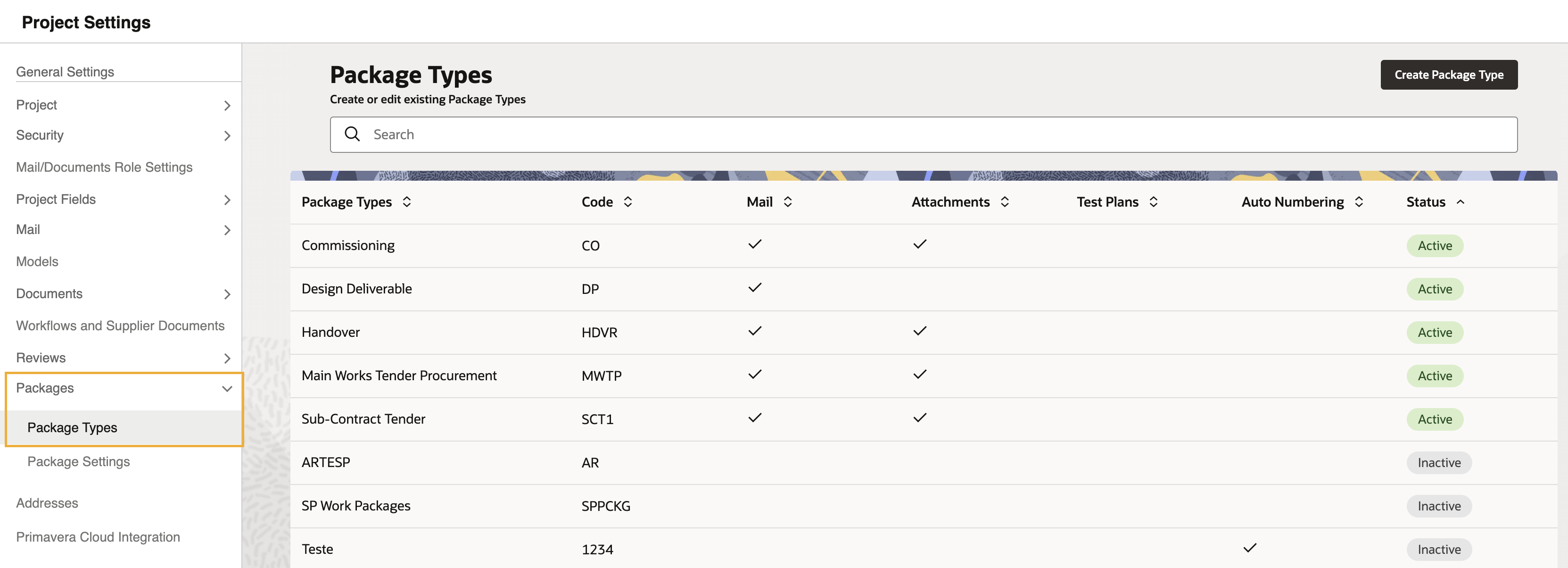
  1. Go to Setup, and select Project Settings. Then click Packages and select Package Types.


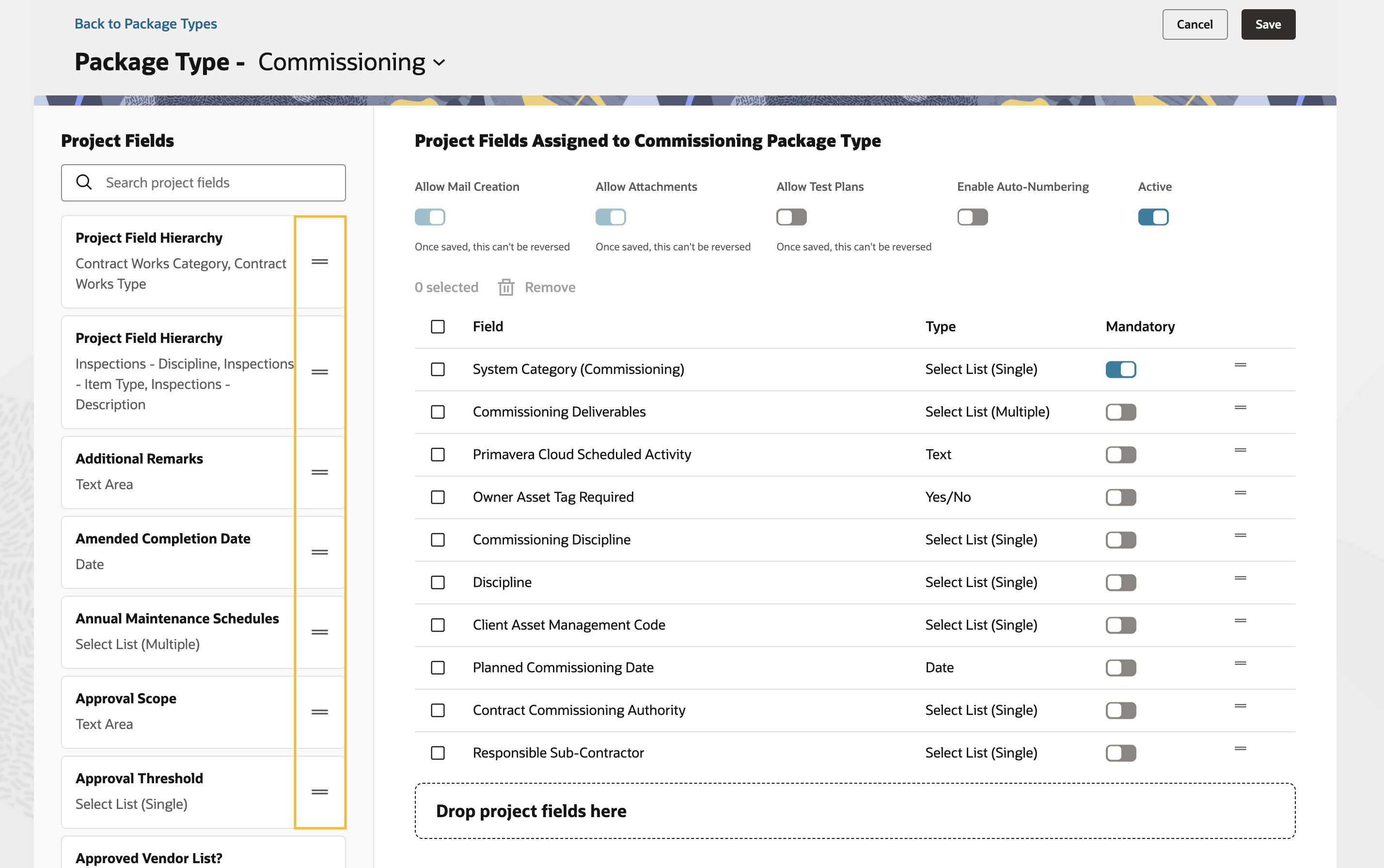
  1. Click the name of the package type you want to customize.


  1. You’ll see a library of available project fields and project field hierarchies to add to your package type on the left of the screen. Click the + symbol to add the fields or hierarchies you want to use.
  1. Once you’ve added all the fields you require, click Save.

Tip!

  • Packages created or edited after you update a package type use the latest project field and project field hierarchy configuration.
  • Current packages data will remain unchanged unless the package is edited.
  • Historical packages data will remain unchanged.
