Send packages in bulk

Save time by sending multiple packages at once. You can select individual packages to send in bulk, or send a parent package and its descendant packages together.
Find and select packages to send

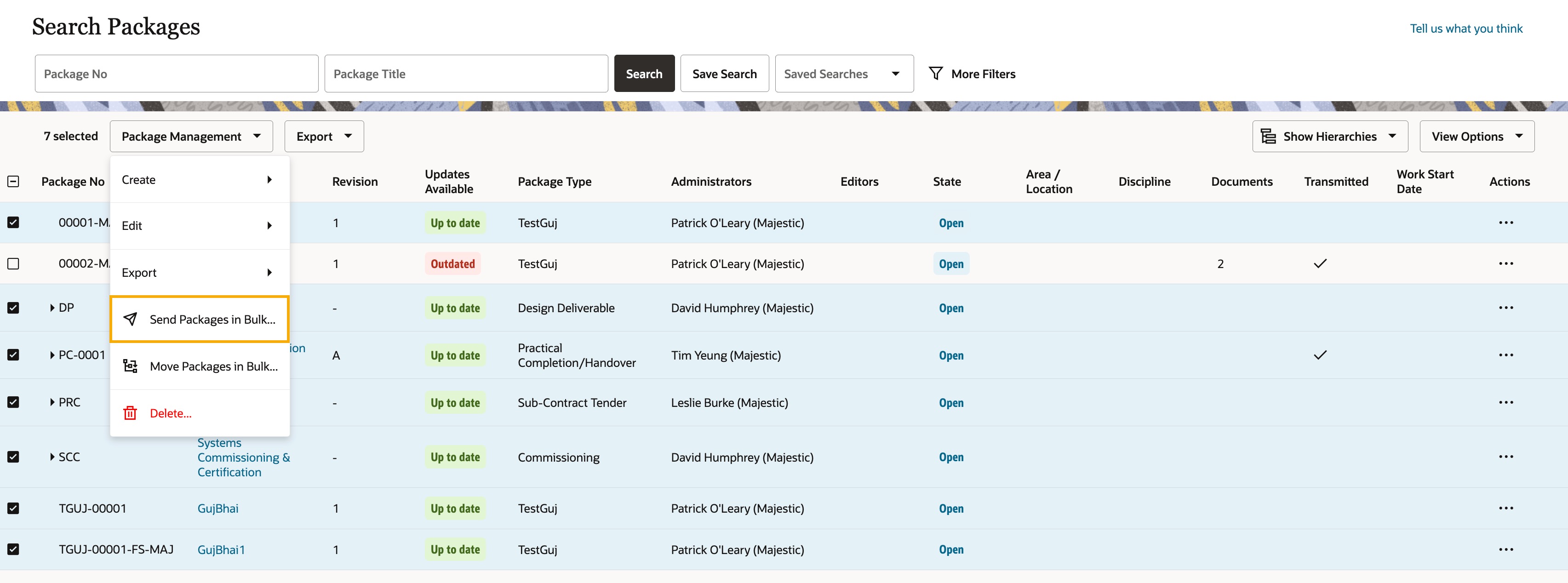
  1. Find and select the packages you want to send. You can transmit up to 20 packages at a time.
  1. Click Package Management and select Send Packages in Bulk.
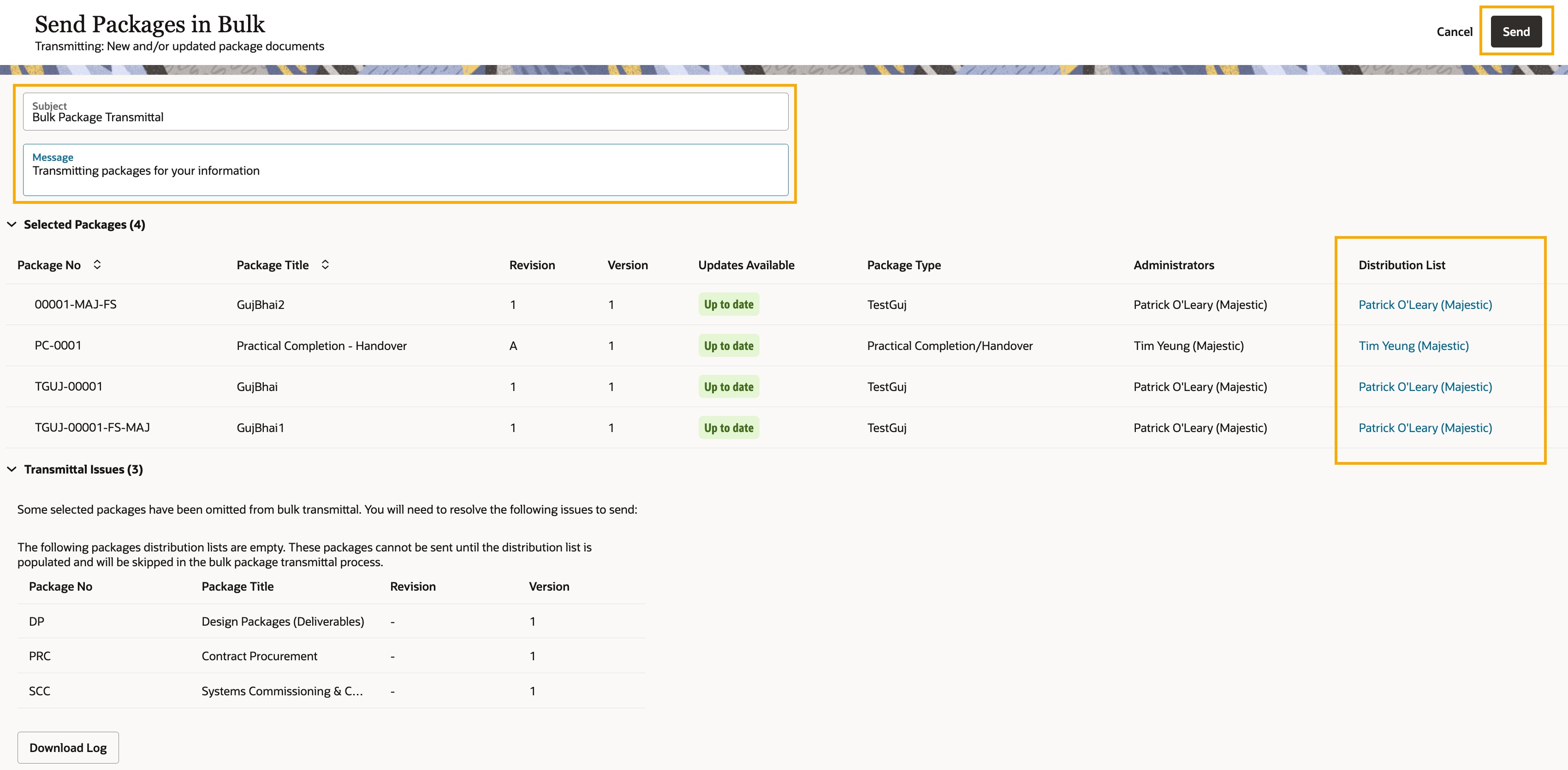
  1. Each package will be sent according to its distribution list. Click on a distribution list for a package to see who will receive it.
  2. Enter a subject. This field is mandatory and is the subject of the transmittal(s) the recipients will receive.
  3. (Optional) Enter a message that will appear on the transmittal(s).
  4. Click Send.
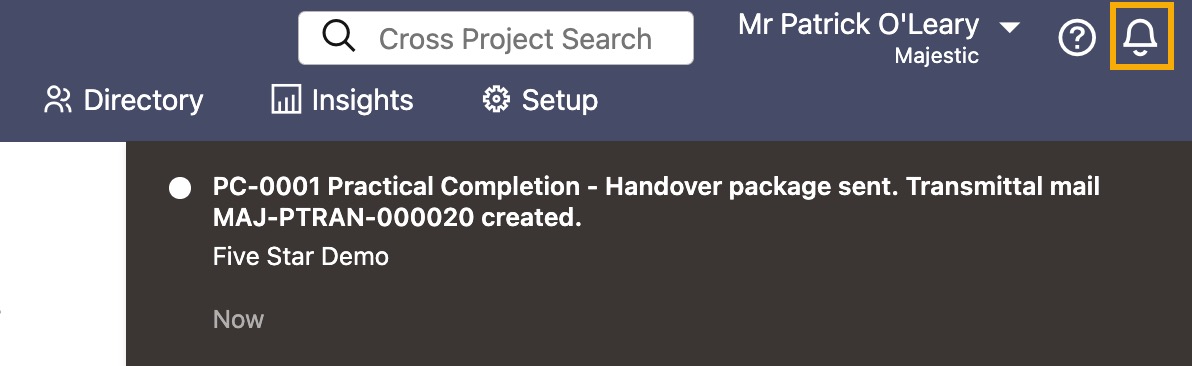
  1. Aconex will generate individual package transmittals for each of the selected packages. When you see a red notification, the transmittal process is complete.
  2. Click the bell icon to view the details of the package transmittals.

Tip!

You'll find the package transmittal mails under package transmittal history, or in the sent box in Mail.

Send a package hierarchy

You can send a package and all its descendant packages in one action, without selecting each package individually. You can send up to 20 packages in a hierarchy at a time.
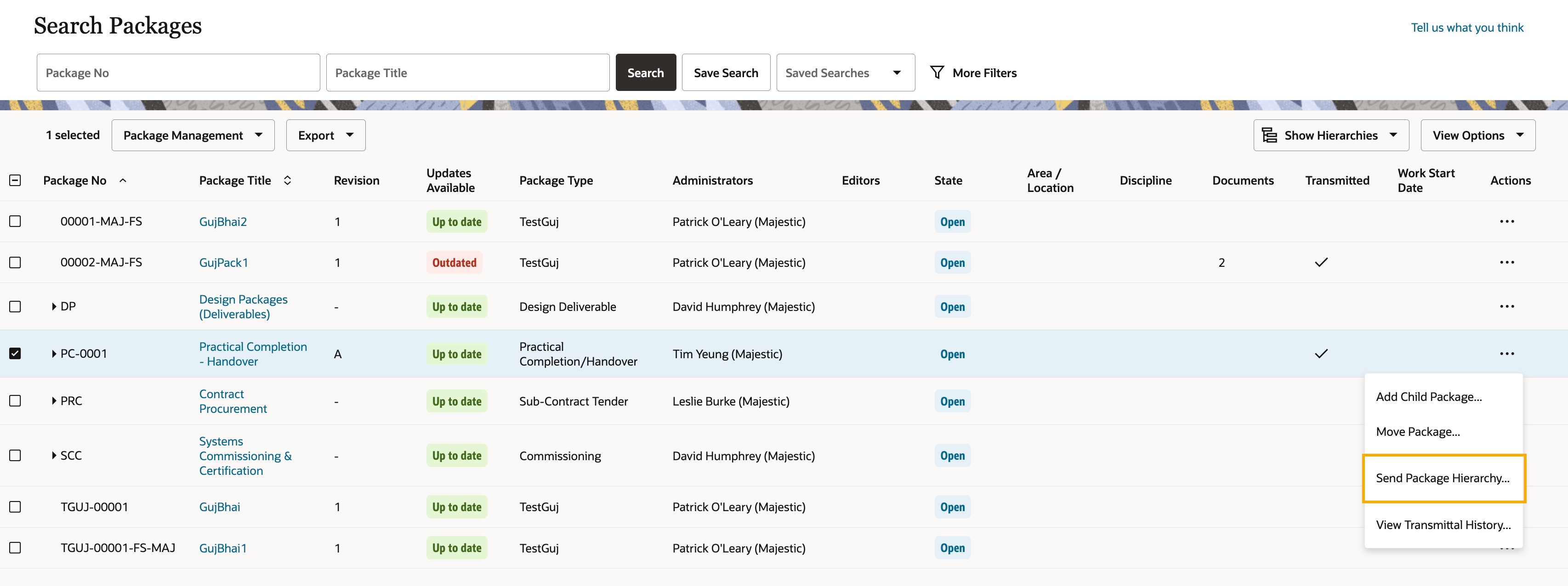
  1. Find the parent package you want to send.
  2. Click the three dots menu under Actions, then select Send Package Hierarchy.

Tip!

If the selected package and its descendants exceed the 20-package limit, try selecting a package at a lower level in the hierarchy, or select and send the packages in batches.
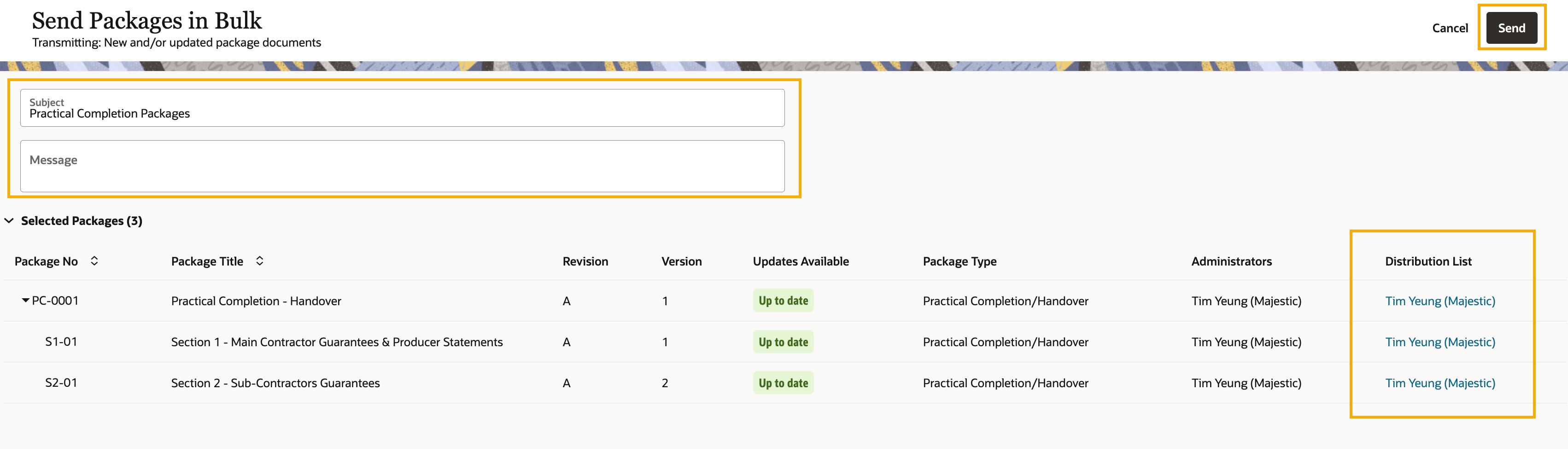

  1. The selected package and all its descendant packages are included for sending, up to a maximum of 20 packages.
  2. Each package will be sent according to its distribution list. Click the distribution list for a package to see who will receive it.
  3. Enter a subject. This field is mandatory and will be used as the subject of the transmittal each recipient receives.
  4. (Optional) Enter a message that will appear on the transmittals.
  5. Click Send.
  1. Aconex generates an individual package transmittal for each package. When you see a red notification, the transmittal process is complete.
  2. Click the bell icon to view the details of the package transmittals.