December 2025

This month you can share your mailing groups with the entire project, export more records to Excel, get more data in reports, and create a user account faster.

该发行版适用于:
  • Everyone who asked for the ability to share mailing groups.
  • All users who need to export large data sets.
  • Project teams using Test Plans who want to search and filter their activities.
  • Data analysts who asked for more data in their reports.
  • Org Admins who create user accounts.

Mail

What's new

Share your mailing groups

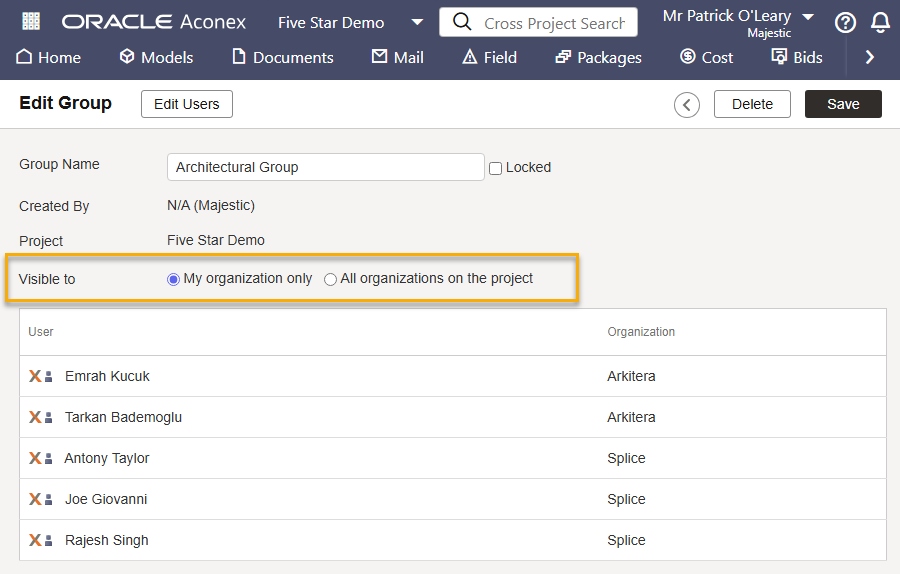
  • Thanks to your feedback, you can now share your mailing groups with all organizations on project.
  • This saves time and helps everyone communicate with the right people on the project. 
  • Each organization no longer has to create and maintain its own copy of the mailing groups.
  • Mailing groups are shared as read only, which means only the creating organization can add or remove users to them.
  • A shared mailing group can be used when sending a mail, managing a package distribution list, creating a workflow template, or a supplier document package. 
  • You'll need to have the Share Mailing Group With Organizations on Project permission granted to your user role to share a mailing group.
  • If required, project owning organizations can prevent other organizations from sharing mailing groups. Enabling the project preference Allow only Project Owner to share/unshare mailing groups means only the project owner can share them.

Documents

Improvements and fixes

Export larger data sets

  • We've increased the amount of data you can export in Excel to a maximum of 50K rows. Previously up to 25K rows could be exported.
  • This applies to reports for Documents, Mail, Supplier Documents, and Workflows.

Field

What's new

Search and filter test plan activities

NoteTest Plans is currently only available to projects on the KSA1 and MEA instances. We'll continue to develop features based on feedback and announce availability for other Aconex instances at a later date.

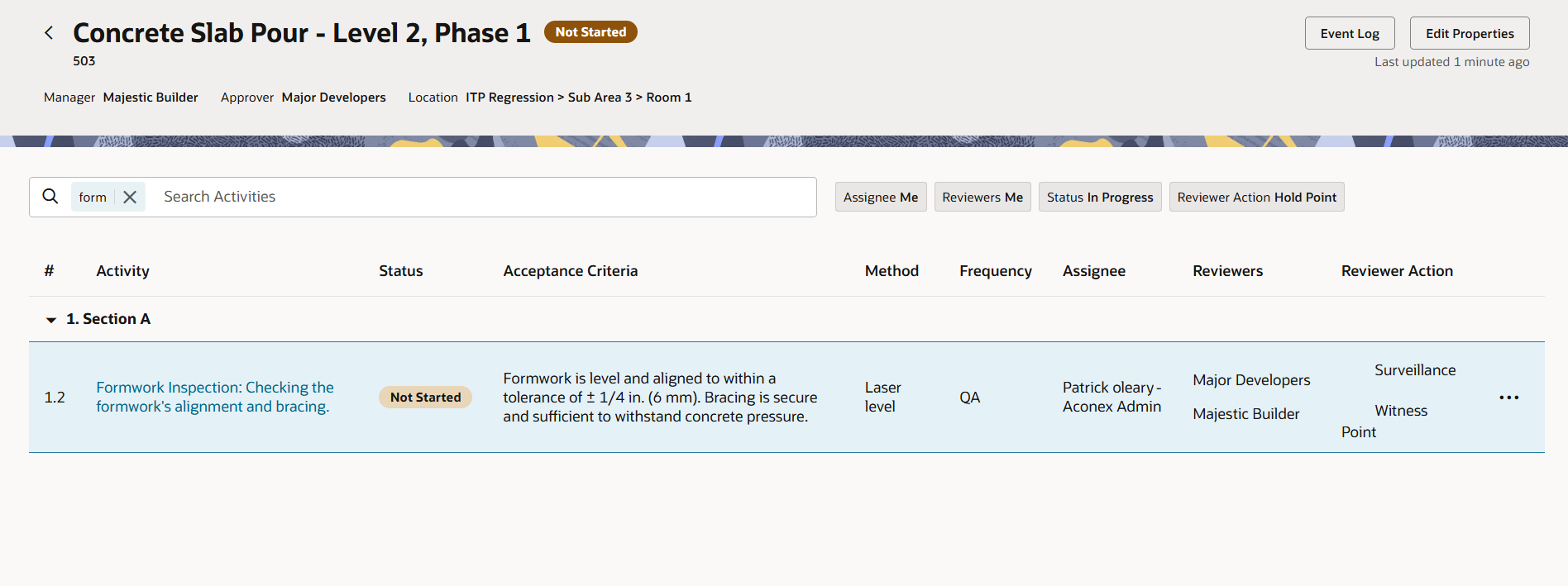
  • You can now search and filter the list of activities on a test plan.
  • This helps you find a particular activity that you want to work on based on Assignee, Reviewer, Status and Reviewer Actions.
  • Once you click on a filter, its default filter value will be applied immediately, but you can change the values as needed. For example, if you click the Assignee filter it will automatically show all activities assigned to you.

Find test plans by Approver

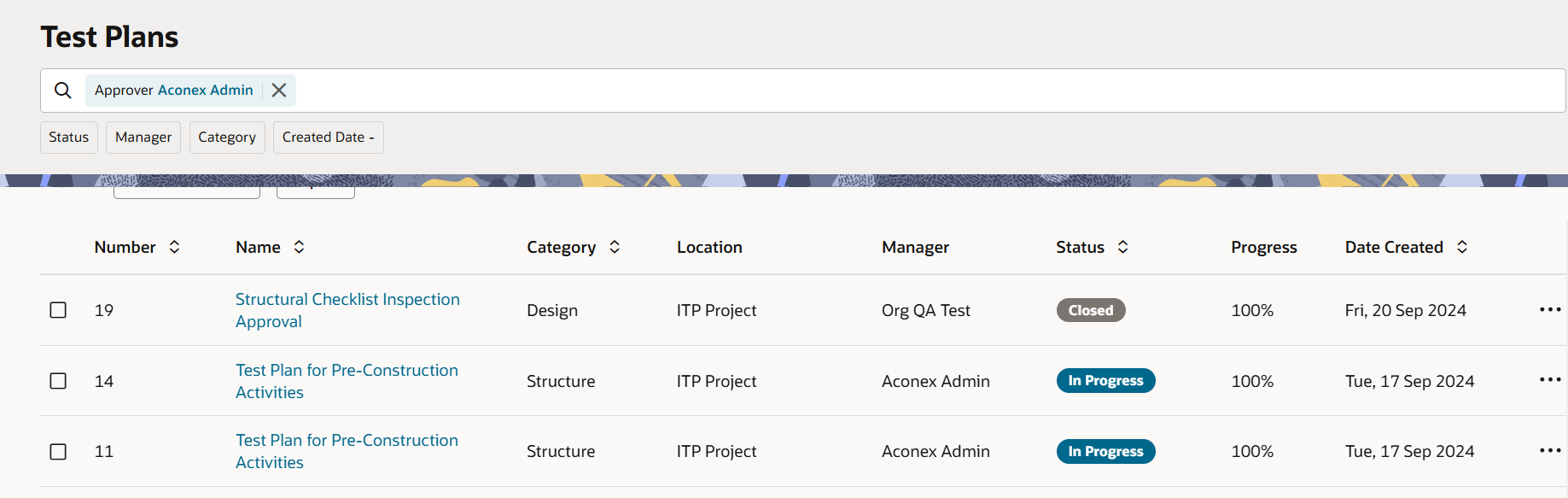
  • You can now filter your test plan list by one or more Approvers.
  • This helps you find test plans that need to be closed by a particular user or organization.

Improvements and fixes

Track inspection completion

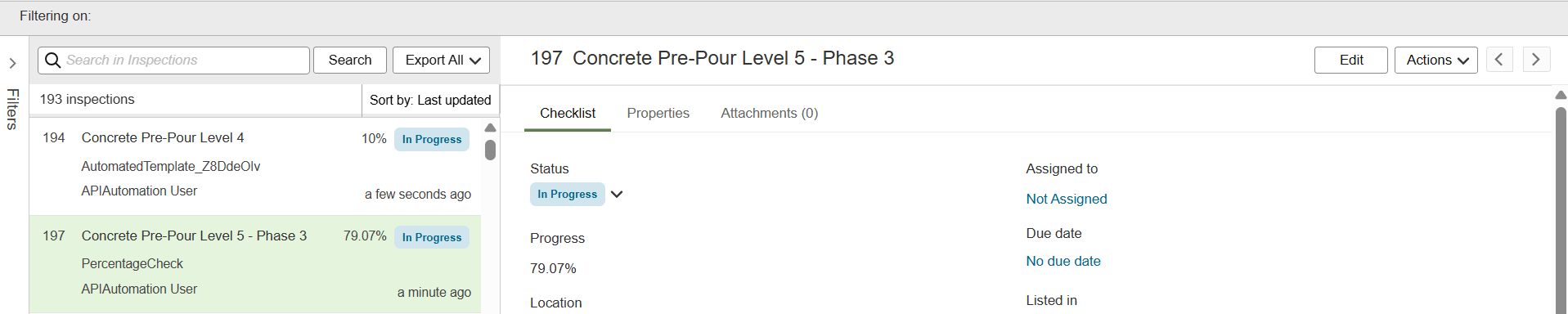
  • The completion percentage for inspections are now shown in two decimal places (for example, 16.25%).
  • This helps you accurately track and report on your inspection progress.
  • The new format applies to newly created inspections or when an existing inspection is edited.
  • The percentage is also shown when exporting inspections to Excel, CSV and PDF.

Insights

What's new

More data in your reports

  • To help you view Field issues within a specific timeframe or track issues by date, the Field issue reports can now be filtered by Captured On or Due Date
  • To help you track inspections and associated issues, the Field Inspection Report now includes the:
    • Count of inspections created from each template.
    • Count of issues created from each template.
  • The project directory report now includes the User Type column to show if the user is a guest or full user.
  • The RFI Sent and RFI Received reports now show results for all supported languages. 

Improvements and fixes

An improved report editor

  • The report editor now supports filtering by supporting subject areas, and reordering columns is more intuitive.
  • We reorganized the columns in the Modify Tables screen to make the options easier to view and select.

We fixed some bugs

  • Project names containing special characters now display correctly in headers and footers.
  • Workflow reports now display the organization trading name (instead of the organization name) in fields such as Assigned Organization.
  • Mail reports that exceed the 10,000-record limit will now display the latest 10,000 mails so you always see the most recent records. 

Models

Improvements and fixes

Ready to Revit

  • The model viewer now supports Revit 2026 files.
  • If you upload a Revit file as a local file, the coordinate system will now default to Shared Coordinates instead of None.

Packages

Improvements and fixes

A new look for package attachments

  • We've updated the buttons, fonts, and alignment of the Package Attachments screen.
  • This works towards providing a consistent design across the platform allowing for an intuitive and seamless experience.

成本

改进与修复

变更事件中包含更多天数

  • 我们已将变更事件和变更事件项中的“成本天数”和“预算天数”分别关联到新增的“请求天数”和“已接受天数”字段。
  • 如果您在变更事件中创建或更新合同变更,则“成本天数”和“预算天数”的值将自动填充到合同变更的“请求天数”和“已接受天数”字段中。
  • 同样,当从下游或上游合同变更添加变更事件项时,“请求天数”和“已接受天数”的值也将自动填充到该变更事件项的“成本天数”和“预算天数”字段中。

更新后的消息

  • 我们更新了错误信息,以便更清楚地说明您是否有创建控制帐户的权限。

Lobby

改进与修复

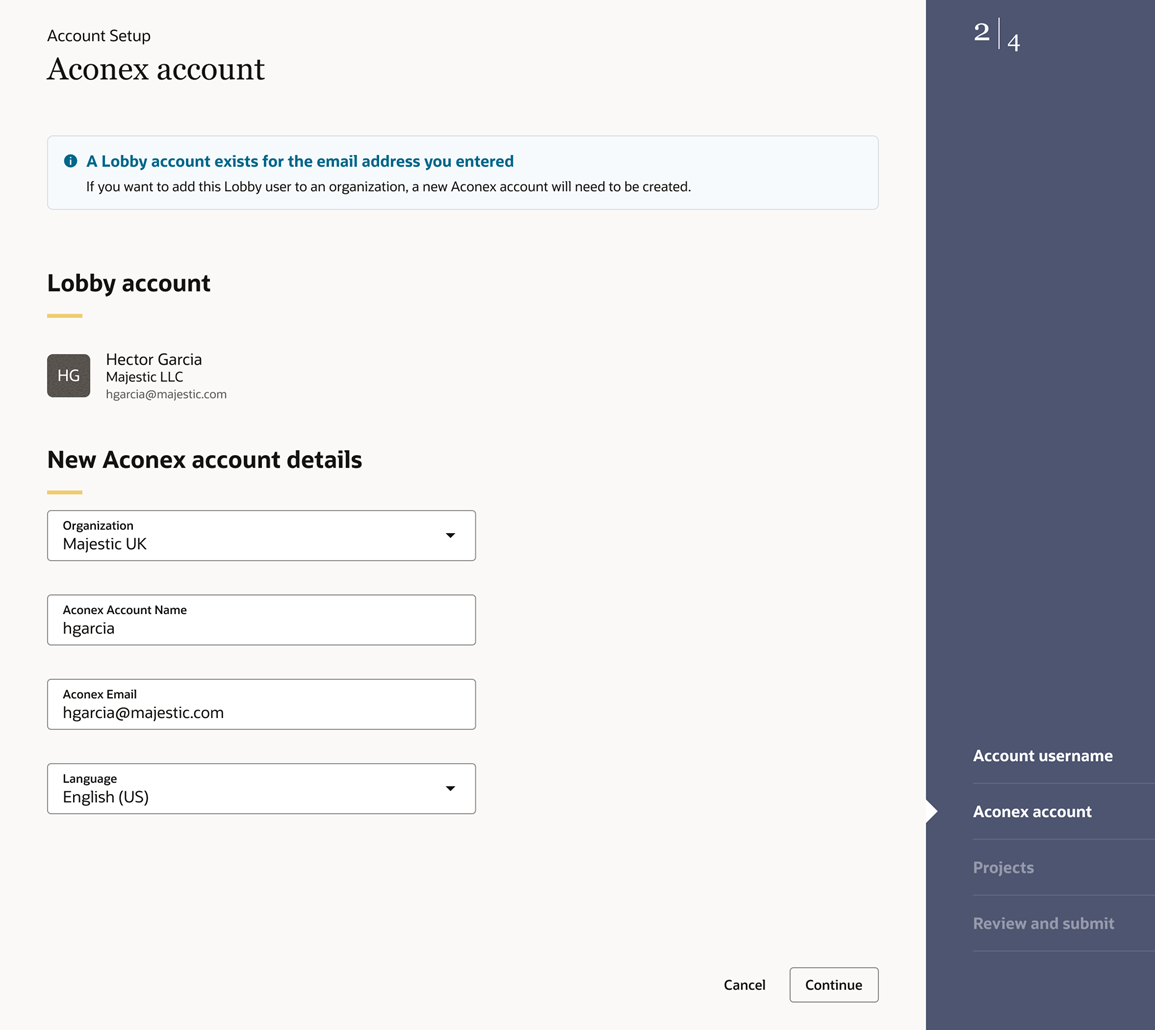
创建用户更快捷

  • 如果您需要为现有 Lobby 用户提供组织访问权限,现在只需一个流程即可创建相应的 Aconex 帐户并将其链接到他们现有的 Lobby 帐户。这意味着您无需再单独链接新帐户,从而为您节省时间。
密码重置更快捷

  • 如果您需要重置密码,您的电子邮件地址将自动填充到用户名栏中,从而为您节省时间。

API

改进与修复

文档包 API 中有更多数据

  • Package GET API 包含一个 include 参数,可用于请求以逗号分隔的附加数据。
  • 新增的 API 会返回给定项目 ID 的所有文档包附件的总量。
  • Package Events GET API 包含删除事件和不再使用的事件。

Features and improvements will gradually rollout to each instance throughout the month.

Some updates only apply to projects on the KSA1 and MEA instances as indicated. All other updates will be made available to all instances.

发行计划

There are no dates available for this release. We'll gradually rollout features and improvements to each instance throughout the month.

While we endeavour to keep this information complete and accurate, we advise you to thoroughly test and confirm feature availability before implementing new processes on your project. This information is accurate at the time of publishing and is subject to change without notice. Learn more about our release process