Si tiene cuentas vinculadas en el Lobby que ya no utiliza, es fácil eliminarlas.
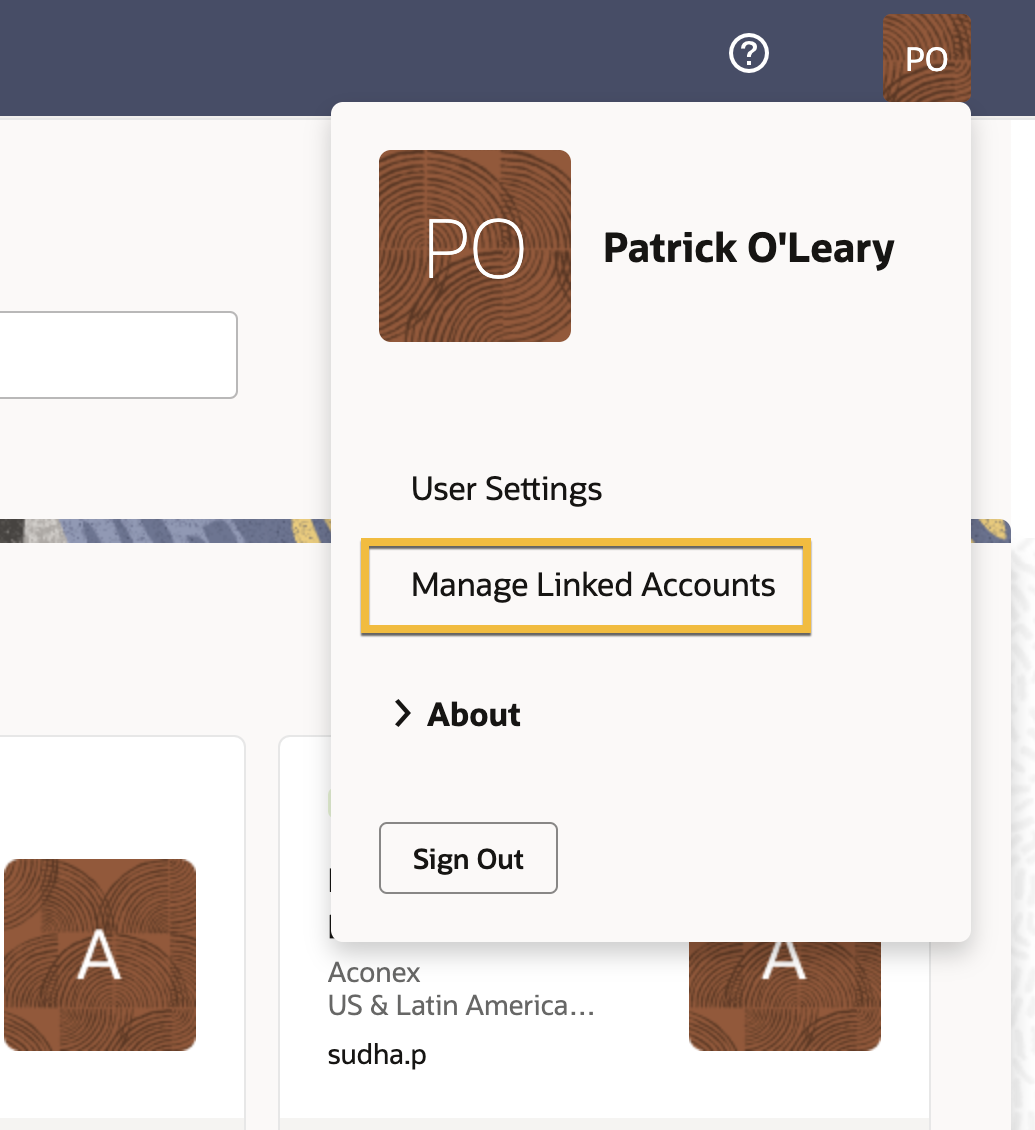
Seleccione Administrar cuentas vinculadas en el menú de usuario ubicado en la esquina superior derecha de la pantalla.
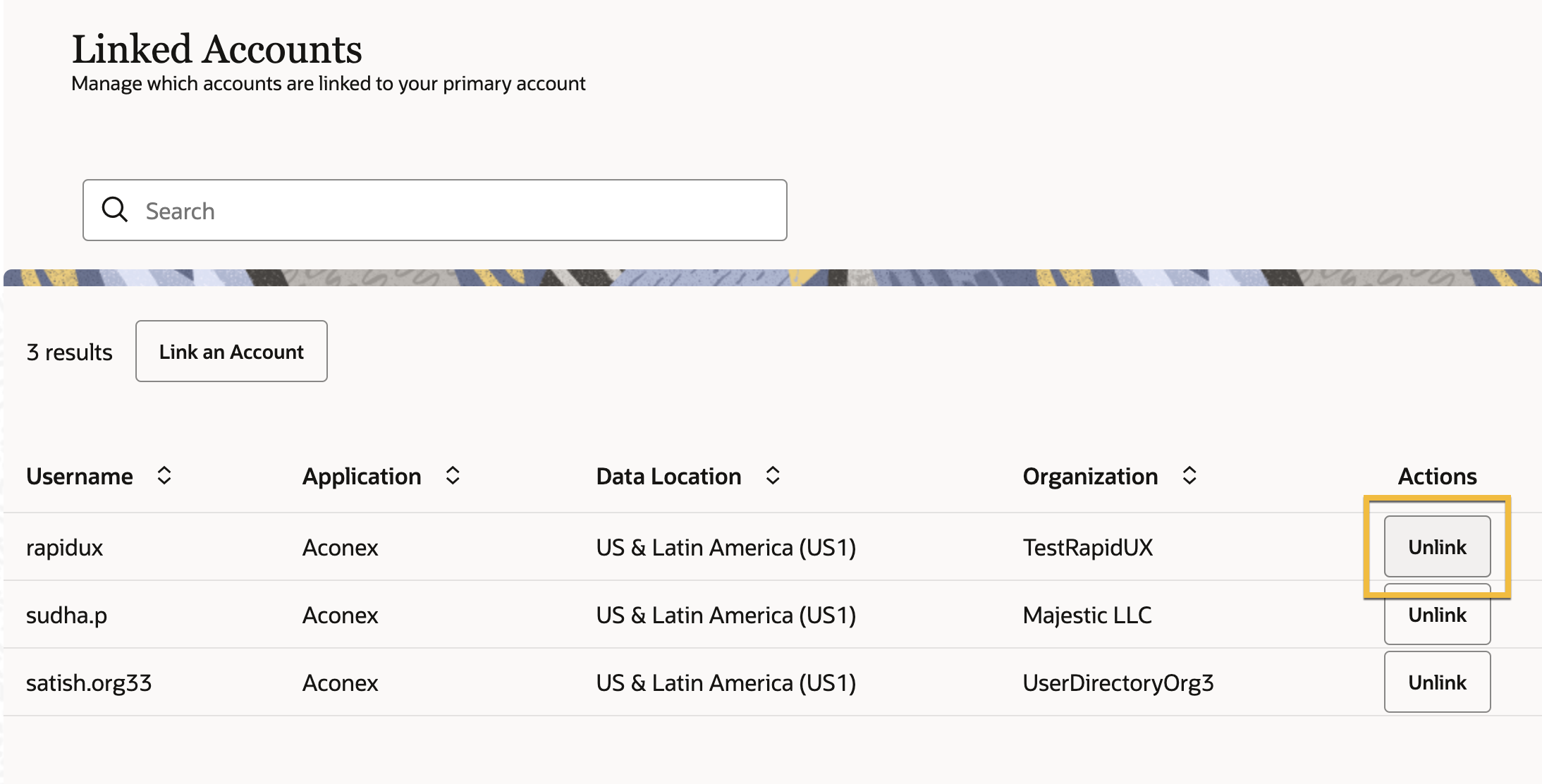
Haga clic en Desvincular junto a la cuenta de usuario que desea desvincular.
En el cuadro, haga clic en Desvincular para confirmar.
Nota
No es posible eliminar una cuenta de Lobby. Si un usuario necesita pertenecer a otra organización, un administrador de Lobby puede mover al usuario a otra organización.
Ya no verá los proyectos a los que tiene acceso este usuario en la lista de proyectos.