
Support Central
Every person using Test Plans has a role, which determines what actions they can perform.
Each user has an overall role that defines what they can do in Test Plans. In addition, organizations and users can be assigned participant roles on a specific test plan which allows them to perform specifc actions on that specific test plan, such as starting an activity or submitting the test plan.
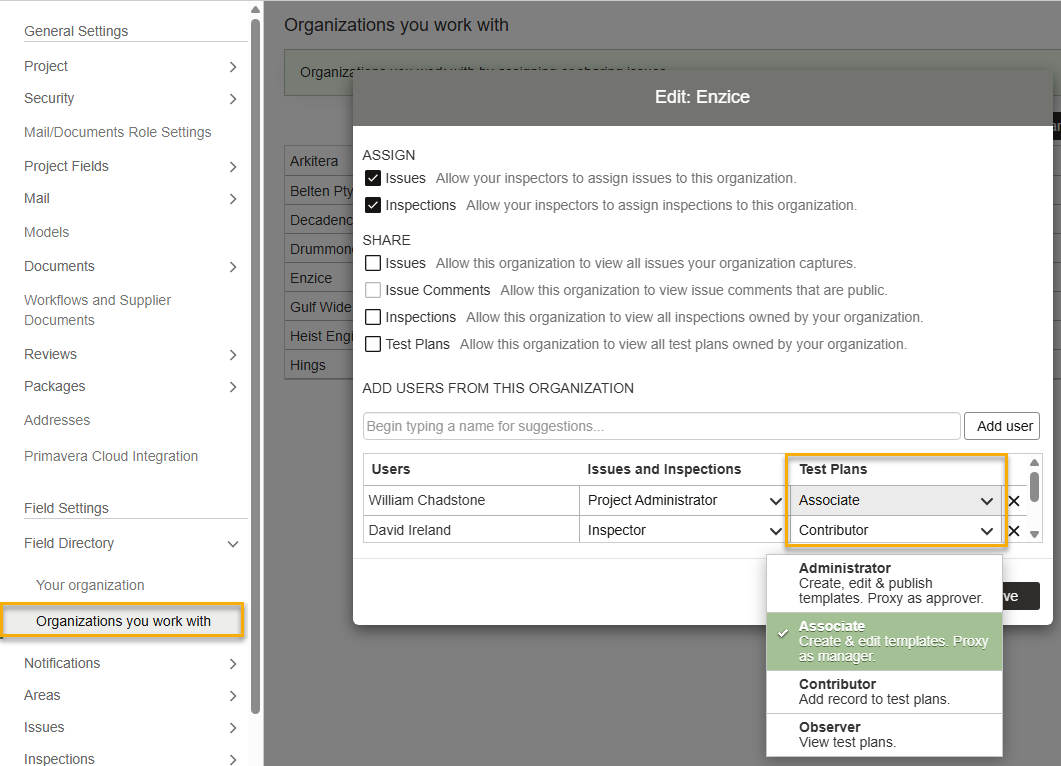
Permissions in Test Plans are provided to each user by assigning them a role in the Field directory. These permissions apply across all test plans in the user's organization.
There are four Test Plan Roles:
The table below shows which permissions (or actions) are available for each role.
|
View Test Plans |
View event log |
Export Test Plans |
Create/Edit Test Plan | Delete Draft Test Plan | Activate Test Plan |
Edit Test Plan (after Activation) |
|
|---|---|---|---|---|---|---|---|
| Observer | ✓ | ✓ | ✓ | ||||
| Contributor | ✓ | ✓ | ✓ | ✓ | ✓ | ||
| Associate | ✓ | ✓ | ✓ | ✓ | ✓ | ✓ | ✓ |
| Administrator | ✓ | ✓ | ✓ | ✓ | ✓ | ✓ | ✓ |
In addition, the Test Plan Role also provides acess to the following test plan settings:
| Notification Settings | Create/Edit Template | Create/Edit Categories and Reviewer Actions | View Import Logs | Share Test Plans and Templates | Publish Template | |
|---|---|---|---|---|---|---|
| Observer | ✓ | |||||
| Contributor | ✓ | |||||
| Associate | ✓ | ✓ | ✓ | ✓ | ✓ | |
| Administrator | ✓ | ✓ | ✓ | ✓ | ✓ | ✓ |
You must be a Field Admin to access this screen. You can only assign a role that is equal to or below your role. By default, a newly added user is assigned the Observer role.
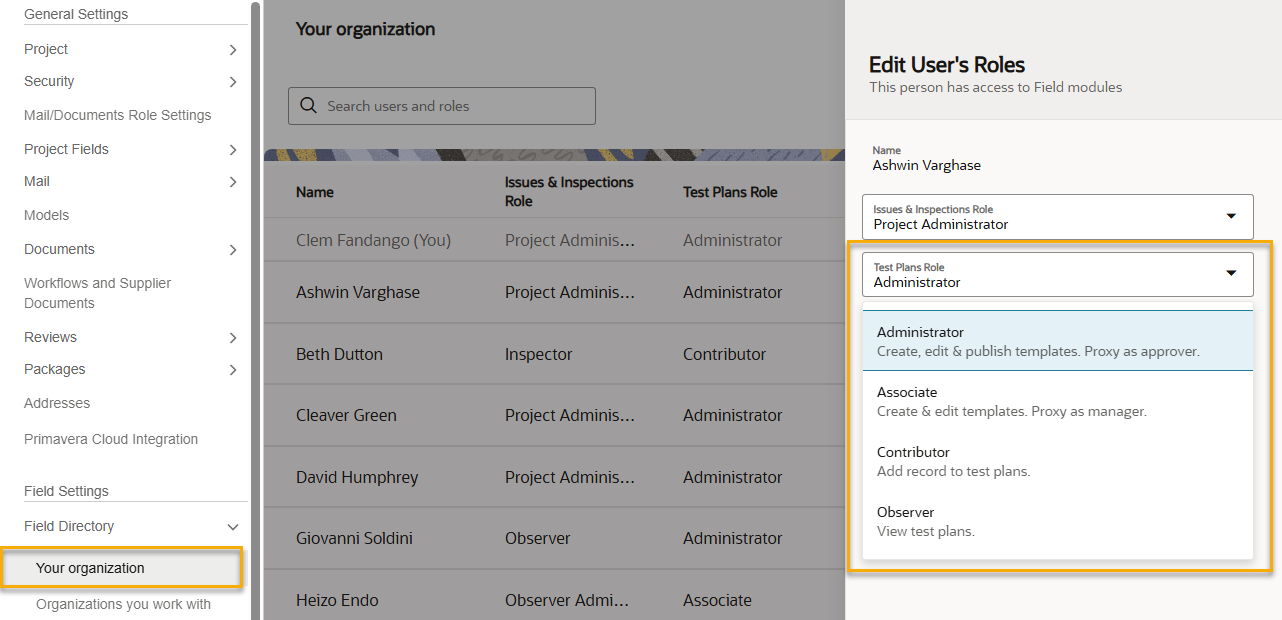
You must be a Field Project Admin or Inspector Admin to access this screen. In addition, you'll also need be a Test Plan Administrator or Associate to edit roles in this screen.
You can only assign a role that is equal to or below your role. By default, a newly added user is assigned the Associate role.
You can manage permissions granularly on specific test plans. To achieve this, each test plan has its own set of participant roles. These are configured in the template and allows users to be assigned separate permissions to work on a specific test plan.
For example, a user who is assigned the Test Plan Role of Observer, can be made an Approver in a specific test plan. This means they can manage that specific test plan, even though they have the Observer role.
The participant role can be assigned to an individual user, or to an organization.
The four participant roles are:
The table below shows which permissions (or actions) on a specific test plan are available for each participant role.
| Start Activity | Add Records | Mark Activity for Review | Review Activity | Override Hold Points | Mark Activity Complete | Reopen Activity | Submit Test Plan | Close Test Plan | Reopen Test Plan | |
|---|---|---|---|---|---|---|---|---|---|---|
| Assignee | ✓ | ✓ | ✓ | |||||||
| Reviewer | ✓ | ✓ | ||||||||
| Manager | ✓ | ✓ | ✓ | ✓ | ✓ | ✓ | ✓ | |||
| Approver | ✓ | ✓ | ✓ | ✓ | ✓ | ✓ | ✓ | ✓ | ✓ |
| My Test Plan Role is Contributor | My Test Plan Role is Associate | My Test Plan Role is Administrator |
|---|---|---|
|
|
|
A participant role can be assigned to an individual user, or to an organization.
If an organization is named as a participant, then the permissions each user has on that test plan is based on their Test Plan Role. Keep in mind the organization that created the test plan also has permission to manage it.
The table below shows the actions available to a user where their organization has been set as a participant (such as an Assignee or Reviewer).
For example, if your organization was set as the Manager in a test plan, and your Test Plan Role is Associate, you can start and complete activities for that test plan and submit it (along with other actions).
| My Test Plan Role is Contributor | My Test Plan Role is Associate | My Test Plan Role is Administrator | |
|---|---|---|---|
| My organization is the Assignee |
|
|
|
| My organization is the Reviewer |
|
|
|
| My organization is the Manager |
|
|
|
| My organization is the Approver |
|
|
|
Reassign your organization's participant role to a specific user in your organization
If your organization is assigned a participant role (Assignee, Reviewer, Manager or Approver), only an Administrator or Associate from your organization can reassign the participant role to a specific user in your organization.
Reassign your participant role to someone else in your organization
If you've been assigned a participant role on a test plan, you can reassign responsibility for that specific action to someone else in your organization.
Reassign other participant roles
Depending on your participant role, you may be able reassign other participant roles in the test plan. In addition, your Test Plan Role determines if you can reassign those participant roles to other organizations:


