
Support Central
Get help, in Aconex, when you need it.
Help is available wherever you need it, at the click of a button. Content adapts to your current screen, providing the most relevant guides, interactive walkthroughs, tips and videos.
You'll find the in-app help widget on the right-hand side of your screen, but you can move it to suit you.
 for help relevant to the screen you're on.
 to move the widget to your preferred location around the screen edge.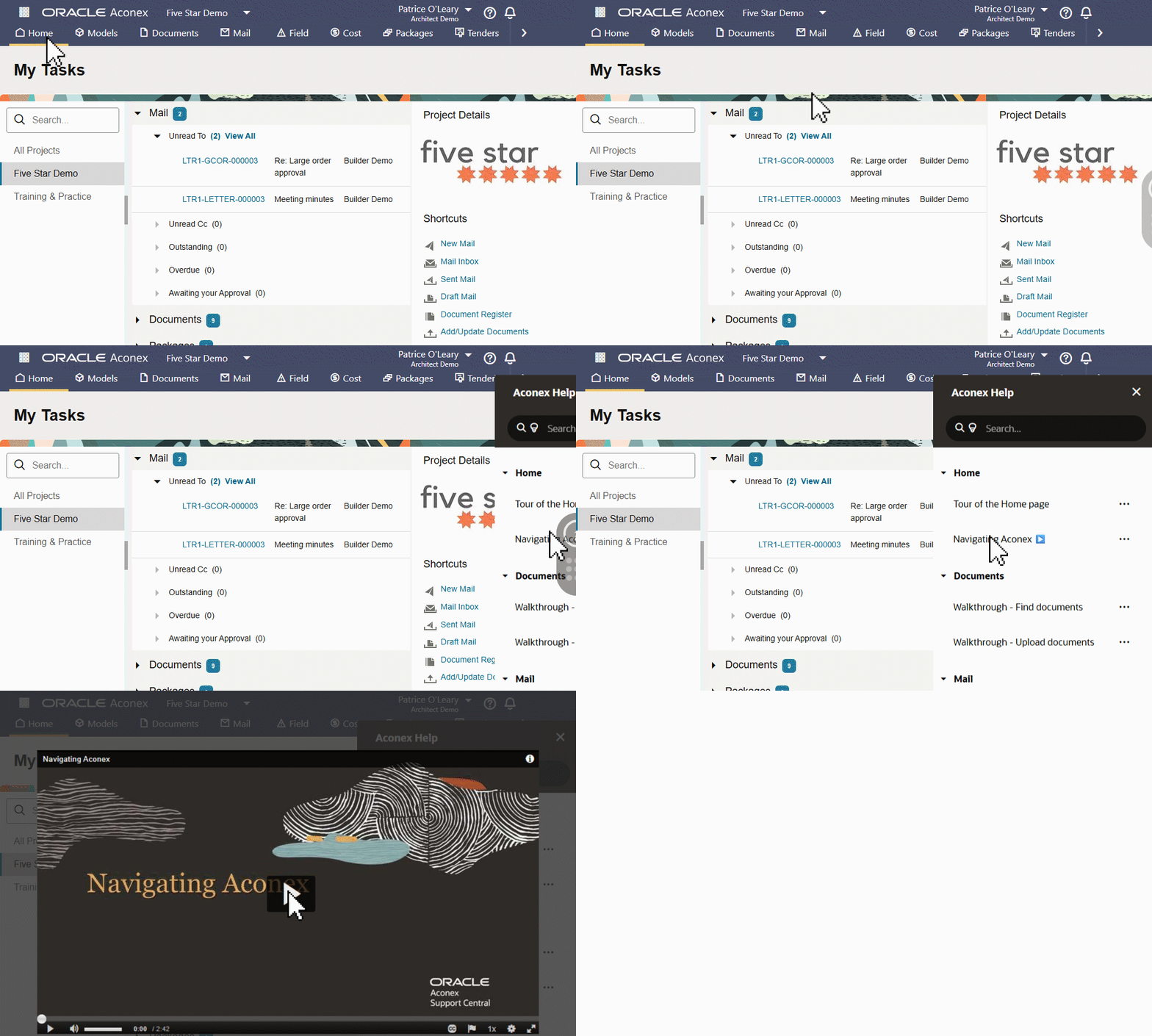
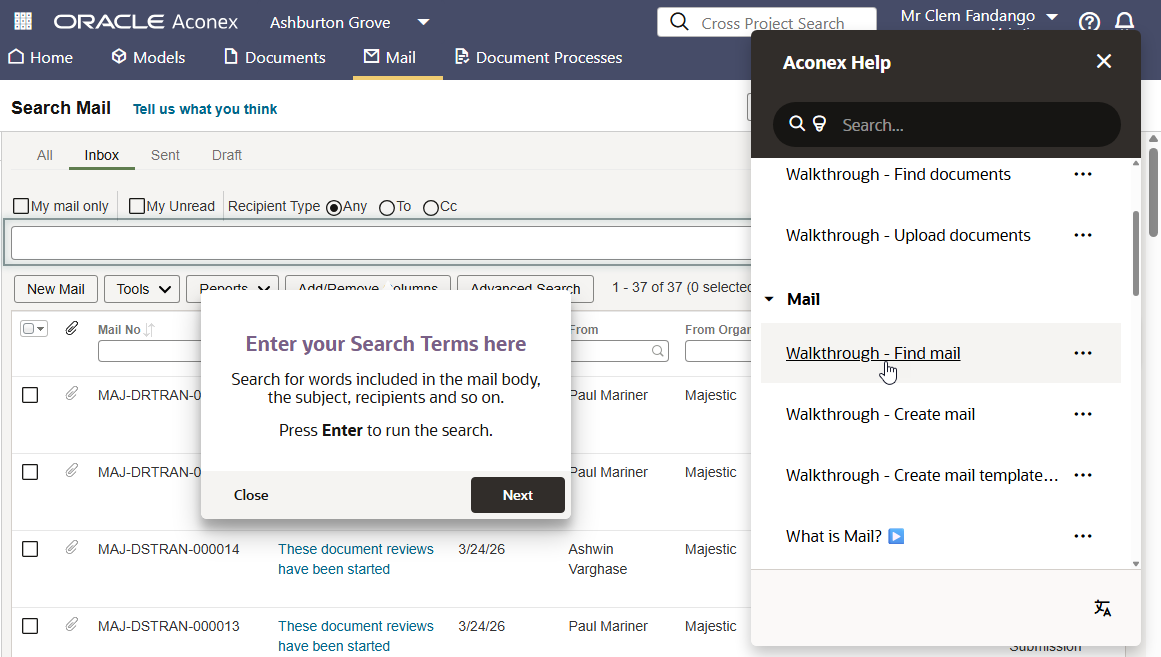
As an example, if you need a hand finding a mail, open in-app help from your inbox to find a walkthrough specific to that task.
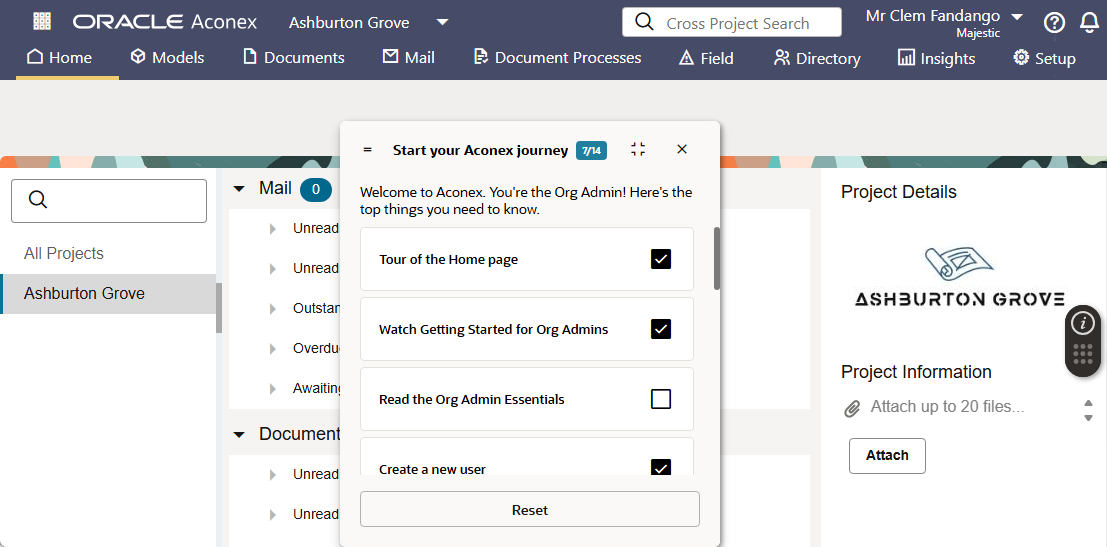
For those new to Aconex, they'll find a checklist of items when they first login to help them get comfortable with the system. These resources are dynamic depending if the user is an admin or not.
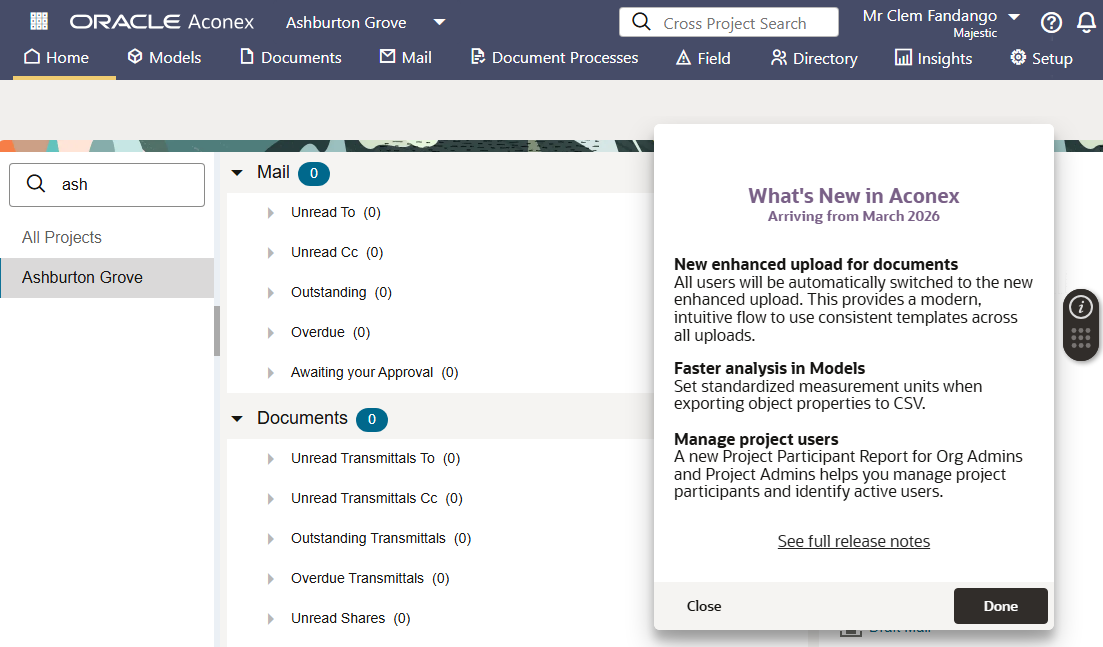
Each month we use in-app help to inform all users of important updates. These appear once per user to ensure you're kept informed without interrupting your work.
How can I move the widget? Click and drag to move the widget to your preferred location around the screen edge.
Can I remove the widget or switch it off for my organization? No. We use OGL for important announcements and updates you don't want to miss.
Can I use in-app help on my mobile? No. The widget is available in the web app only.
I keep seeing the same popup notification every time I log in. How do I stop it? We occasionally use in-app help to inform you of important updates. If you have an adblocker installed on your web browser, make sure you add an exception for the Aconex web address in the adblocker trusted sites or allow list settings. Your corporate IT may manage this for your organization. This ensures you'll only see those messages once.
Where can I learn more? In-app help is powered by Oracle Guided Learning.



