Support Central
Removing Oracle Aconex for Outlook, from your computer quickly and easily.
These instructions explain how to uninstall Oracle Aconex for Outlook on Windows 11. If you are using a different operating system, please contact your IT department.
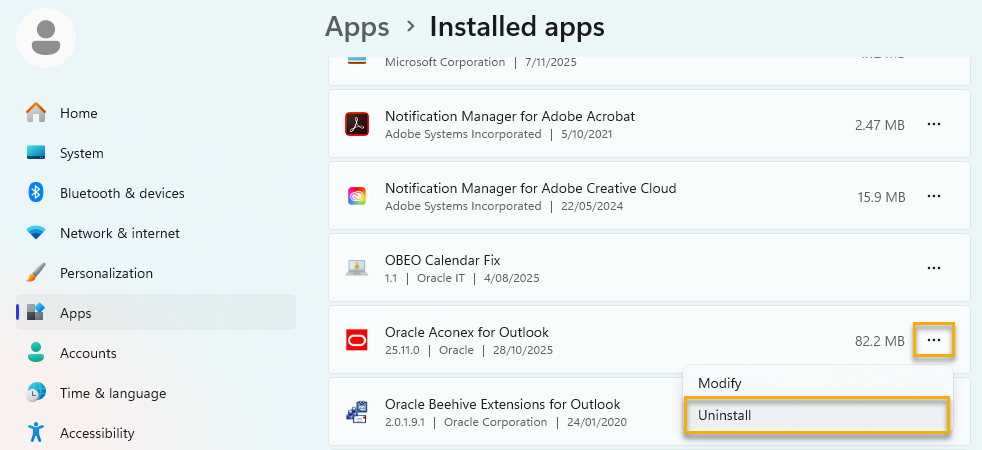
In Windows 11, search for and open 'Add or remove programs'.
Scroll down to 'Oracle Aconex for Outlook'.
Click on the three dots menu and select 'Uninstall'.