Support Central
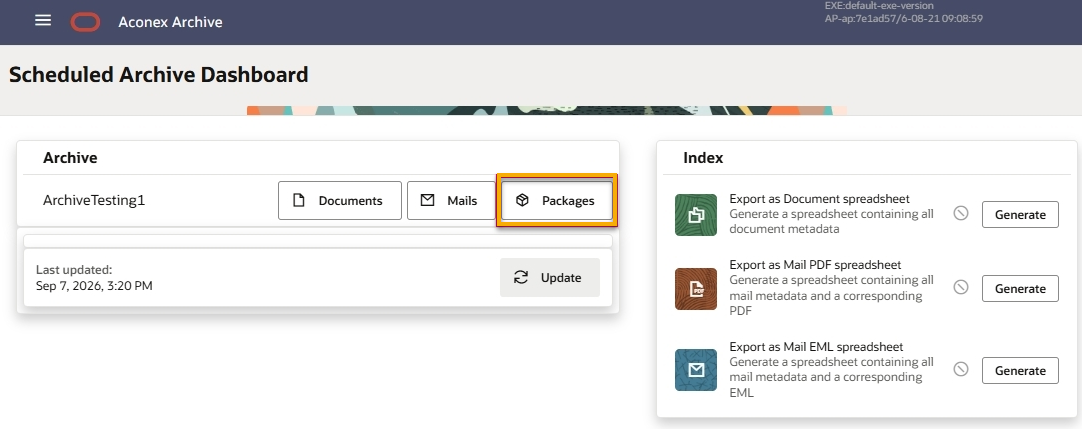
Search for packages, explore package hierarchies and view package details in your Aconex Archive.
Before you begin:
Use the search bar and filters to find packages. You can:
Search by package number, title, type, revision, state, administrators, editors, distribution list, update status, transmission status and project fields.
Select More Filters to search additional text, list, user, date, number and yes/no fields.
Pin frequently used filters to keep them available in the search bar.
Clear individual filters, or select Clear All to return to the complete list.
Select Add/Remove Columns to choose the metadata shown in the results table.
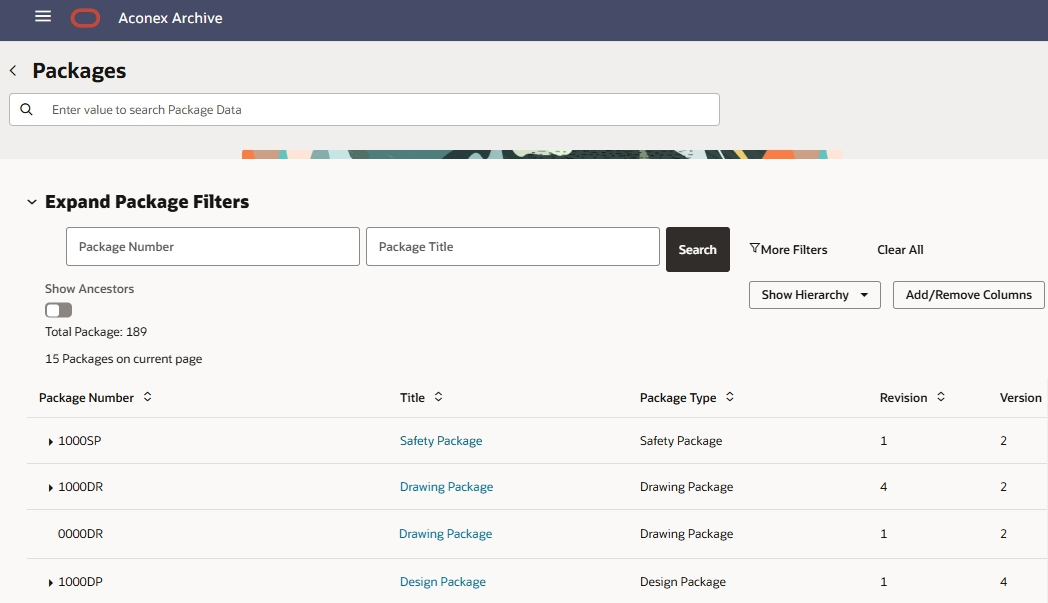
Use the hierarchy controls to explore package relationships:
Select Expand all , Collapse all or Show one level to control how much of the hierarchy is shown.
Select Show Ancestors to see the parent context of a child package returned by a search.
Search results and the displayed page and package counts reflect the selected hierarchy view.
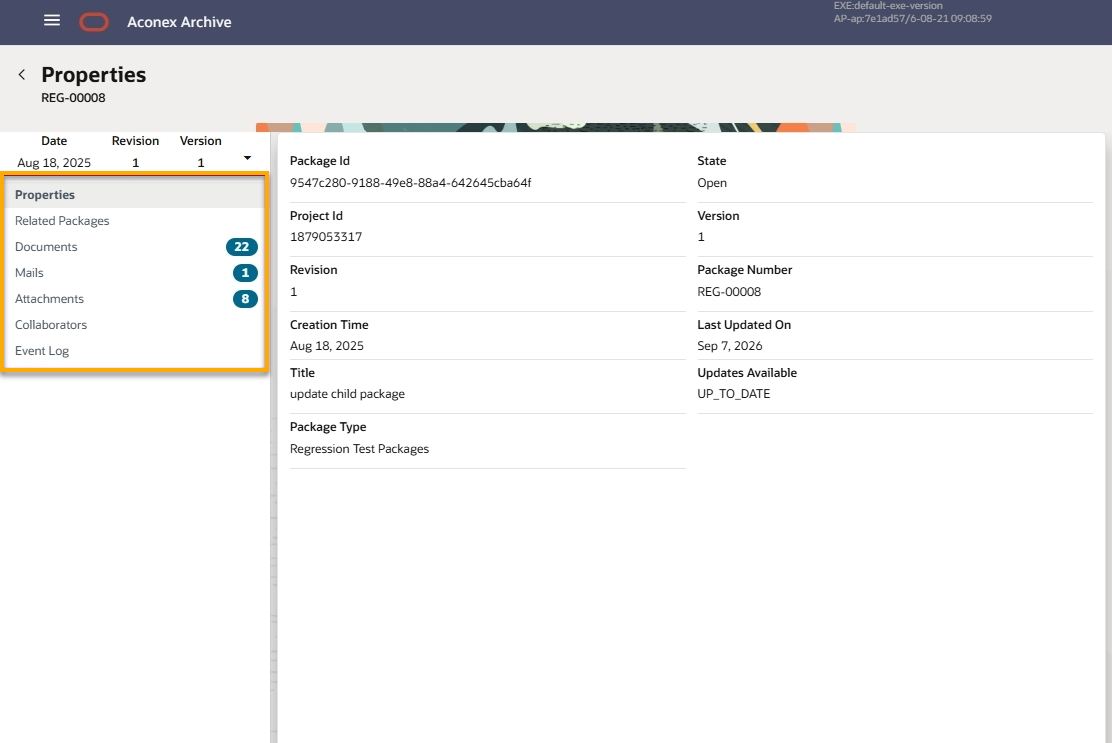
Select a package to view its information, including:
Properties and version history
Parent, child and other related packages
Associated documents
Mail, transmittals and recipients
Package attachments and available downloads
Administrators, editors and distribution list collaborators
The event log, including creation, edits and content changes
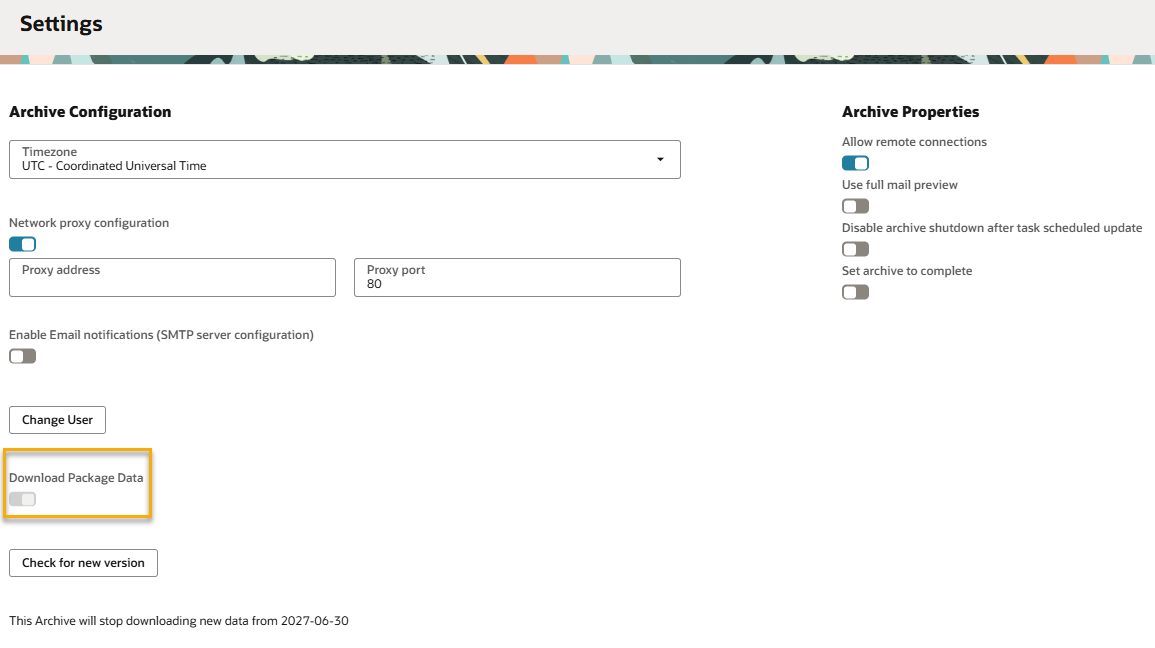
Make sure the Download Package Data option is enabled from the archive settings.