Support Central
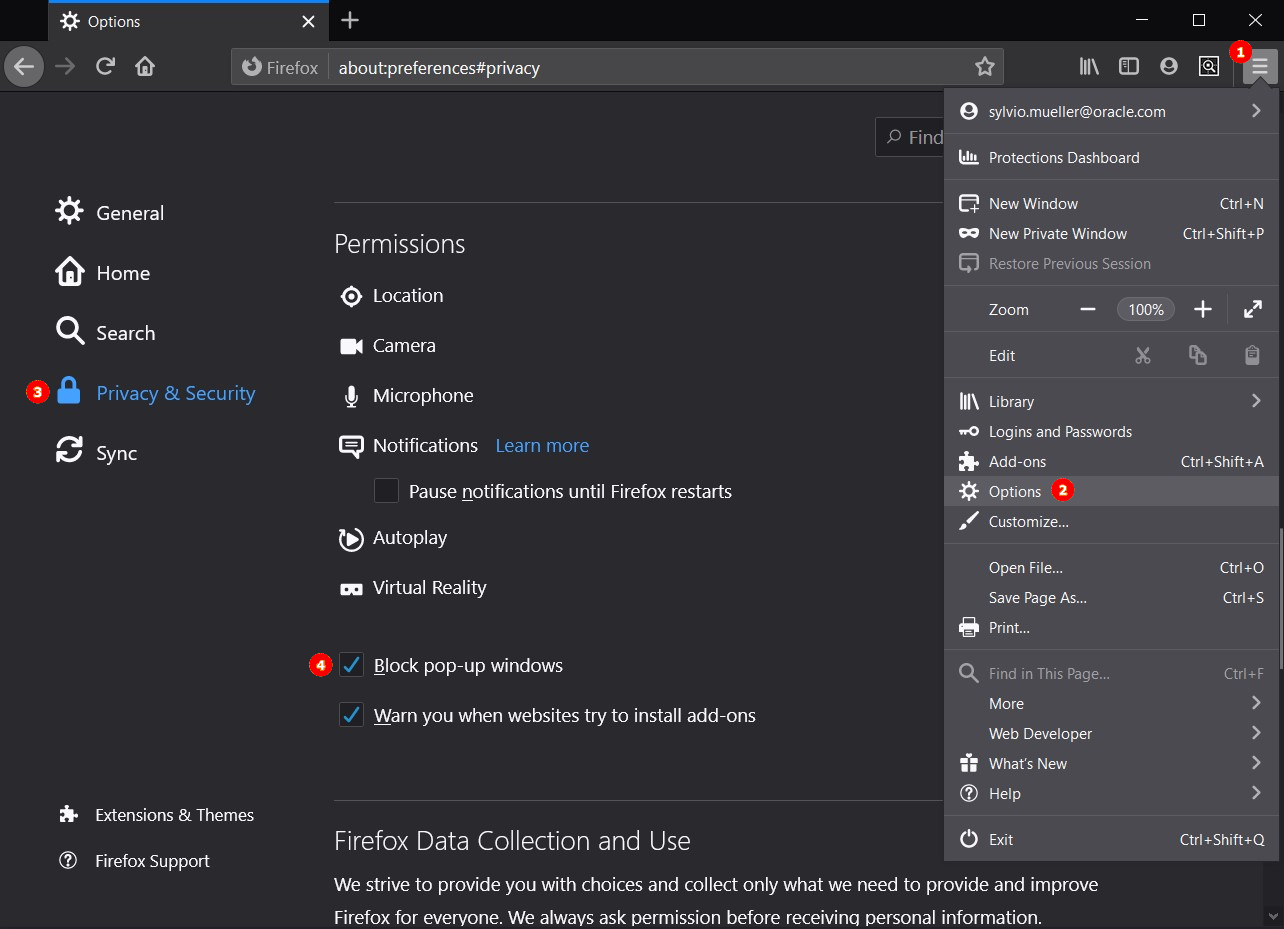
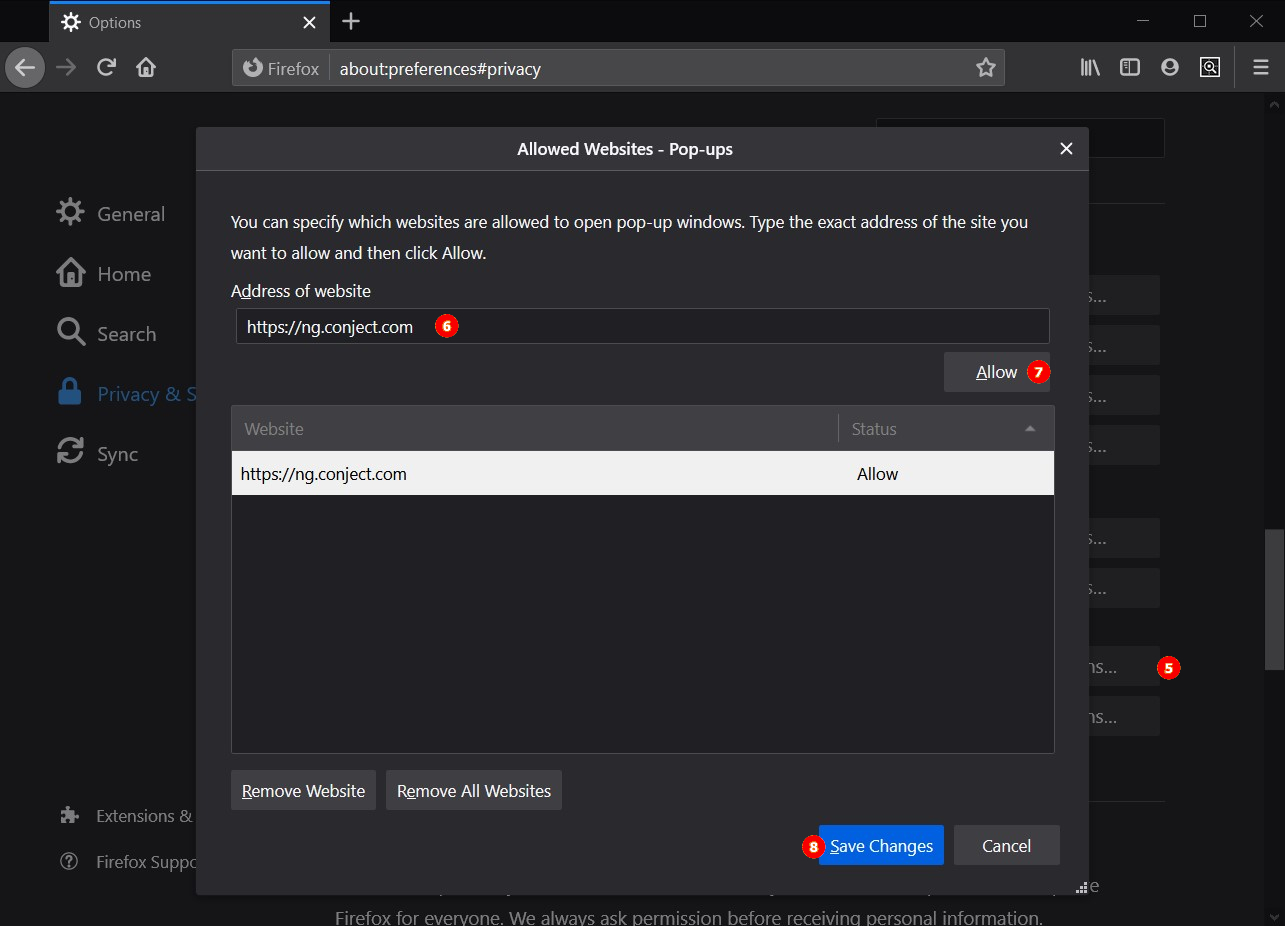
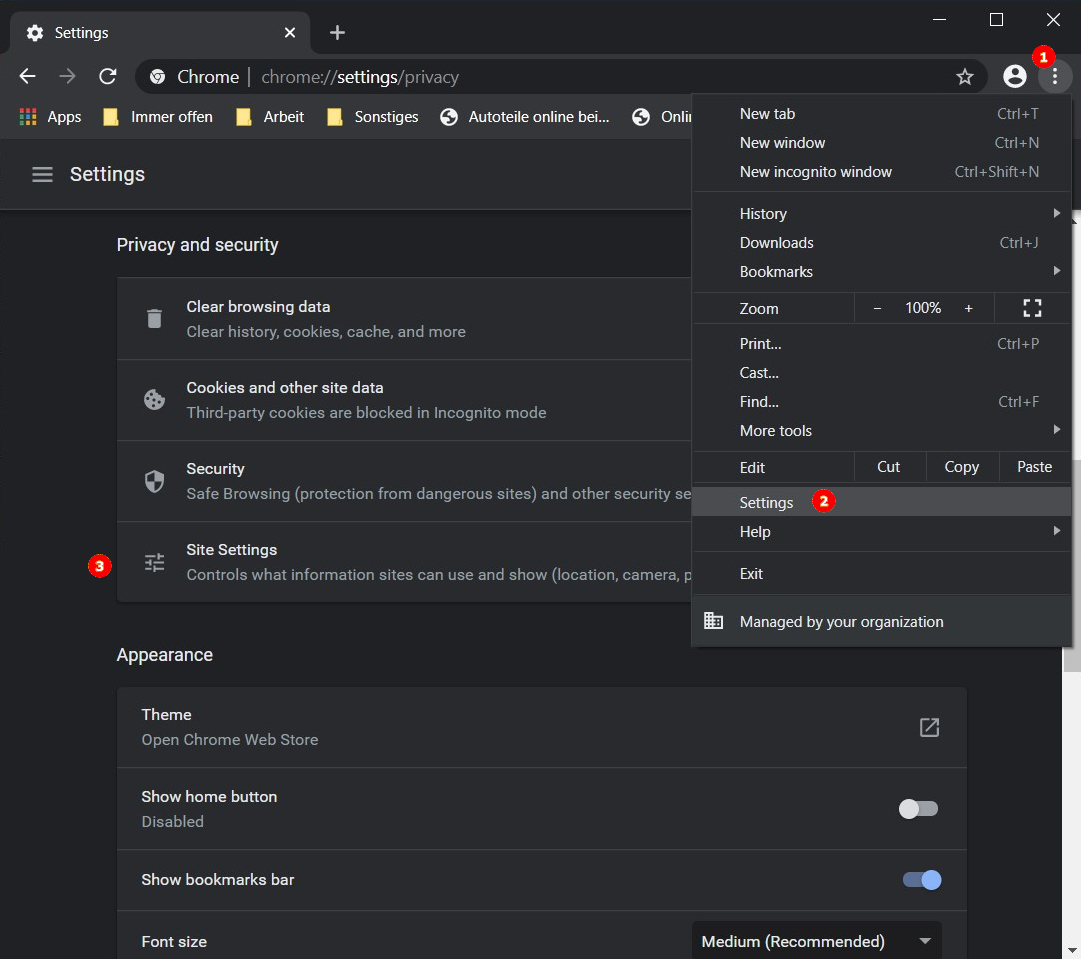
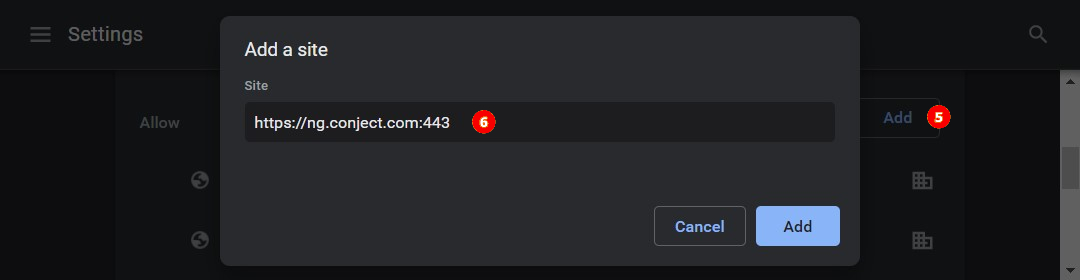
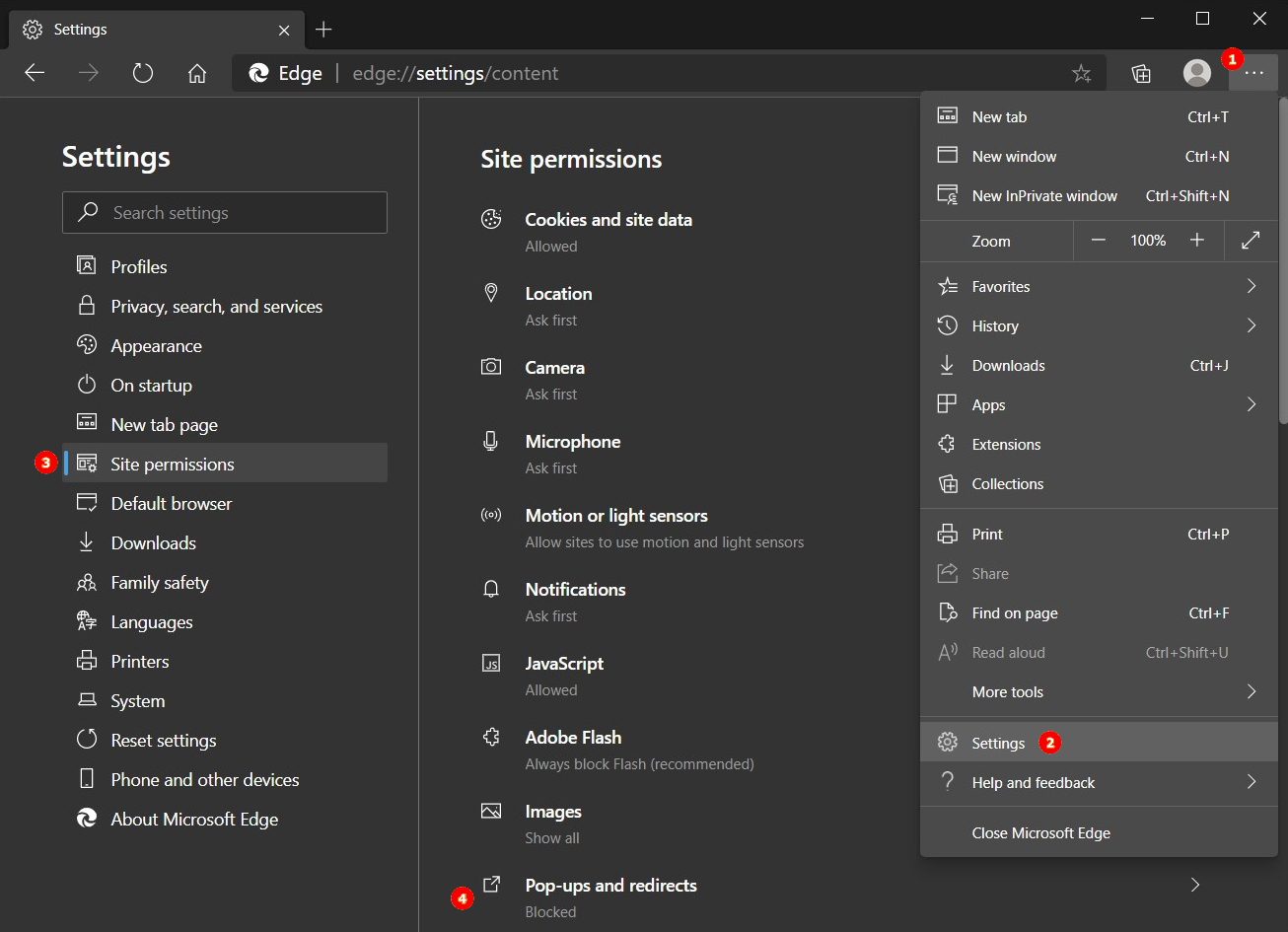
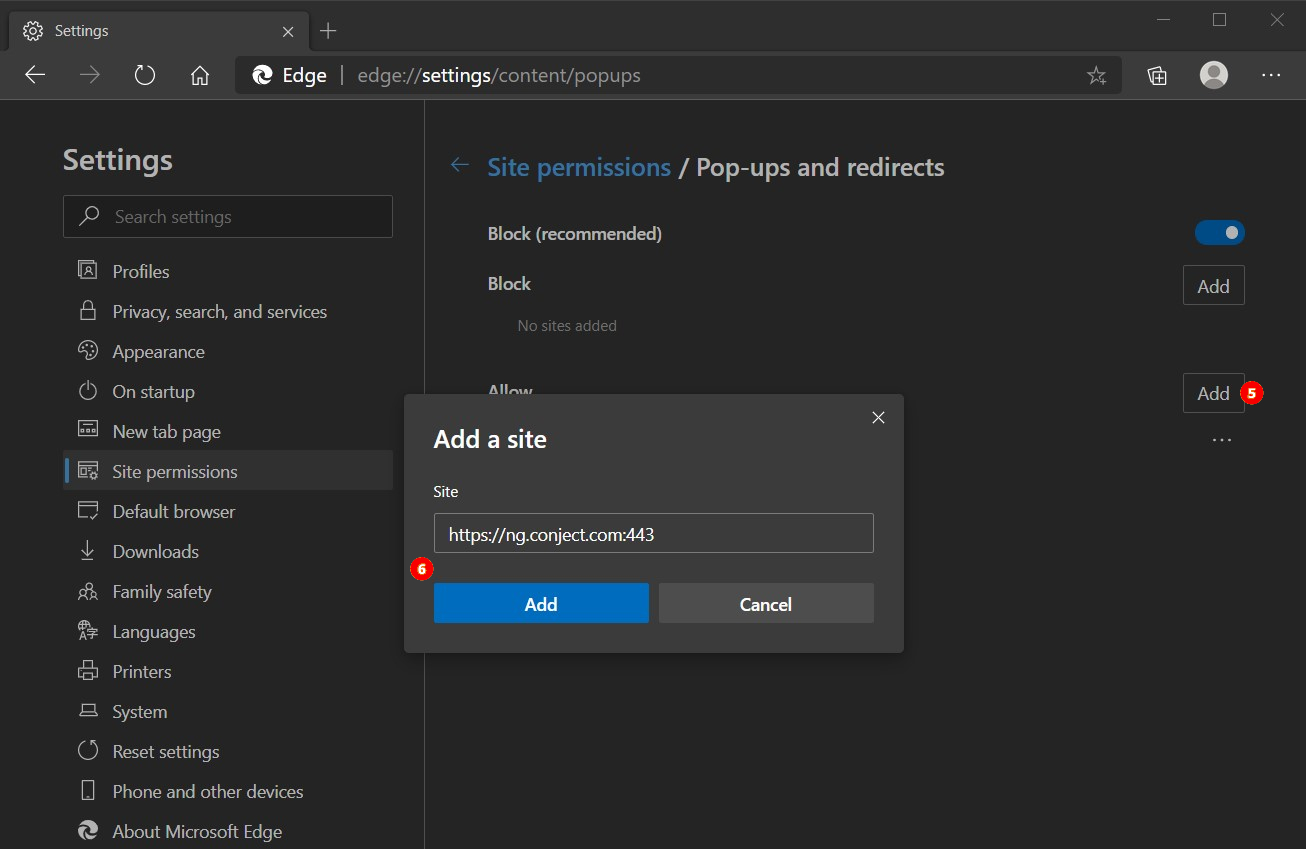
In order to work with ORACLE conjectPM, pop-up windows on the website must be allowed. By default, many browsers block pop-up windows. Of course you can also work with ORACLE conjectPM without deactivating your pop-up blocker. Normally your browser will inform you the first time you use conject that a pop-up window has been blocked. In this message you have the option to allow windows for this website. If you do not see the message, or can't find it, this article will help you set up your browser.
This article covers browsers that do not run on mobile devices. Users of mobile devices are encouraged to use our APP. Alternatively, you can find help on how to set up the Popup Blocker for mobile devices under the following links.
IPhone and IPad
Firefox for Android
This article covers the configuration of the Popup Blocker for these browsers:
 Important: Depending on whether you have installed a toolbar for your browser, it is possible that another popup blocker is active due to this toolbar. You should either configure or deactivate this popup blocker as well.