To use conjectPM as a website on Android you need to use the browser Mozilla Firefox. You can download this app in the Google Play Store.
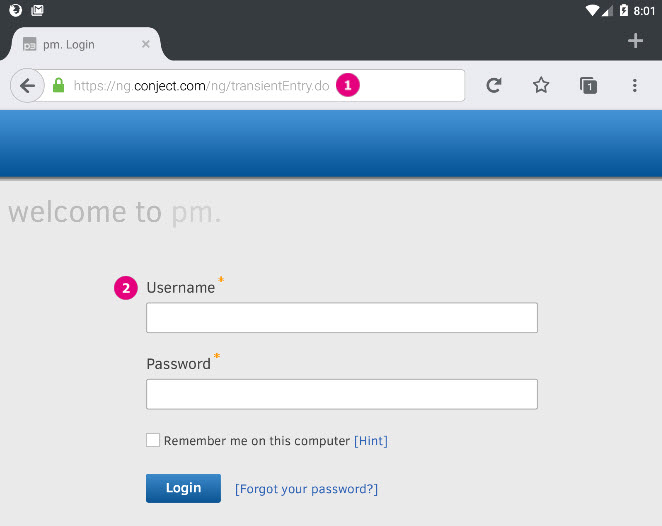
- Open the APP Firefox and go to our website ng.conject.com.
- Now login with your login credentials for conjectPM.
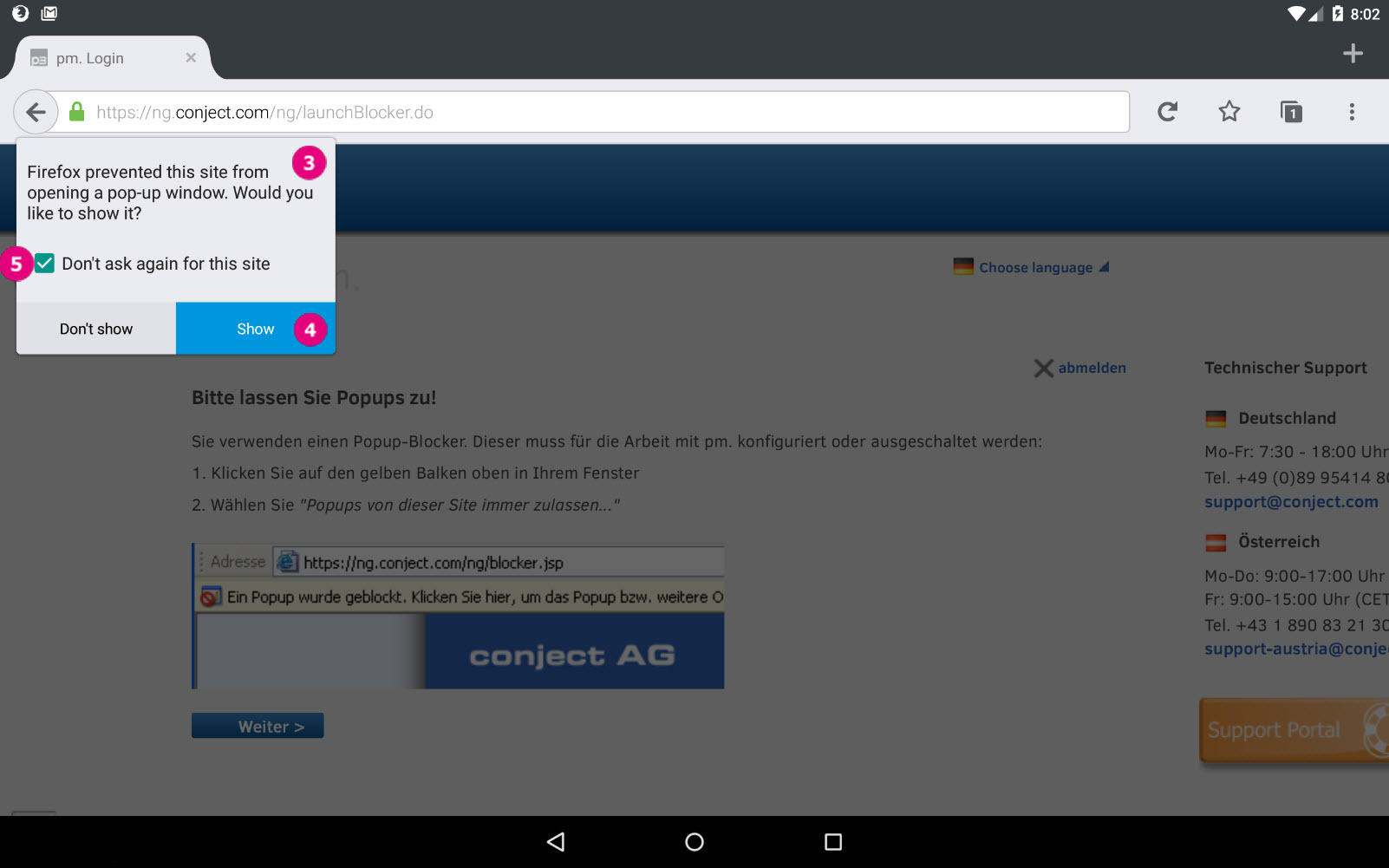
- Firefox will show you now a notification that a popup was blocked.
- If you click on "Show" the window with the platform will be opened.
- To avoid that notification for the future leave the checkbox checked "Don't ask again for this site".