- From the deliverables register, search for the document you want to manage.
- Click the document number to see more details about the review.
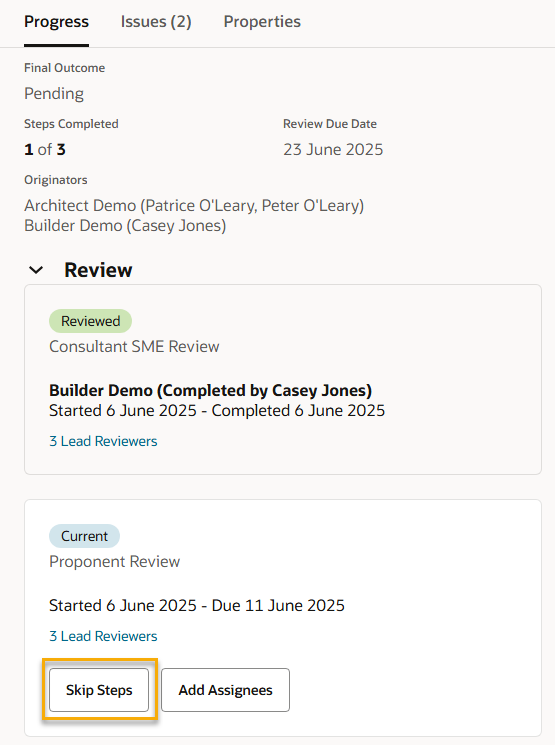
- Click Skip Steps on the step you want to skip.
- (Optional) Enter a reason for skipping
- Select the steps to skip
- Click Skip.
- Click Close. You'll see the step has the skipped status, and the review has moved onto the next stage.
Tip!
To skip multiple steps at once, click Actions and select View Steps. From here you can select steps and click Manage Reviews to skip them all.