
Support Central
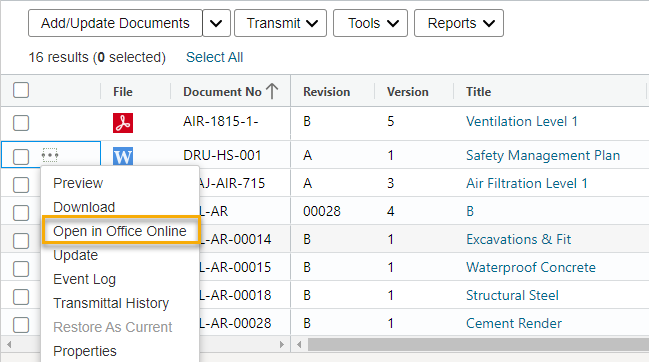
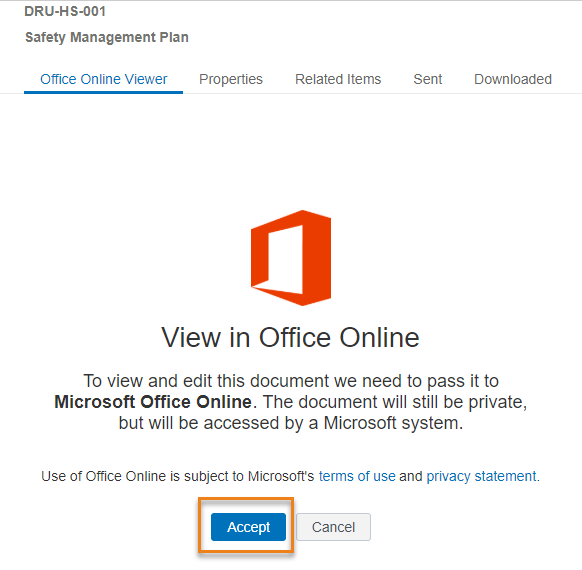
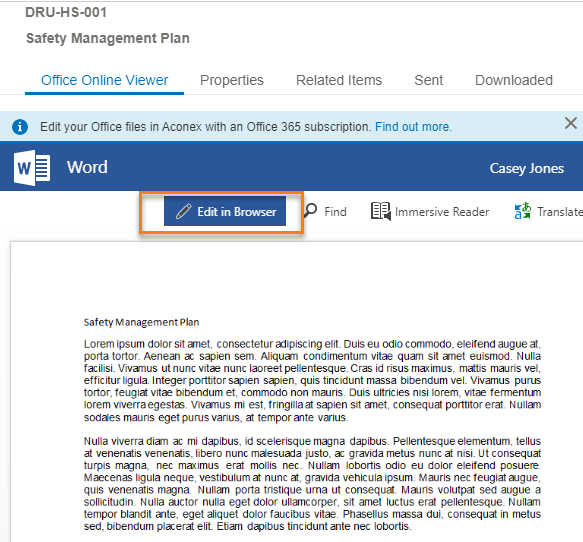
Open and edit Word, Excel and Powerpoint files from the Document Register in Aconex, without having to download them.
You can view and edit Microsoft Office files in your Document Register with the following extensions: doc/docx, xls/xlsx, ppt/pptx.
You can open doc, xls and ppt files in their original format for reading, however, if you edit a file, they are saved as docx, xlsx and pptx files.
Things to note:
Real-time collaboration (co-authoring) is currently not working as expected. Our vendor is investigating a fix, but no estimated delivery date is available. In the meantime, we recommend that only one person edits a document at a time to help ensure all changes are saved. As a workaround you can lock the document before you make changes and unlock it when you're done.
If you receive a redirect or popup warning and are unable to proceed, see Resolving File Not Loading errors in the Office Online Viewer



