
Support Central
Learn how a security upgrade to the Advanced Online Layout Editor may affect a small subset of Custom Reports.
We’re upgrading the platform used by Advanced Online Layout Editor/BI Publisher in Aconex Reports to strengthen the security of the reporting platform.
After the upgrade, reports can include records from the main subject area even when there is no data in a supporting subject area.
This provides a more complete view of your data by ensuring that main records are not excluded simply because related supporting information is missing. For example, a Documents report can include all applicable documents even when some documents do not have a project-field value.
This can help you identify gaps in supporting information, reduce the risk of overlooking relevant records, and give you a clearer picture of the data available in your report.
No major impact to existing reports is expected. However, since the upgrade changes how some reports handle related data, a limited set of custom reports may display different results after upgrade. Report administrators should review these potentially affected reports before September 25, 2026.
If you want your reports to keep the existing behavior, you can update them using a filter, in advance of the upgrade.
A Custom Report can contain a main subject area and one or more supporting subject areas.
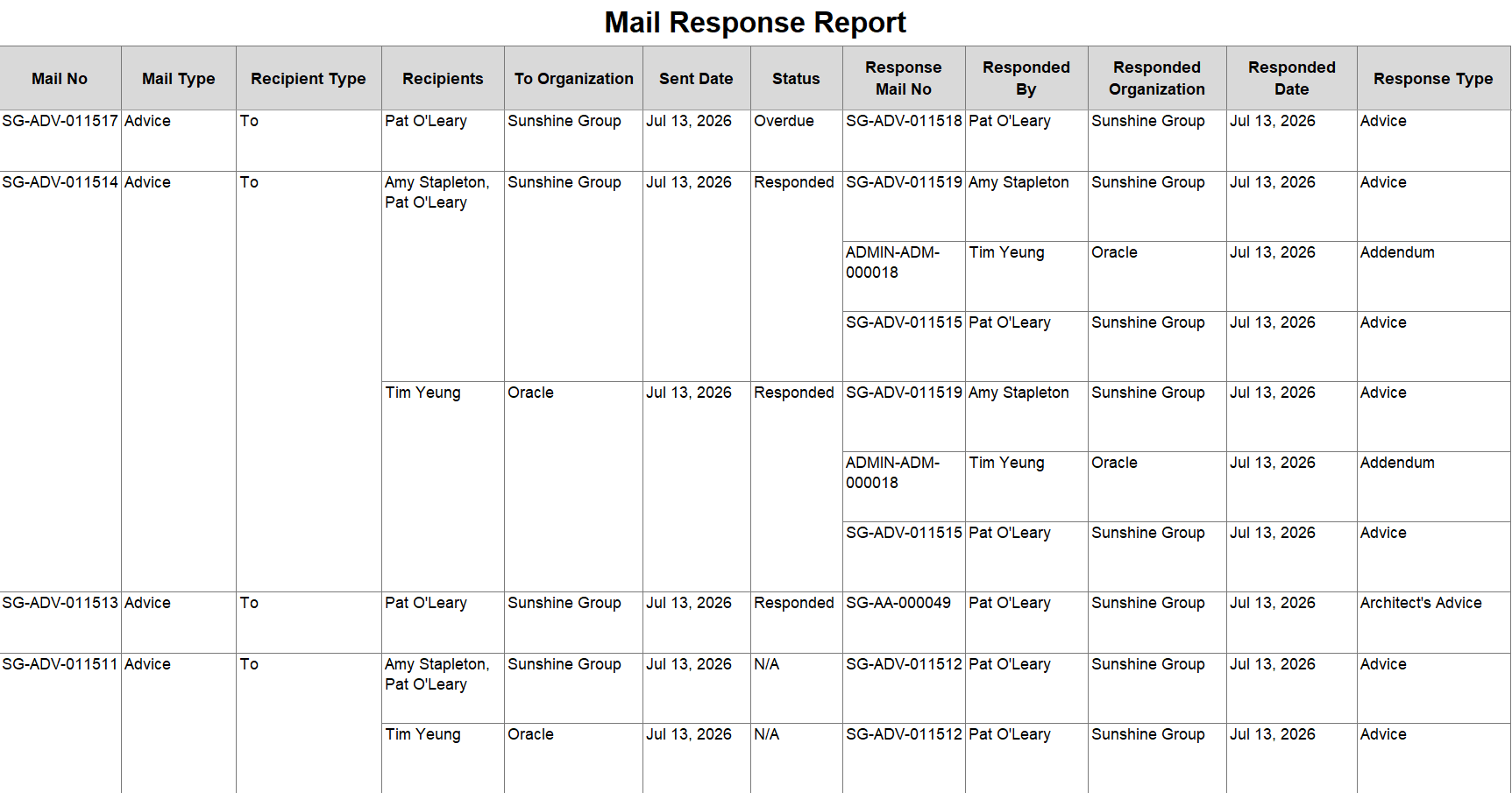
Reports in the Advanced Online Layout Editor display a main record only when matching data exists in the supporting subject area.
For example:
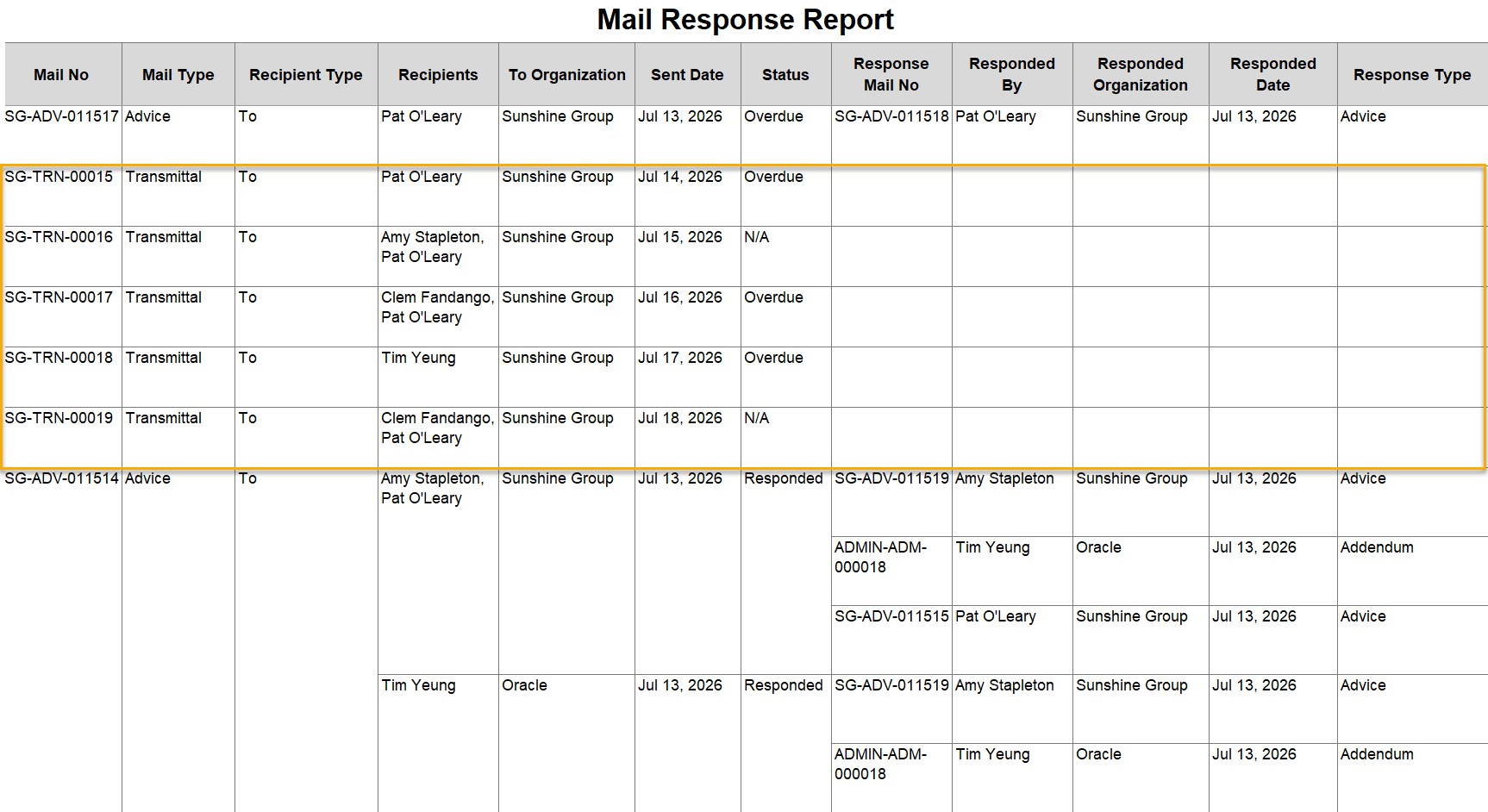
After the upgrade, your reports will include all applicable records from the main subject area, including records that do not have matching supporting information. Values from the supporting subject area may appear blank for these records. This is expected behavior. It does not mean that records have been duplicated or that the underlying Aconex data has changed.
For example:
Most reports are not affected by the upgrade, including:
Your report may be affected if it:
Review the following scenarios:
| Report configuration |
Expected impact |
Recommended action |
|---|---|---|
|
Report created using the Advanced Online Layout Editor using main and supporting subject areas. |
May be affected |
Validate the report output. Add an is not null filter to retain the report output. See How to retain the current report behavior below. |
|
Reports created using the Advanced Online Layout Editor and have filters from a supporting subject area |
May be affected |
Validate the results carefully. Consider designing your report in the report editor only where appropriate. |
If you don't want the additional records to appear in your reports, you'll need to update them with an is not null filter.
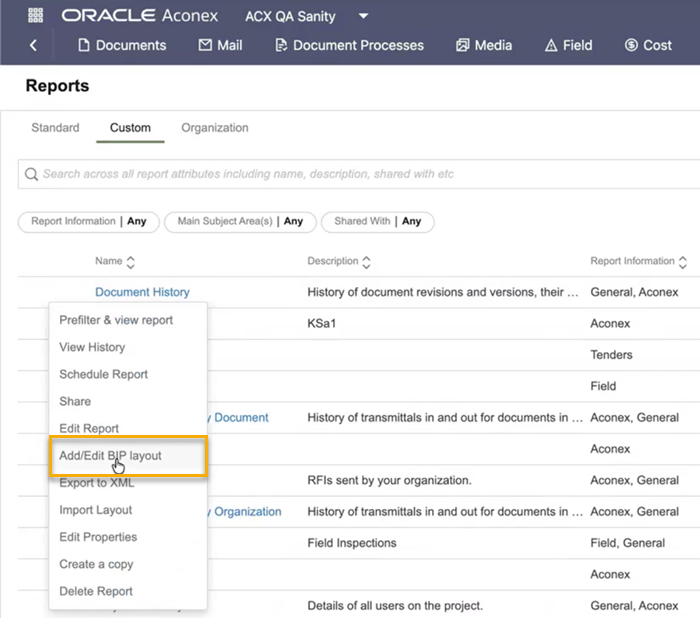
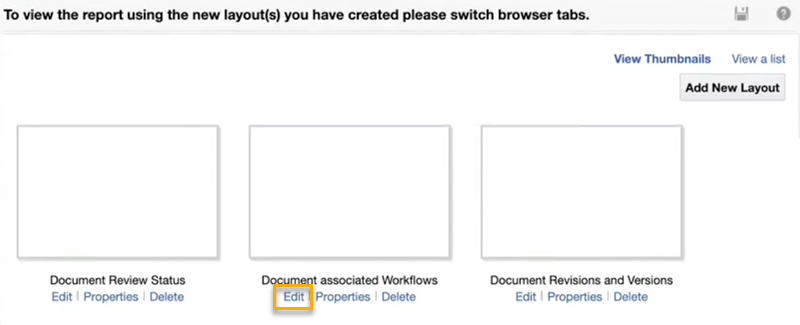
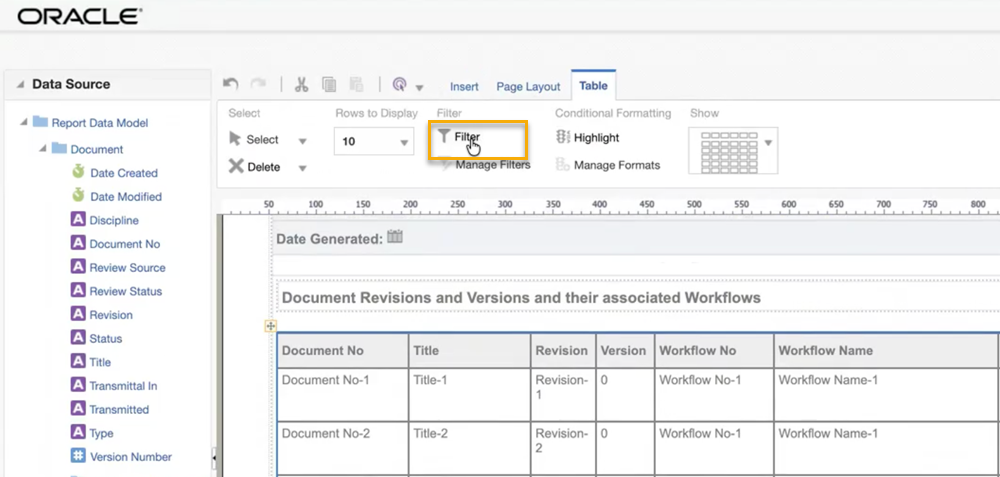
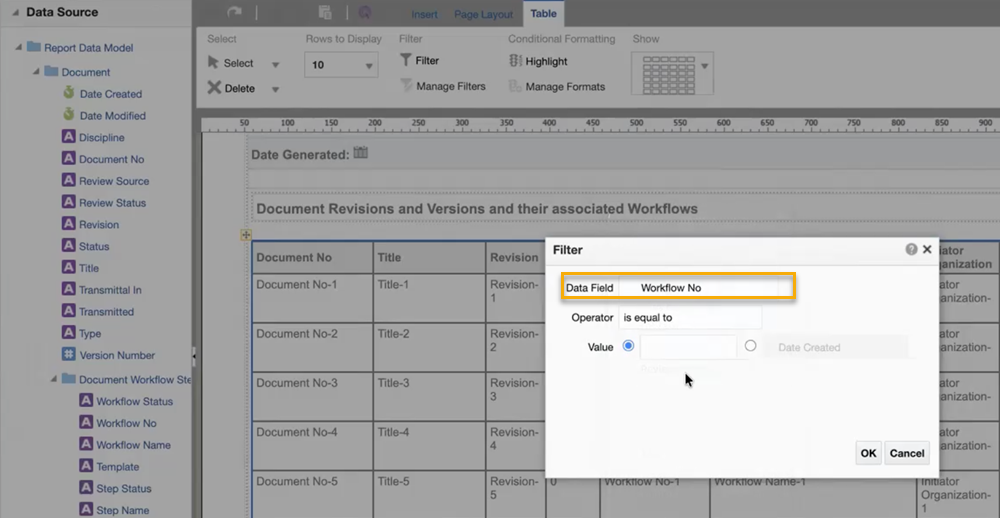
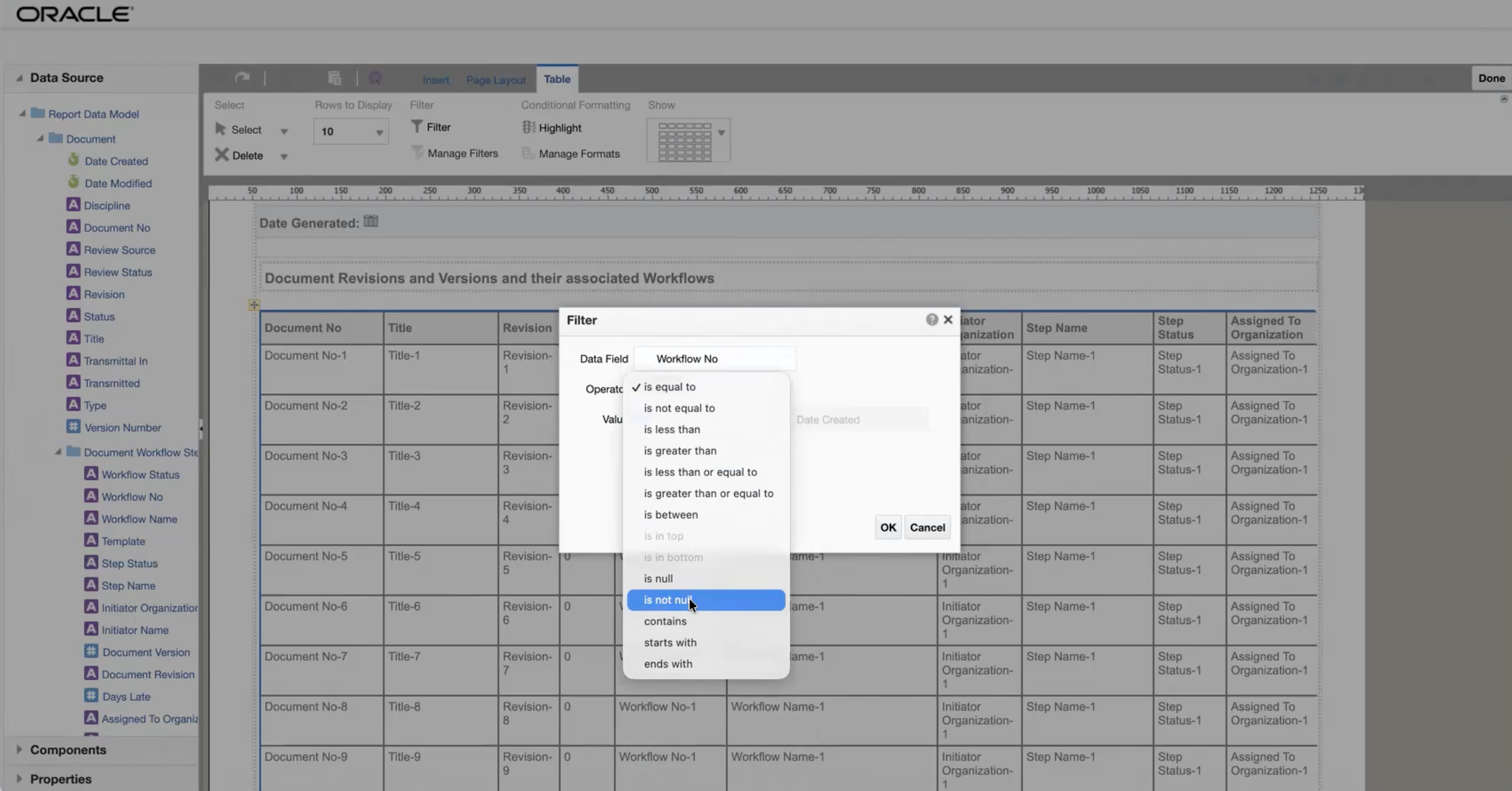
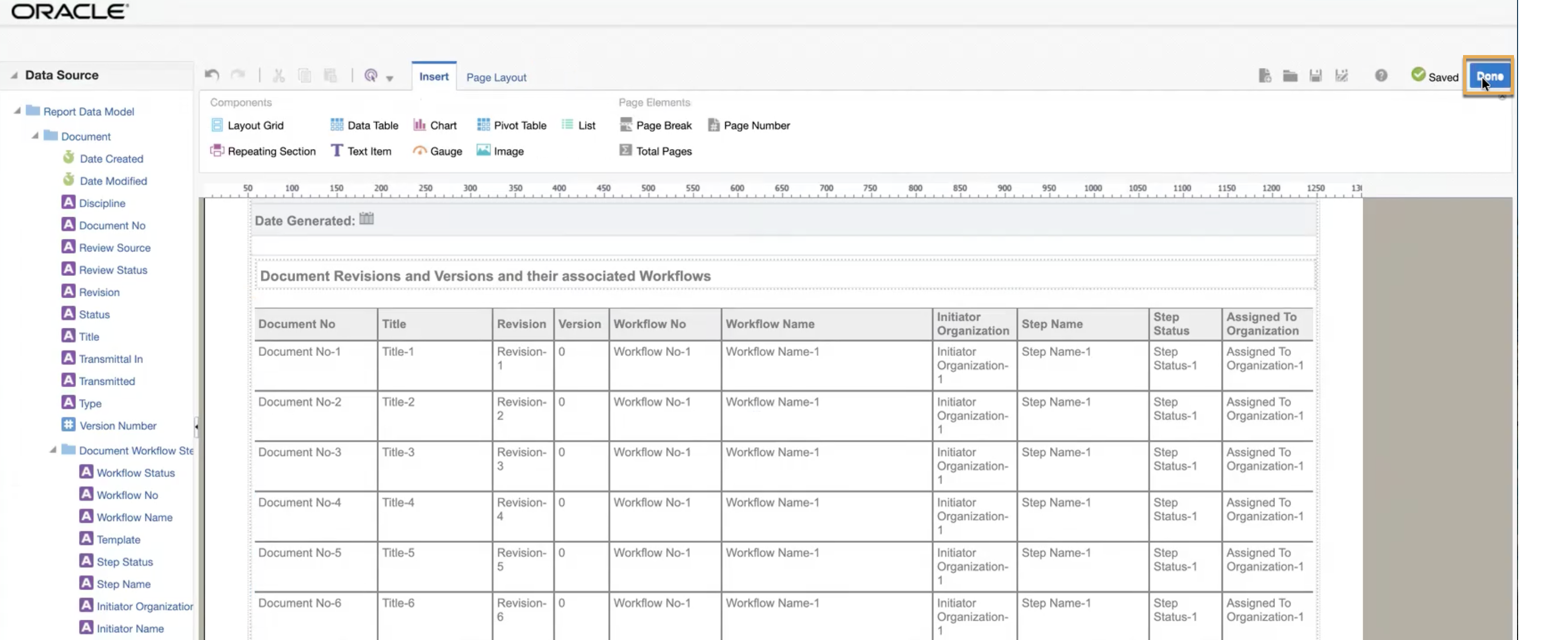
If your report uses filters from a supporting subject area, the report will not return the expected results after the platform upgrade. You have two options to address this:
You can make either of these changes before the upgrade.
When contacting Support about an unexpected Custom Report result after the upgrade, provide:
Don't include confidential project information unless it is required to investigate the issue.



