Get Lobby Admin access as an Aconex Org Admin

Follow these steps if you're an Aconex Organization Administrator, but you don't have Lobby Admin rights.

If you need to create or manage user accounts you need to be a Lobby Admin. If you've recently been assigned as an Org Admin in Aconex, you may not have received Lobby Admin access automatically.

The fastest option to resolve this is to ask your existing Lobby Admin to make you a Lobby Admin

If you don't have a Lobby Admin, you can unlink and relink your Aconex account to refresh your Lobby Admin status. You'll need to use your Aconex account credentials to link the account. This will likely be different credentials to your Lobby account credentials.
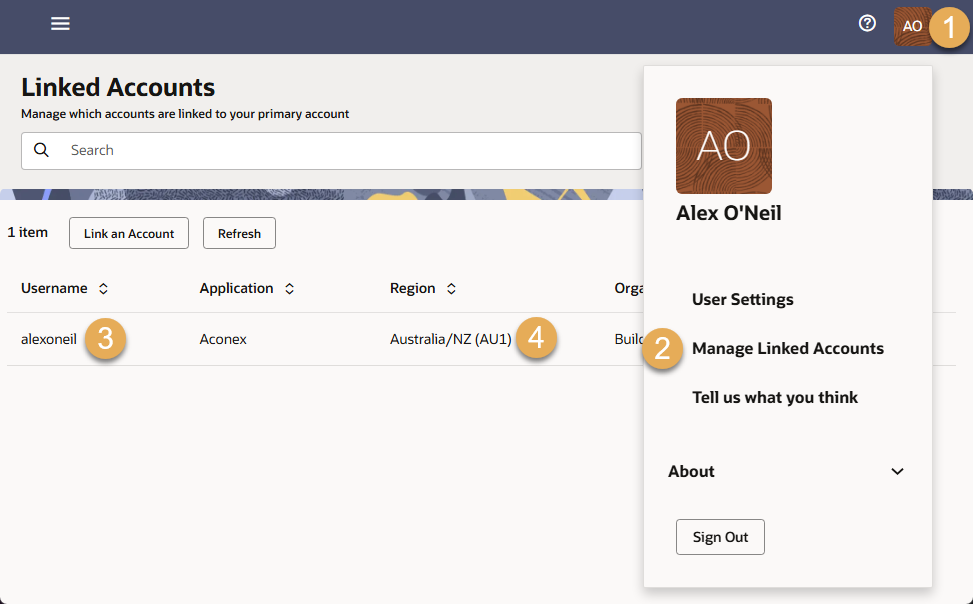
  1. Sign in to the Lobby at constructionandengineering.oraclecloud.com and click the user menu on the top right of the screen
  2. Click Manage Linked Accounts.
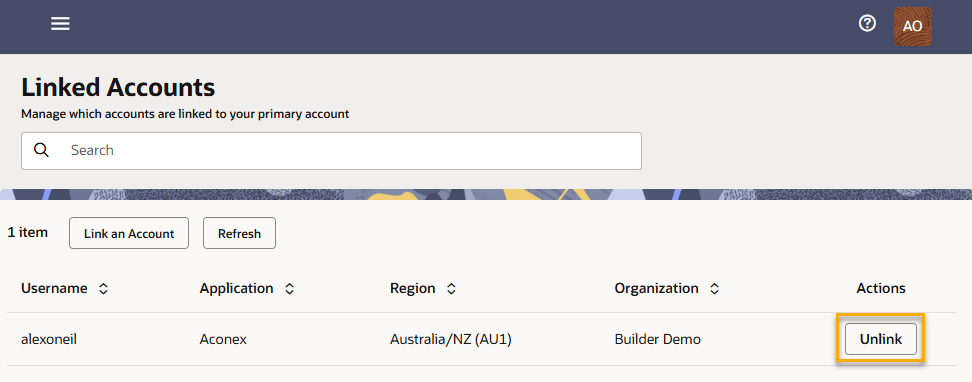
  3. Find the Aconex account that has Org Admin access. Make a note of the Username. This is the Aconex login name you need to unlink and relink to your Lobby account. You'll also need to know the password for this Aconex account. If you're unsure you can request a password reset during the process.
  4. Make a note of the Region. This is the Aconex instance your Aconex login name belongs to. You'll need this information to relink your account.
  1. Click Unlink and select Unlink again to confirm.
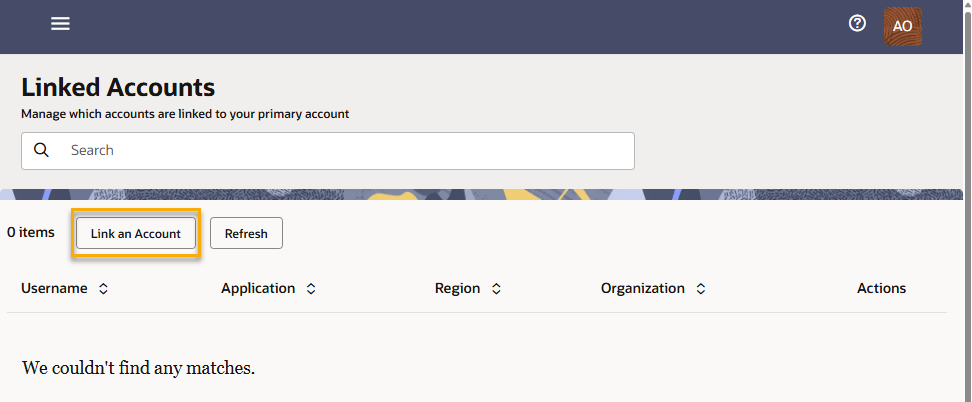
  1. Click Link an Account.
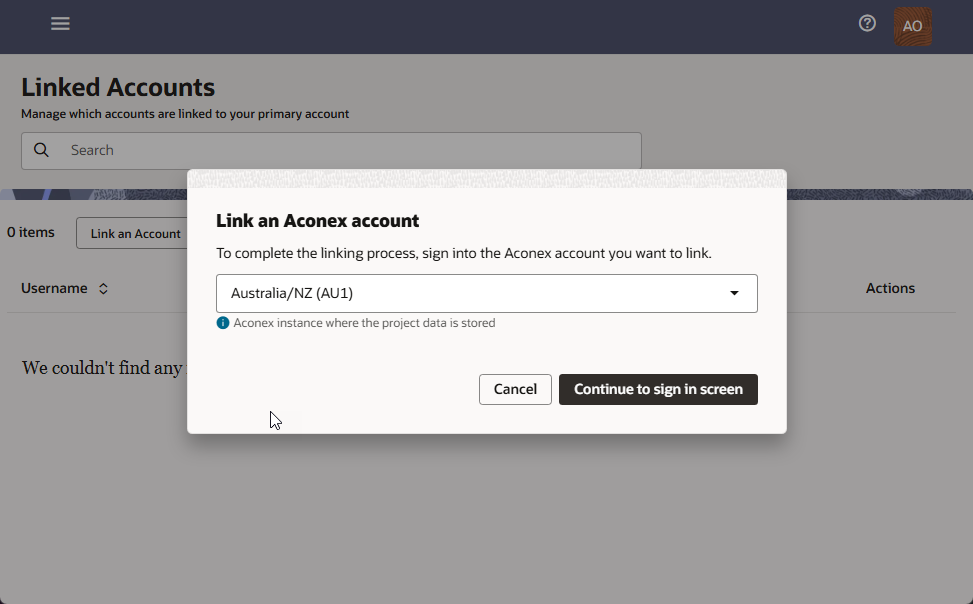
  1. Select the Aconex instance the account belongs to that you identified in step 4 above. You'll be directed to the login screen for that instance to enter your Aconex login name and password.
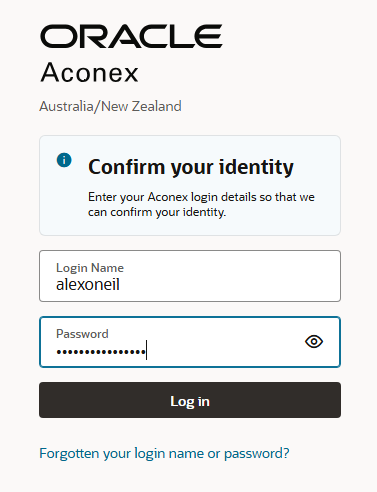
  1. Enter the login name and password for the Aconex account. Remember you need to enter the Aconex account credentials, not your Lobby account credentials.

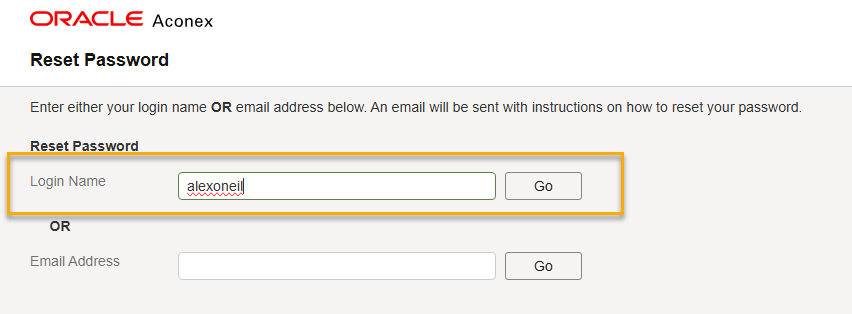
  1. If you can't login, you'll need to reset the password for this Aconex account. Click the Forgotten your login name or password? link. Enter your login name and click Go.
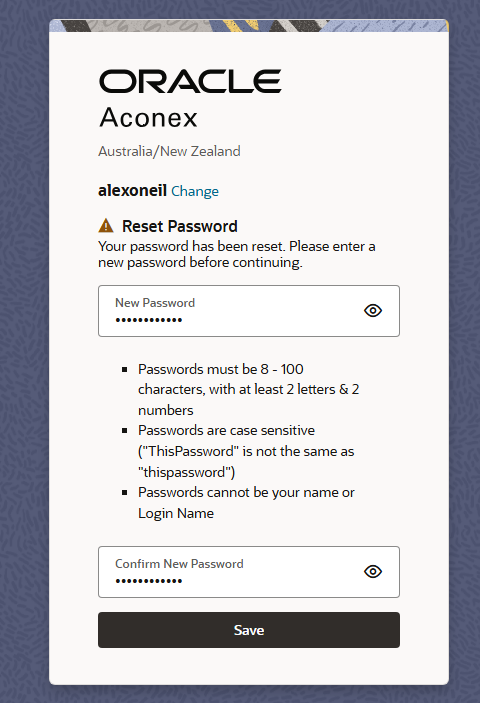
  1. Click the link from the email notification and set a new password for your Aconex account.
  1. Now complete the steps to link your account, using the password you just set. After linking your account, you should have Lobby Admin access.