Has your SSO certificate expired or is going to expire soon?
Access your organization's Identity provider (IdP) such as Microsoft Azure Active Directory, Microsoft ADFS, or Okta) and update the certificate. Note: Oracle are unable to help with this step
From your organization's Identity provider (IdP) export/download the Federation Metadata XML file that you will import into your Identity Domain.
From your Identity Domain, click Domains and select your domain.
Click the Federation tab, and click on your Identity Provider.
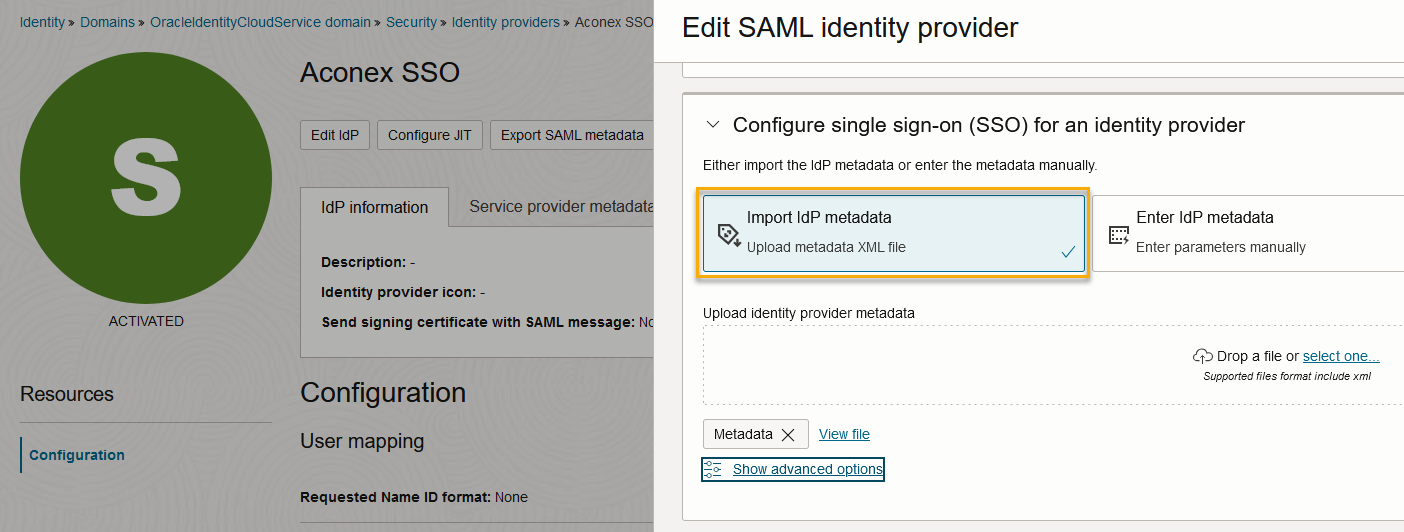
Click Edit IdP.
Remove your existing IdP metadata by clicking the three dots menu and selecting Remove.
Select Import IdP metadata and upload the XML file you downloaded from your IdP.