Click Mail from the menu, and then under Actions, click Mail Approvals.
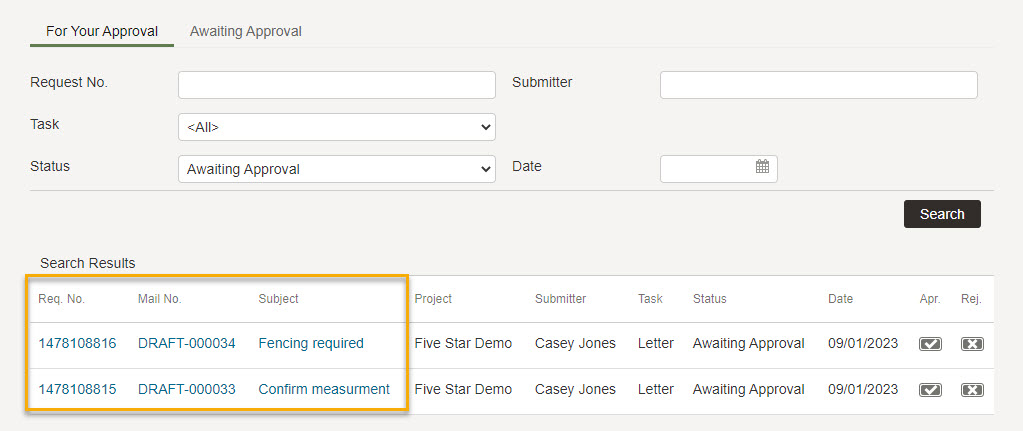
Click For Your Approval to see mail that requires your attention.
Enter search criteria, as required.
Click the Search button.
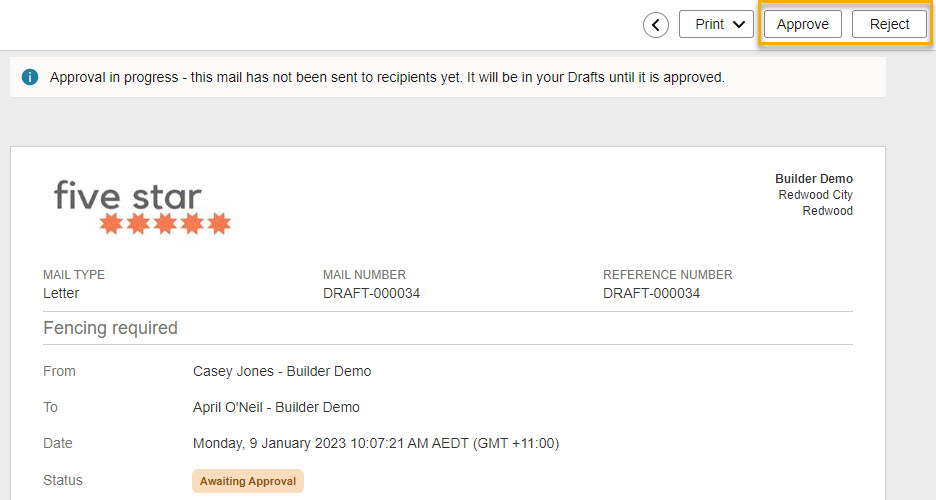
To review a mail, click thenumber link in the Req. No. column, or select the relevant item in the Mail No. and Subject columns.
Click:
Approve to approve and send the project mail.
Reject to reject the mail. A Rejection Notice mail is automatically sent to the author containing any comments you added. The original mail remains as a Draft.
Tip!
Mail awaiting your approval is also listed on theHome page.
Checking the awaiting approval progress of your mail
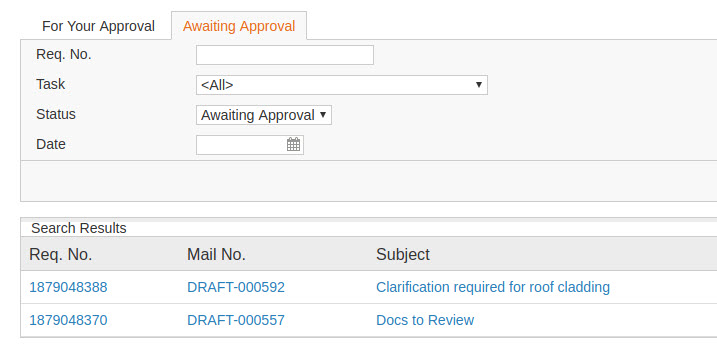
You can also check the status of your mail that needs approving by others in your project group.
Click the Awaiting Approval Tab
Enter the search criteria, as required
Click the Search button
To review a mail, click thenumber link in the Req. No. column, or select the relevant item in the Mail No. and Subject columns.
Hover over the profile icon to see who the approval is assigned to.