
Rename package attachments

Save time by renaming files directly in the Attachments area in Packages.

You can rename files directly in the Attachments area in Packages instead of having to download the file, rename it on your local folder and re-upload it to Aconex.
  1. Open a Package in your Package Register.
  2. Select the Attachments tab.
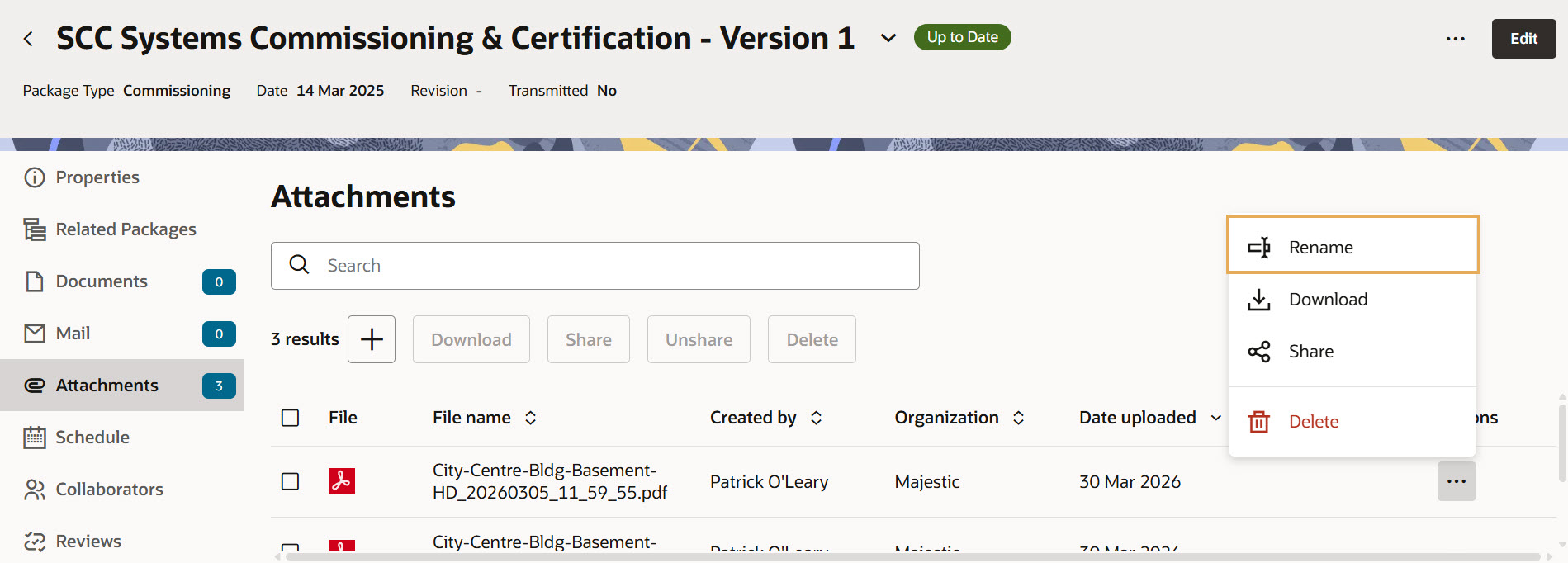
  3. Click the three dots menu in the Actions column.
  4. Click on Rename.
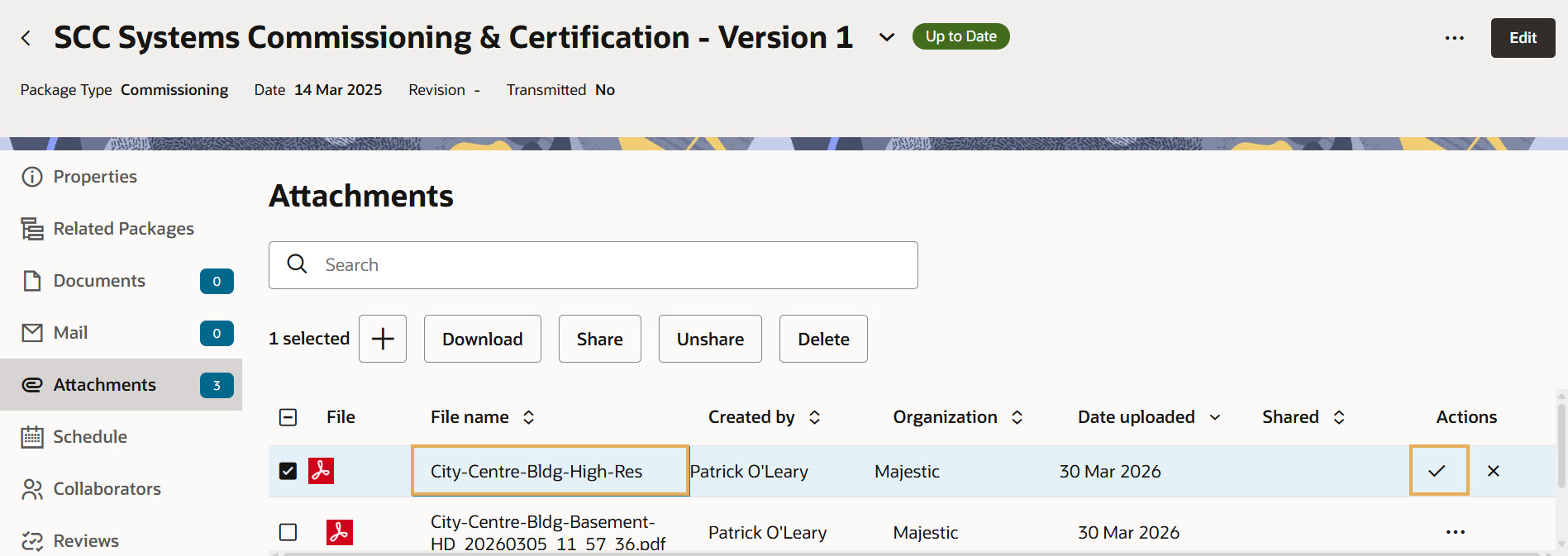
  1. Rename the attachment by entering a new name in the File name column.
  2. Click on the tick symbol in the Actions column to validate the name change.
  1. Once the file has been renamed successfully, you will receive the message 'File name updated'.

Tip!

All changes are stored in the Event Log.
