
Support Central



Subcontractor-Led Quality Management
Managing piling works on a multi-story apartment project
Quality is strongest when it's managed closest to the work. This example shows how Test Plans supports a subcontractor-led approach while maintaining clear visibility and control for consultants and the main contractor.

Who is involved?
There are three organizations participating on the test plan:
- The subcontractor creates and manages the test plan. They complete the work detailed in the activities. Set as the Manager and the Assignees.
- The consultant checks the work of the subcontractor. Set as the Reviewers.
- The main contractor provides final closure of the test plan. Set as the Approver.
Within these organizations are users with different roles and responsibilities throughout the process.
What is the process?
- The subcontractor creates and activates the test plan, works on activities, and marks them for review.
- The consultant verifies the work and the subcontractor marks the activities as complete.
- The subcontractor submits the test plan and the main contractor closes it.
For this example, there's one subcontractor and one consultant. In practice you'll find multiple subcontractors and consultants working across multiple activities on a test plan.
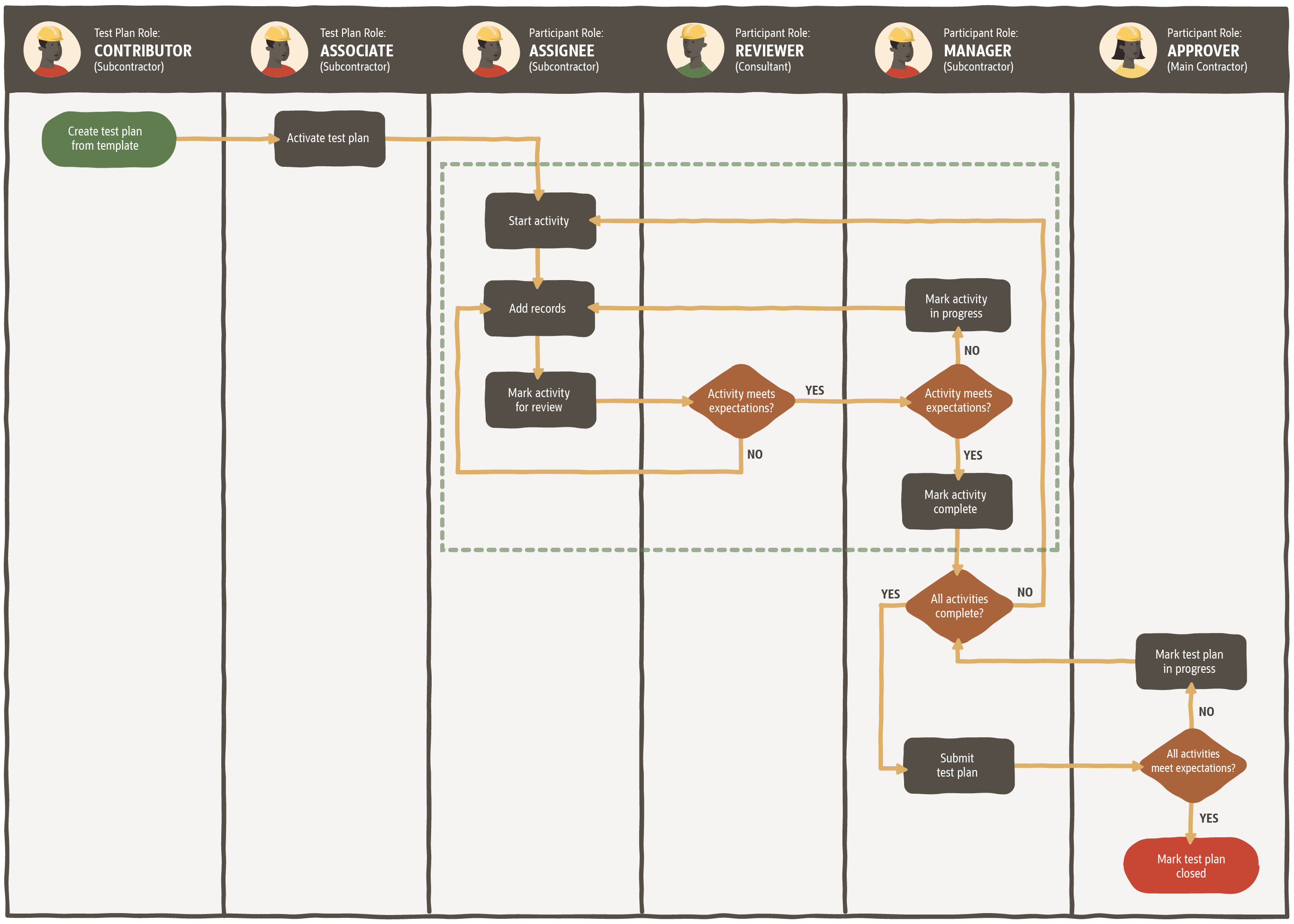
The dotted line represents the lifecycle of a single activity
Test plans are highly configurable, allowing you to assign different responsibilities to many different organizations. If you need help with implementation, our Professional Services consultants can help you with process discovery and mapping.
Role configuration
In Test Plans all users are assigned a test plan role to determine what actions they can perform. In addition, a user or organization is given a participant role on a specific test plan so they can work on it. Learn the differences here.
For this use case, the test plan template has already been published with the appropriate organizations set as the Assignee(s), Reviewer(s), Manager, and Approver. The roles in each organization are configured as below.
Subcontractor
The subcontractor organization has users with the following test plan roles:
- A Contributor who creates the test plan from the template.
- An Associate who makes sure the test plan is correct and activates it.
- An Associate who reassigns each activity to specific users within their organization after the test plan is activated.
- Contributors who can work any activities where their organization has been set as the Assignee.
The subcontractor is also assigned the following participant roles:
- The Assignee of each activity. They complete the work, attach evidence, and mark the activities for review.
- The Manager who tracks and manages the test plan through to completion. They mark activities as complete and submit the test plan.
Consultant
- The consultant organization is set as the Reviewer of the activities. They check the work of the subcontractor and complete the reviewer actions, such as Hold Point or Witness Point.
- The consultant users have the Associate test plan role. This allows them to complete or reassign the reviewer actions where their organization is set as the Reviewer in an activity.
Main Contractor
- The main contractor organization is set as the Approver in the test plan. They will have the Administrator test plan role so they can close test plans where their organization has been set as the Approver.
Step 1: Create the test plan
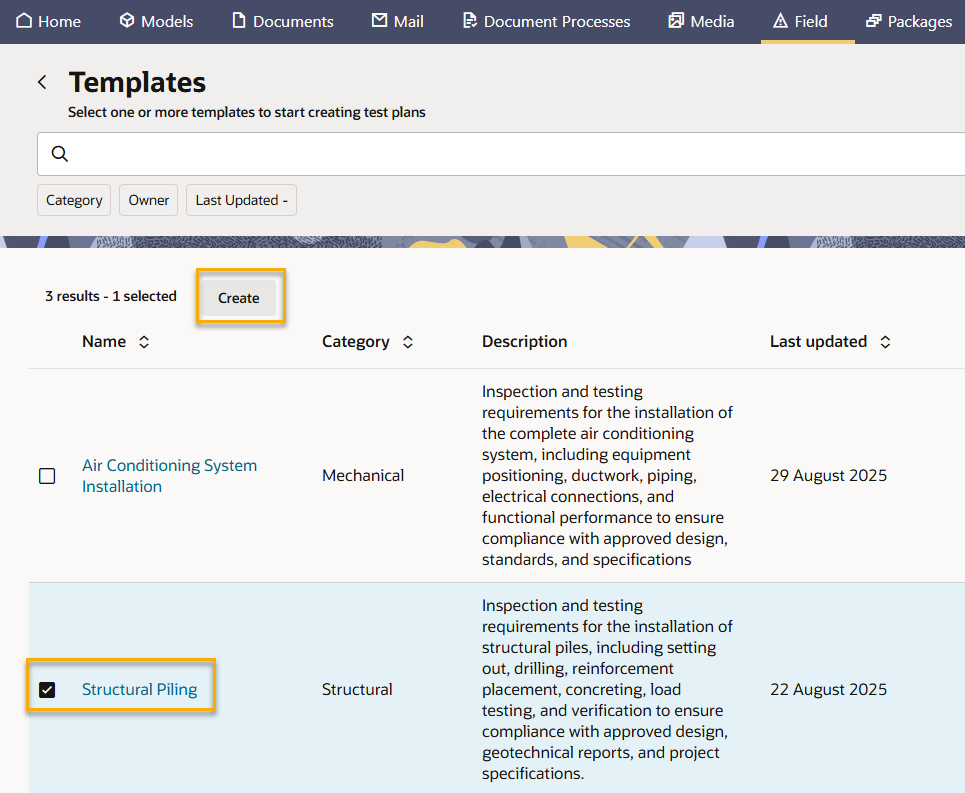
- The Contributor for the subcontractor creates the test plan.
- They select the Structural Piling test plan template.
- They reassign the Manager to a specific user in their organization.
- They make sure the details in the test plan are correct and check each activity has the required details, Assignee, and Reviewer(s).
Step 2: Activate the test plan
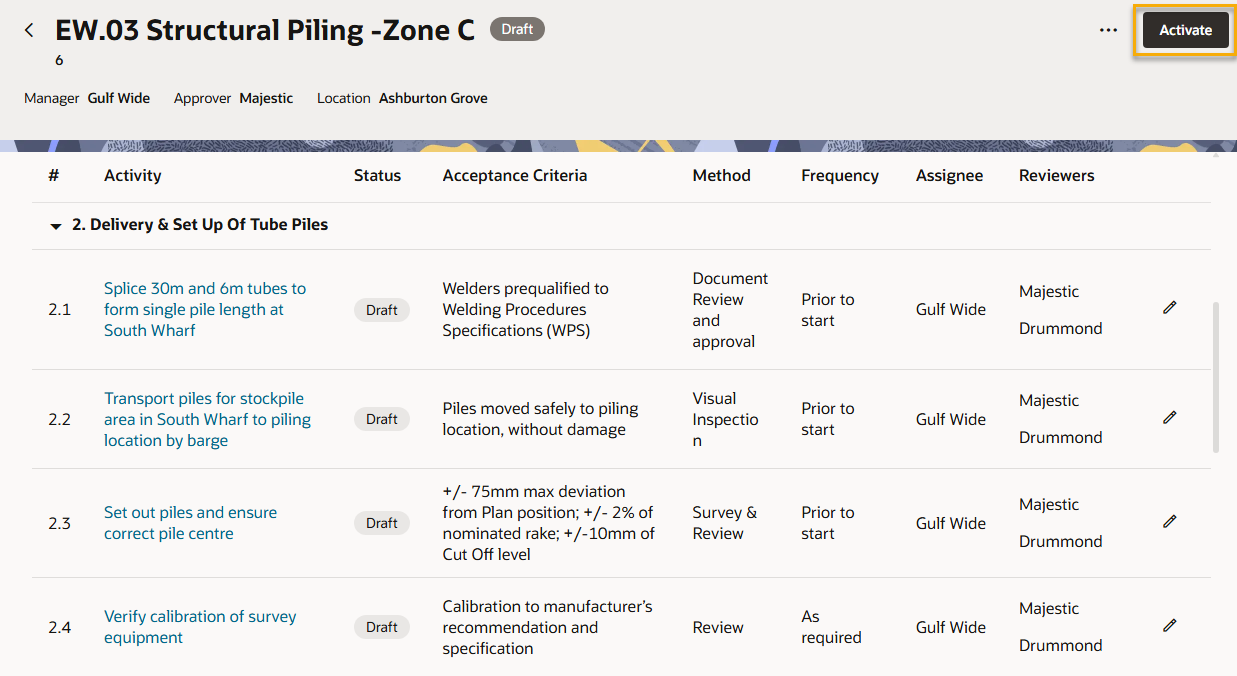
- The Associate for the subcontractor checks and activates the test plan.
Step 3: Reassign participant roles to specific users
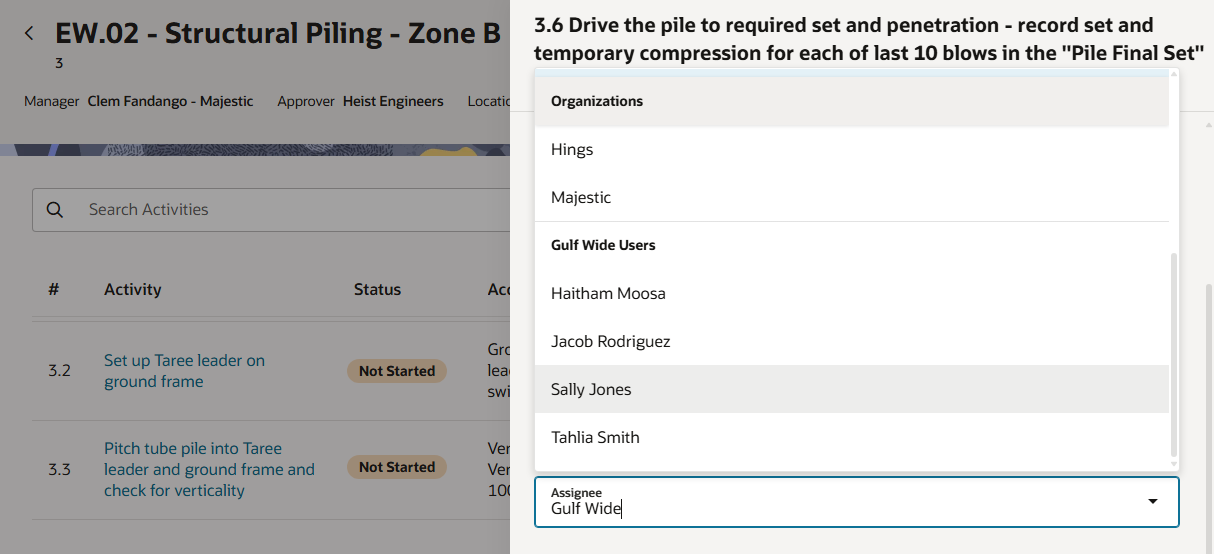
After the test plan has been activated, both the subcontractor and consultant organization reassign the activities and reviewer actions to specific users in their organizations. This ensures everyone involved in the test plan knows exactly who is responsible for each activity.
- The Associate(s) from the subcontractor organization reassign the activities to the appropriate users in their organization.
- The Associate(s) from the consultant organization reassign their reviewer actions to specific users in their organization.
- The Administrator for the main contractor reassigns the Approver role to a specific user in their organization.
Step 4: Work on an activity
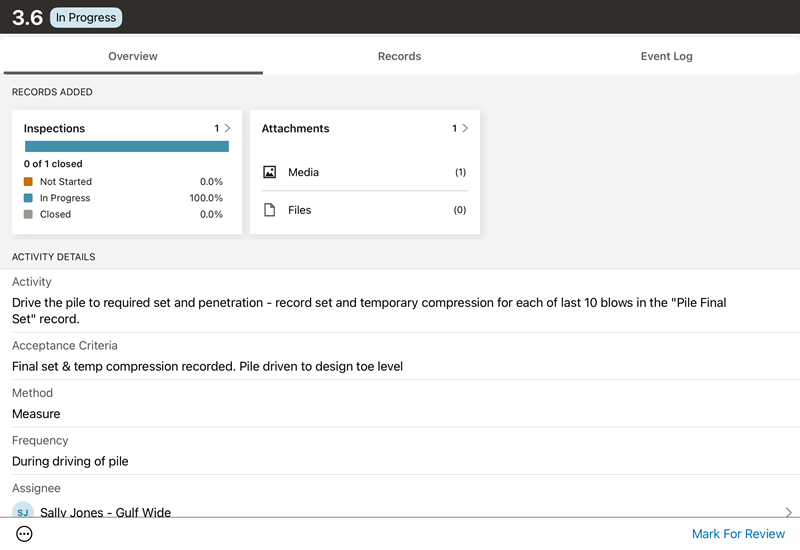
The Assignees work on their activities. They open the mobile app to view the requirements.
For simplicity, we'll demonstrate what happens in a single activity, but in practice a test plan will contain multiple activities that are started, reviewed, and completed.
- The subcontractor user responsible for setting up the piles starts their activity.
- They fill out the inspection checklist as required by the activity.
- They take photos of the work to provide evidence of completion.
- They mark the activity for review.
Step 5: Review an activity
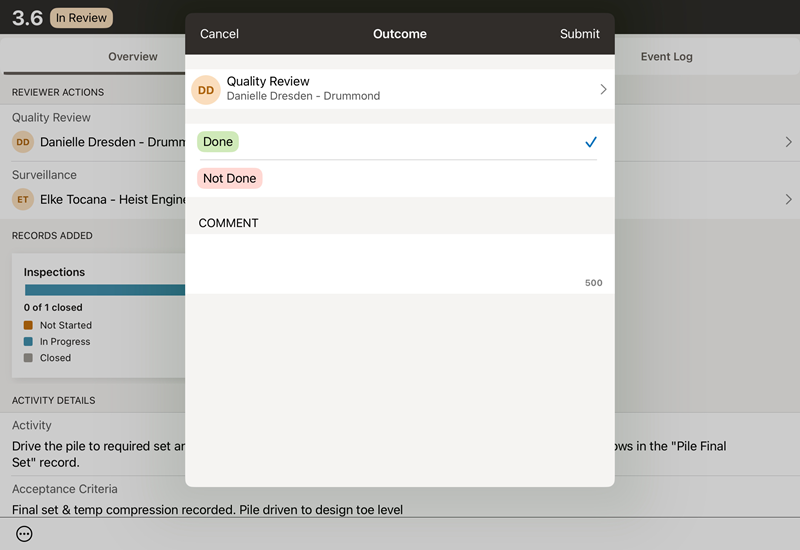
- The Reviewer from the consultant organization opens the mobile app and checks the activity, ensuring the inspection is completed and the photos are attached.
- They complete the reviewer action. In this example the activity has a Quality Review action to be marked as done.
Tip!
If the work or evidence was not done to the required standard the reviewer can provide a negative outcome (in this case Not Done) for the subcontractor to correct the work.Step 6: Mark activity as complete
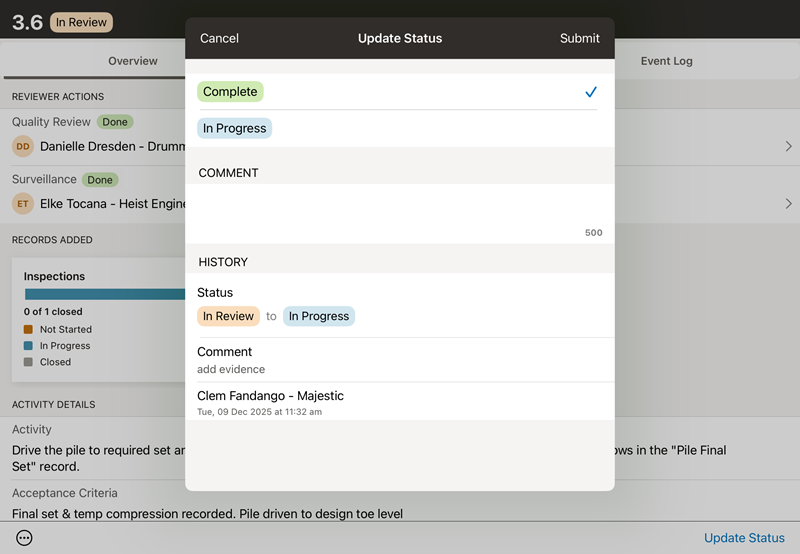
- The Manager in the subcontractor organization checks the activity and makes sure the work is completed to specification and the required evidence is attached.
- They fill out the inspection checklist as required by the activity.
- They check the review was completed.
- They mark the activity as complete.
Tip!
Steps 4, 5 and 6 are completed for each activity in the test plan.Step 7: Submit the test plan
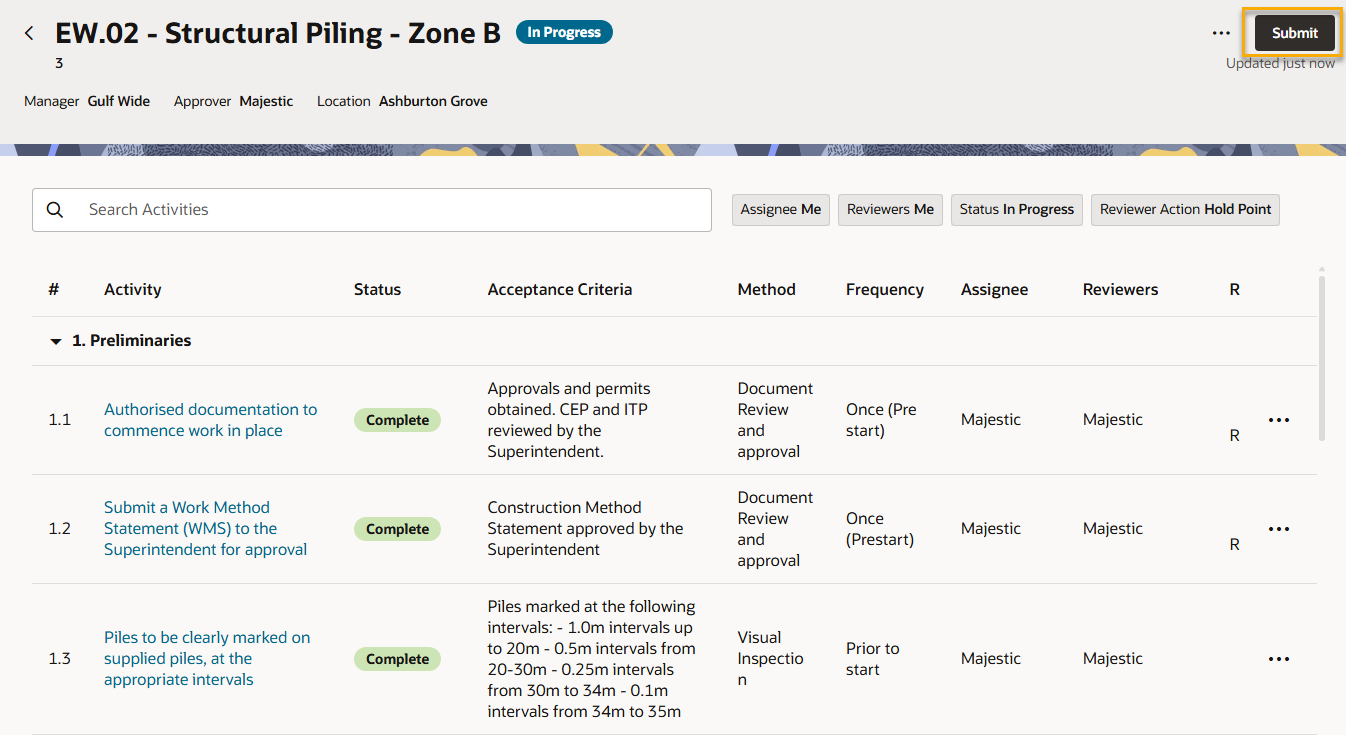
- Once all activities in a test plan are complete (and all inspections within the activities are closed), the Manager receives a notification that the test plan is ready to be submitted.
- The Manager checks and submits the test plan to the Approver.
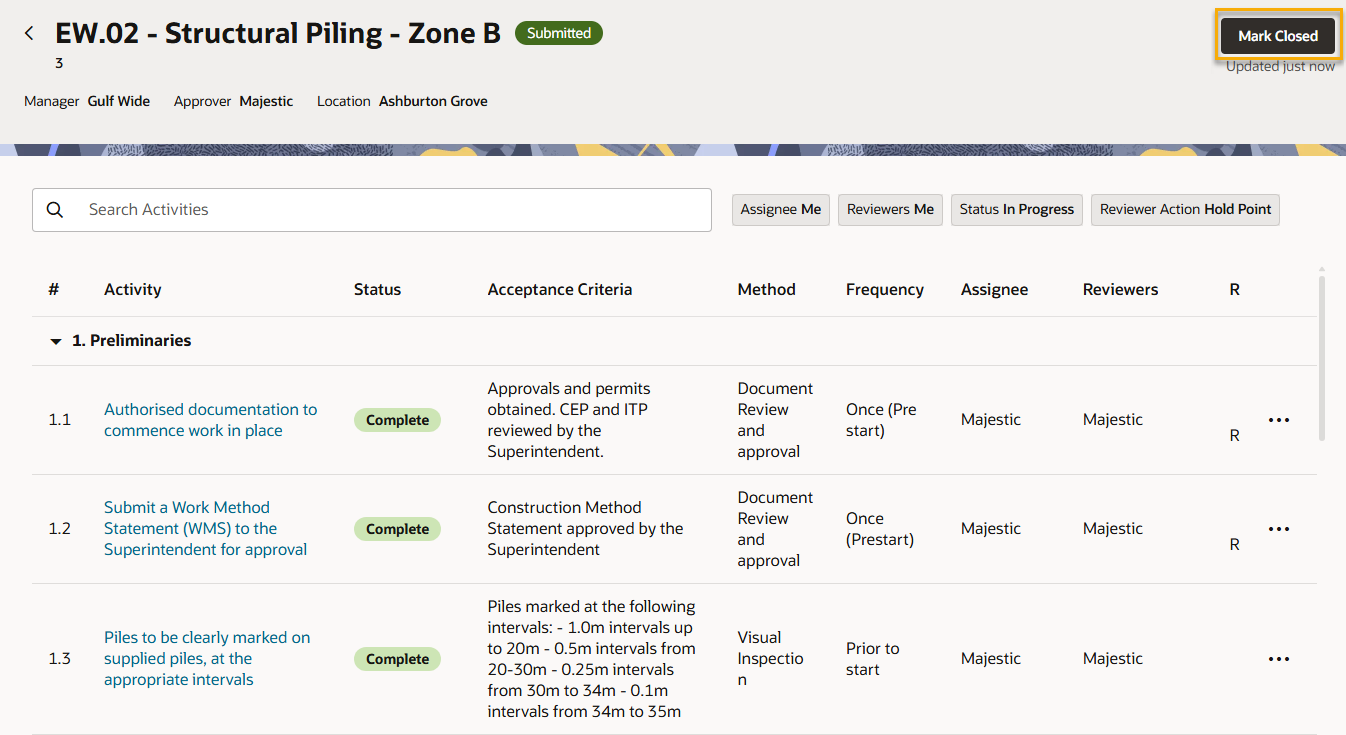
Step 8: Close the test plan
- The Approver from the main contractor receives a notification that the test plan is submitted.
- The Approver checks and closes the test plan.
Step 9: Auditing and handover
Every action that happens in the test plan is recorded in the event log. This is an immutable audit trail that cannot be edited or deleted by any organization. At any time, any user can view the test plan event log to understand the decisions that have been made up to that point in time. This provides a complete record of the work and a single source of truth when resolving disputes.
Test plans can be exported as a zip file to retain a record of files and evidence or to use as handover documentation. Exported test plans include inspections, attachments and linked documents within the activities.
What's next?
Discover more resources to get the most out of your project with Test Plans.
-

Explore a real world example managing air-conditioning installation on a multi-story apartment project.
Use Case -

Use this Play’s step-by-step guidance to define your Test Plan templates, so you can roll out Aconex Test Plans across your projects with confidence.
Play -

Explore structured learning to understand how Test Plans work and how to use them confidently on projects.
Learning Path