
Support Central
Request deletion of a project your organization owns.
If you have the required permission and the authority to act on behalf of your organization, you can request the deletion of a project owned by your organization.
Deleting a project permanently removes all project data. Deleted projects cannot be recovered, and an archive cannot be requested after deletion. Before submitting a deletion request, make sure you have reviewed the project and backed up any data your organization needs. Aconex does not check whether a project contains data before it is deleted.
After you submit the request, the project enters a 30-day pending deletion period. You can cancel the request at any time during this period. Once the 30 days have passed, physical deletion begins and can no longer be cancelled. Deletion requests and cancellations are recorded in the audit trail.
You can request deletion for:
Oracle organizations are not counted as a participating organizations.
If a project doesn't appear in the deletion list, it may be because your organization doesn't own it, you don't have the required permission, you aren't a participant, or the current filters exclude it.
You cannot delete a project if an organization has an active online archive subscription. If you try to delete the project, you’ll see a message that states: Due to contractual arrangements, this project is not eligible for deletion at this time.
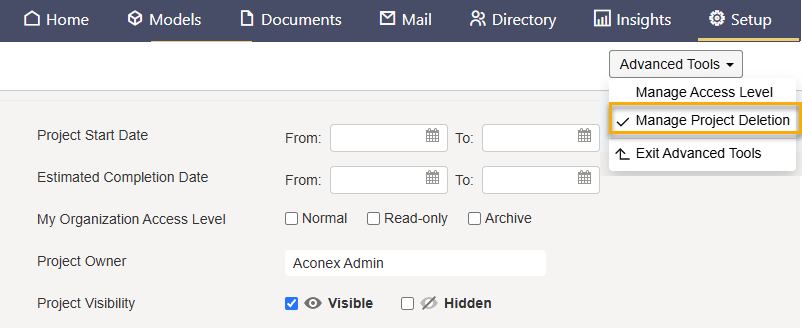
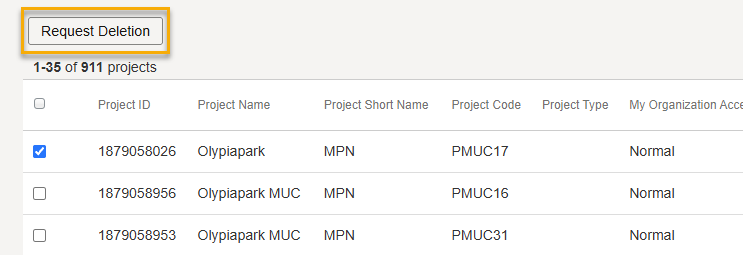
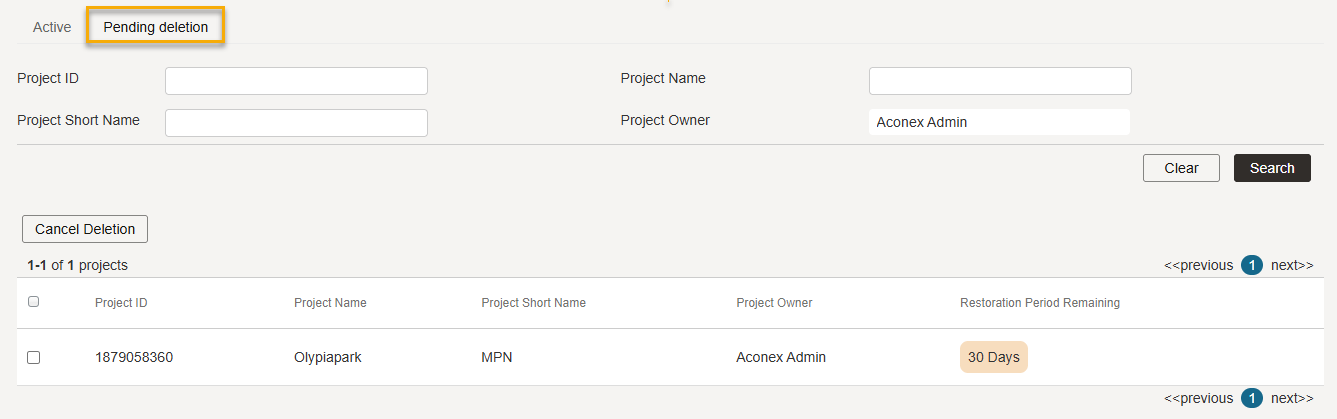
You can cancel a deletion request any time during the 30-day pending deletion period.
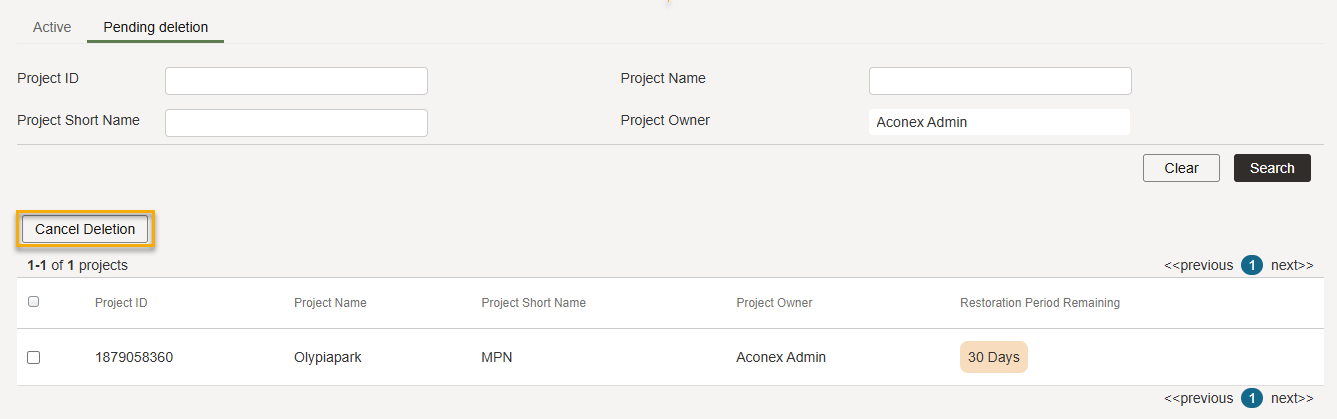
Any participant on a multi-org project can cancel a deletion request during the 30-day pending deletion period.
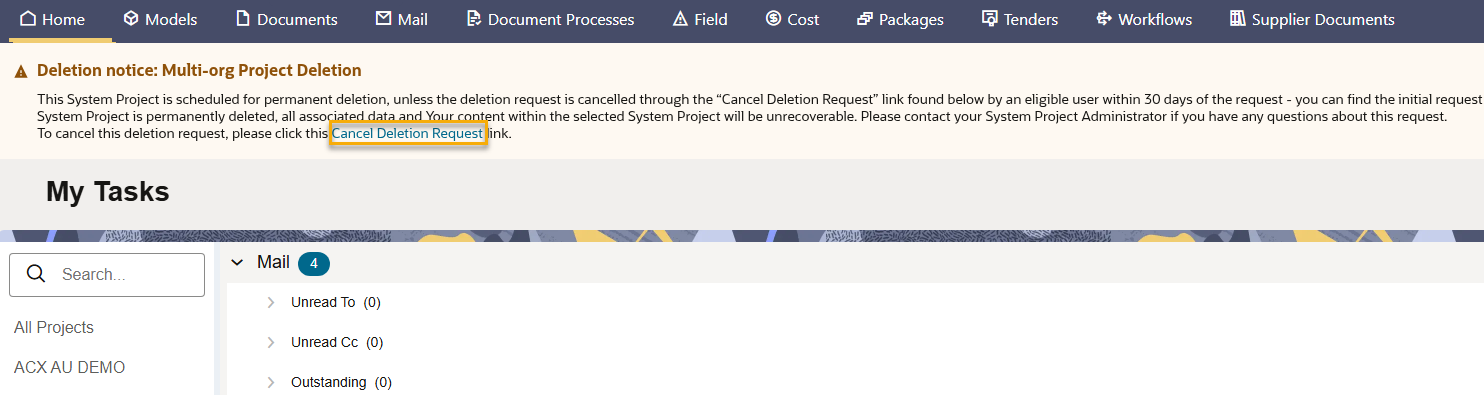
To cancel the request, click the Cancel deletion request link in the banner. The deletion request is cancelled and a mail is sent to the project owner to advise who cancelled the process.
If no one cancels the deletion request within 30 days:



