
Support Central
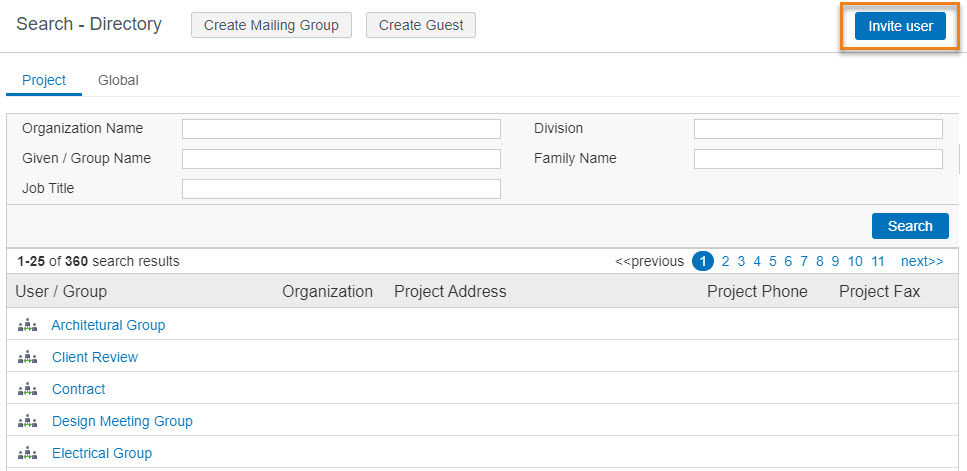
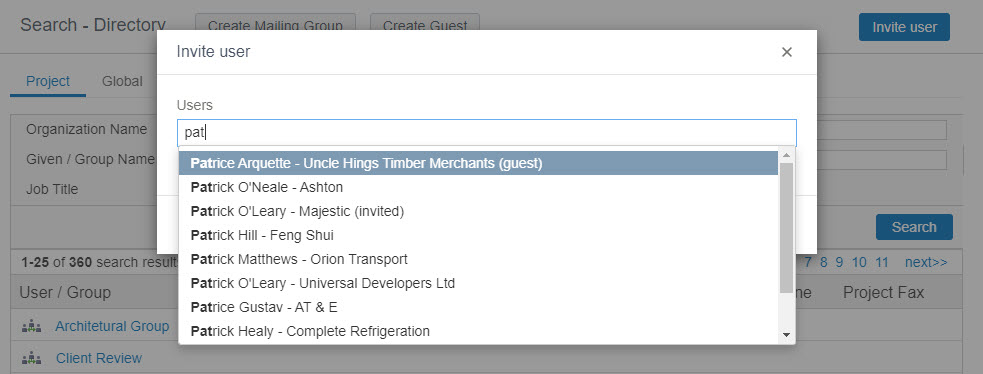
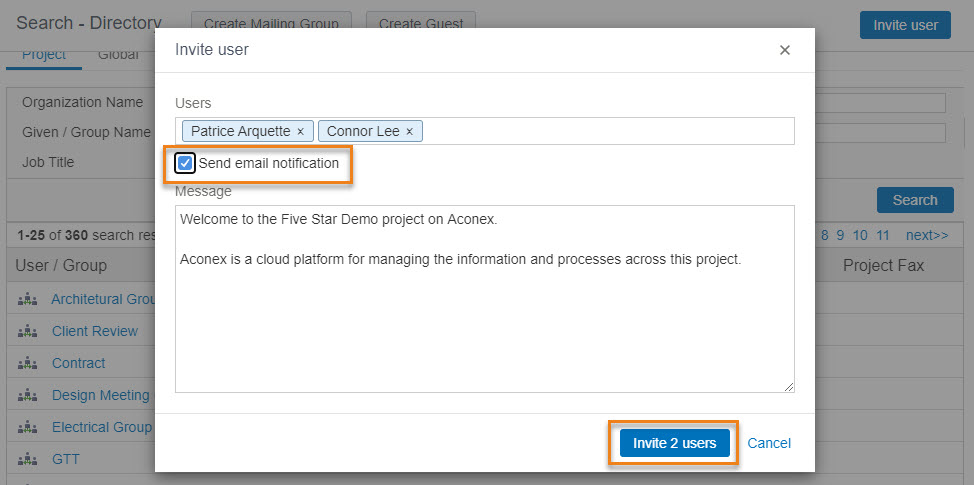
You can invite users who already have an Aconex account to your project using the Invite User button, or by sending them a project mail if you need a record of the invitation.
Anyone can invite users if their project is setup with the Open invitation method. However, if your project is set to Explicit Only you will need to ask the project-owning organization to invite the users for you.
If your project is on a High Compliance instance, the project invitation mode is set to Explicit. This means only a Project Admin can add users to the project.
You can only invite users who are already registered in the Global Directory for that instance.
This option does NOT provide you with a record of who and when a user was invited, as no mail gets added to Sent Items. If you’d prefer to have a record of the invitation, you’ll need to invite the user by sending a project mail.
Use this method if you need a record of the invitation in Sent Items.
When the invited user logs into Aconex they will now have access to the project. They'll be able to add documents and send mail for this project provided their Organization Administrator has given them access to do so.
Sometimes the project owner or Organization Administrator may prevent you from inviting users onto a project.
If you can't follow the instructions on this page, contact the Organization or Project Administrator.



