
Support Central
Important changes to the way you upload documents in Aconex.
In the March 2026 release (beginning March 21), all users will be automatically switched to the new enhanced upload.
This update provides a modern, intuitive flow for uploading, with flexible upload templates. It also lays the groundwork for future upload improvements – enabling multiple file types to be registered under a single document.
We recommend you try out both the new enhanced upload and new bulk processing and let us know what you think. All other uploads are planned to be retired in the coming months.
Subscribe to release notes to be notified of updates.
You'll see new options under the Documents menu with new-look flows to add documents and placeholders. The new bulk processing (introduced in November 2025) is only available from this updated menu.
Click Add or Update Documents to:
Click Add or Update Placeholders to:
Click Start a Bulk Process to upload or update over 100 documents using the new bulk processing.
You'll also see a new-look flow when selecting documents from the Document Register and updating them.

You don't need to do anything. All users will be automatically switched to the new enhanced upload during the March release. We recommend you try the updated features and let us know what you think, as all previous upload options are planned to be retired soon.
You'll be able to switch back to your previously used method for a limited time, until the previous methods are retired.
Note: the new bulk processing option is only available from the new enhanced upload.
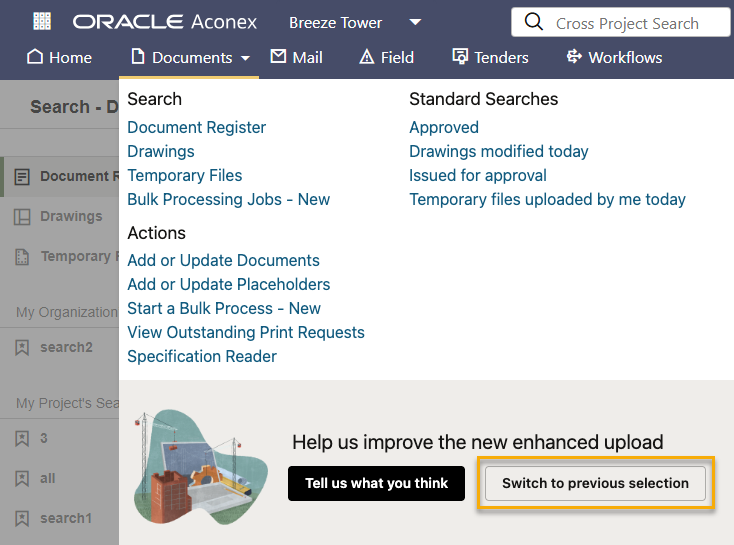
All other upload flows (classic upload, new upload, and classic bulk processing) are planned to be retired in the coming months. Make sure you subscribe to release notes to keep informed about these changes.



