Transmit documents

Send one or more documents to users in another organization.

Required permissions
Search document register
Create a transmittal

Before you begin, make sure your documents are available in your organization's Document Register. If not, you can follow the instructions to add documents into Aconex.

After a transmittal is sent, it cannot be edited or recalled. Aconex permanently retains it in the project record, giving you a full history of changes and decisions.

Tip!

There is a maximum number of documents that can be sent on any one transmittal.
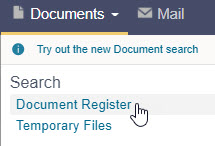
  1. From the main navigation menu, click Documents and select Document Register.
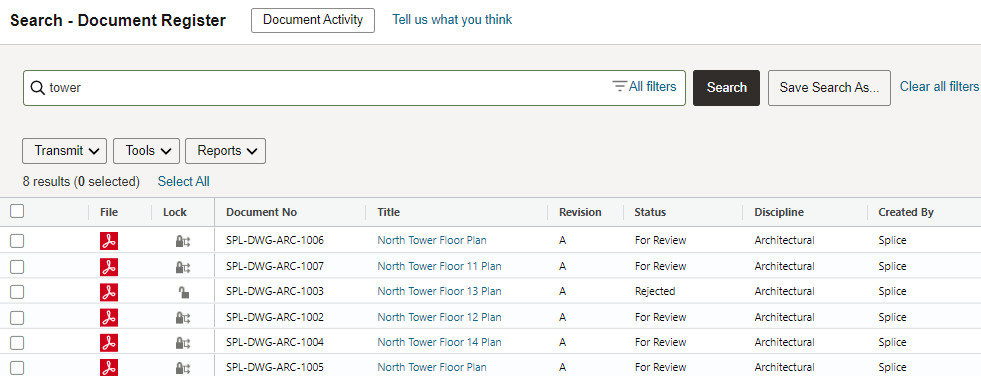
  1. Enter your search criteria in the search bar, such as the document number, document title, or filename. Leave the fields blank to view all available documents. Learn how to search for documents.
  1. Click the Search button.
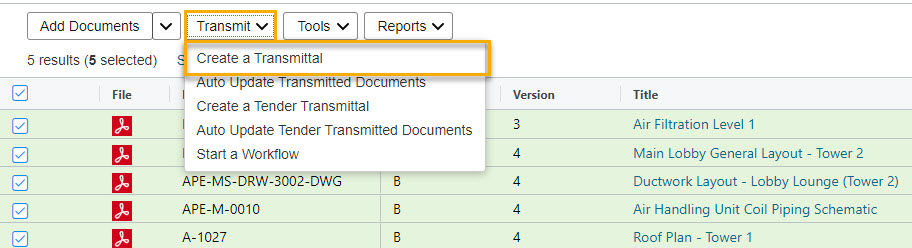
  2. Select the checkbox next to the documents you want to transmit.
  3. Click Transmit.
  4. Select Create a transmittal.
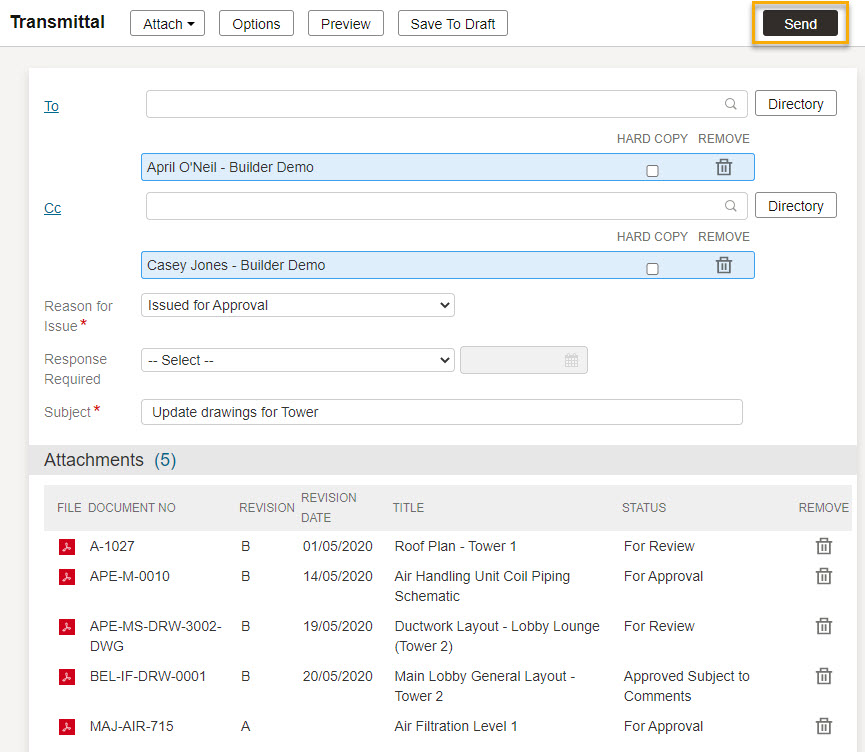
  1. Complete any mandatory fields marked with a red asterisk.
  2. Fill out any other fields required for the transmittal. Learn more about creating mail.
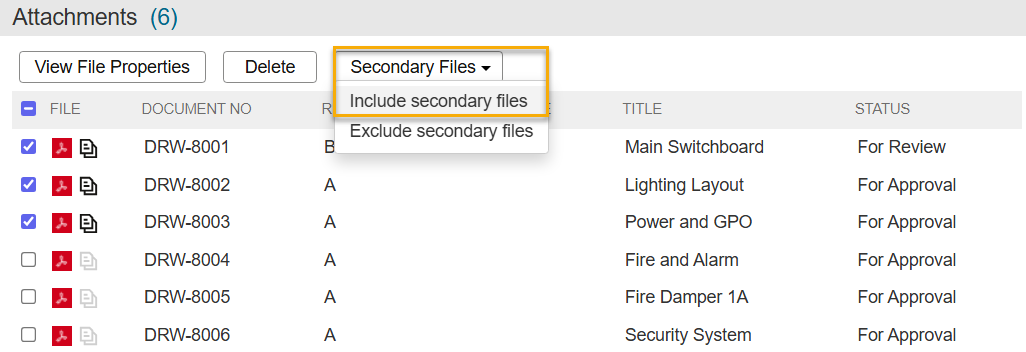
  1. If your project uses secondary files, known as renditions, an icon next to each primary file indicates if secondary files will be sent. If the icon is greyed out, the secondary files will not be included for that document. The default behavior is determined by your organization's project preference.
  2. You can choose to include or exclude secondary files for specific documents. To do this, select them, click Secondary Files, and select the appropriate option. 

Tip!

Secondary files do not count towards transmittal weighting.
  1. Click Send
  1. You'll see a confirmation that the transmittal has been sent. By default, the documents will update in the recipients' Document Registers automatically. Some organizations may need to manually update their document register from a transmittal.

Tip!

If you sent a large number of documents, you (and the recipients) will see a message that the transmittal is being processed. This should complete within five minutes and the message will clear. Learn more about working with a large number of documents.