Choose which package types organizations can create

Use Project Role Settings to control which package types are available to each organization on your project.

Required permissions
Edit project settings
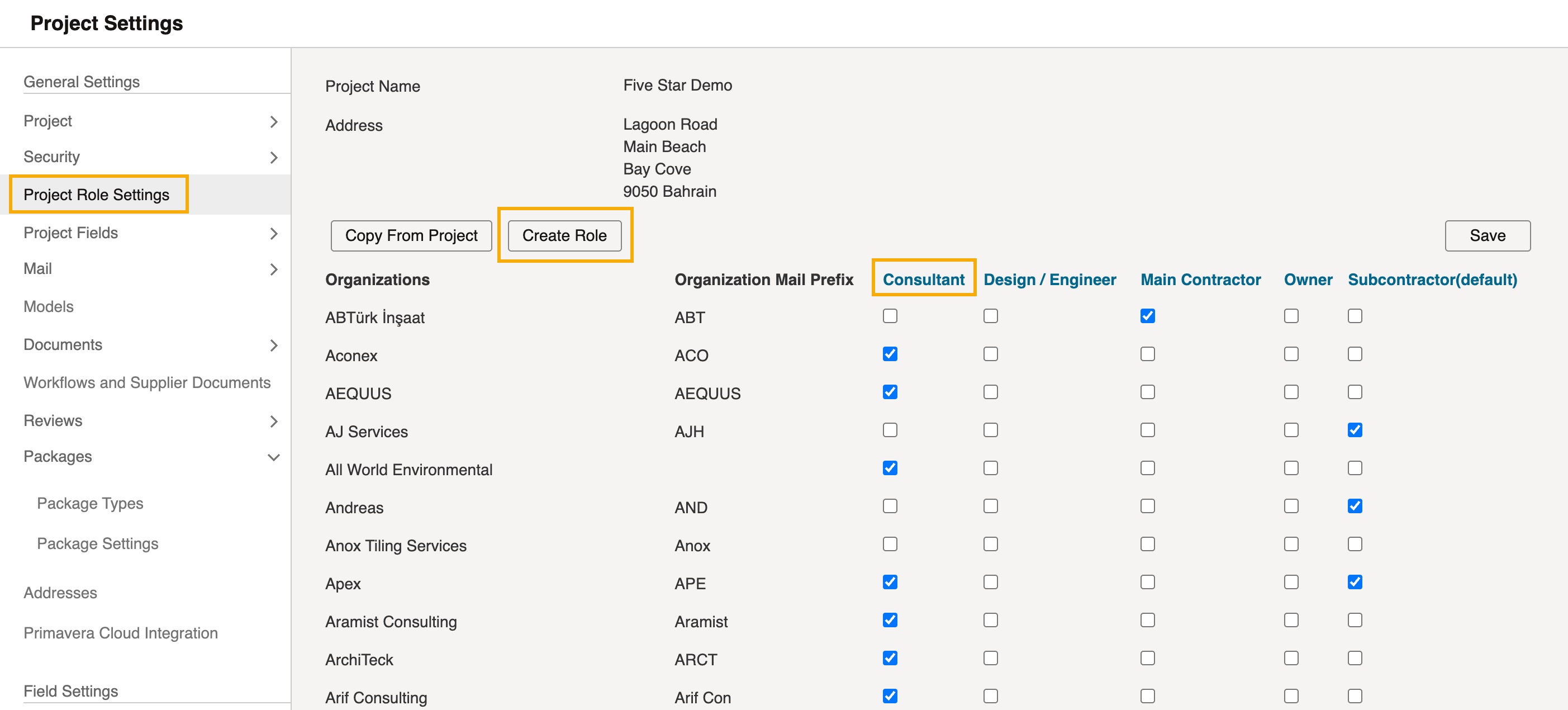
  1. From the navigation menu click Setup, then Project Settings.
  2. Select Project Role Settings.
  3. Choose one of the following:
  • To edit an existing role, select its blue name at the top of the organizations table.
  • To make a new role, click Create Role.
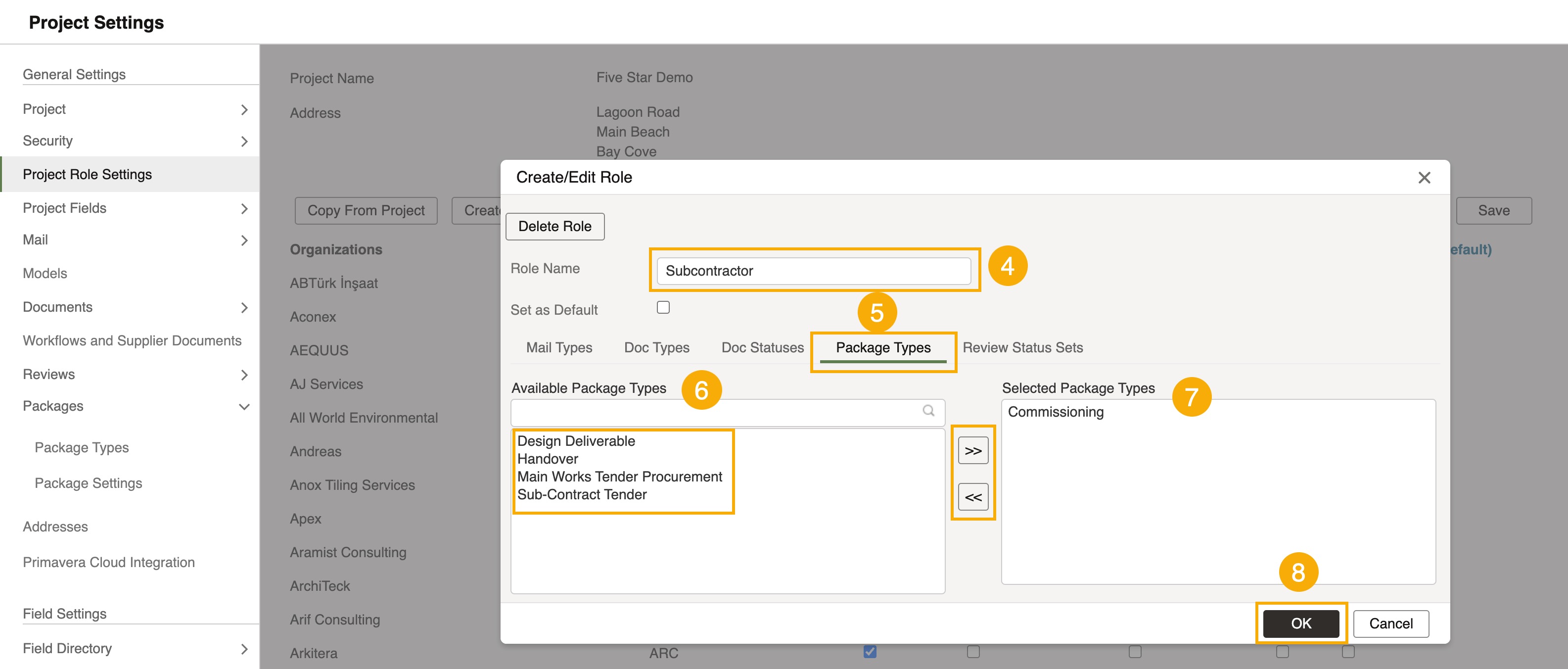
  1. The Create/Edit Role window opens.If you’re creating a role, enter a Role Name. If you’re editing one, the name is already filled in.
  2. Select the Package Types tab.
  3. Under Available Package Types, select the types the role should allow, then select >> to move them to Selected Package Types.
  4. To remove a type from the role, select it under Selected Package Types, then select <<.
  5. Click OK to save the role.
  1. Back in Project Role Settings, select the checkbox for each organization that needs the role, then click Save.


Organizations assigned to the role can use its selected package types when creating packages.