Support Central
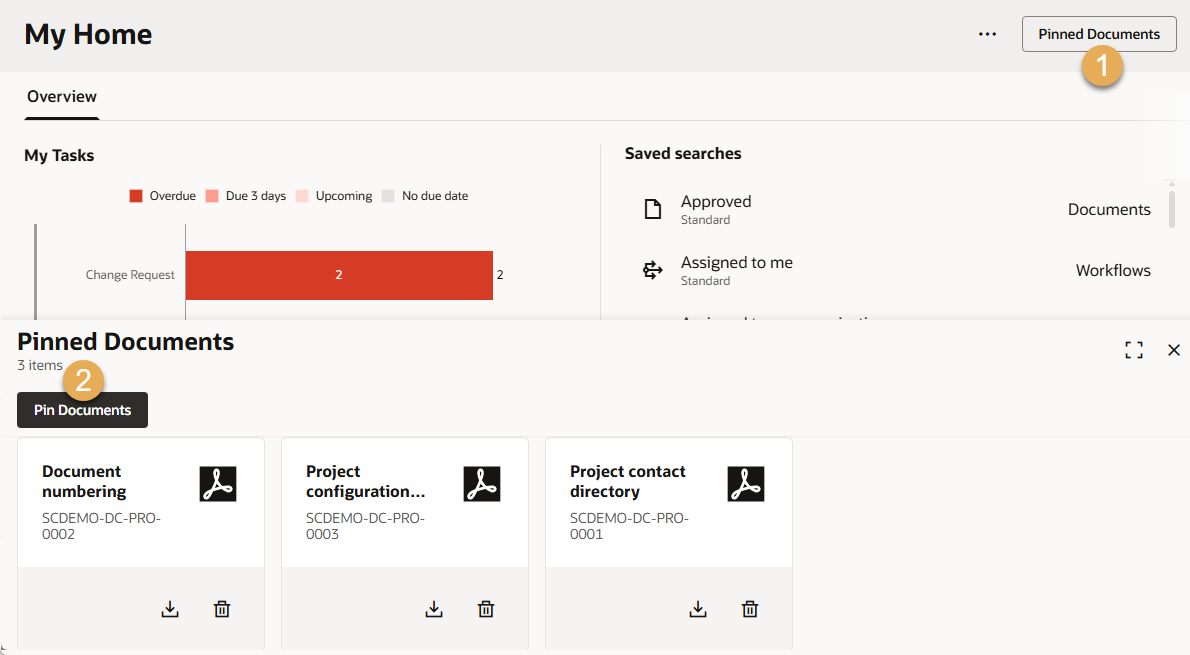
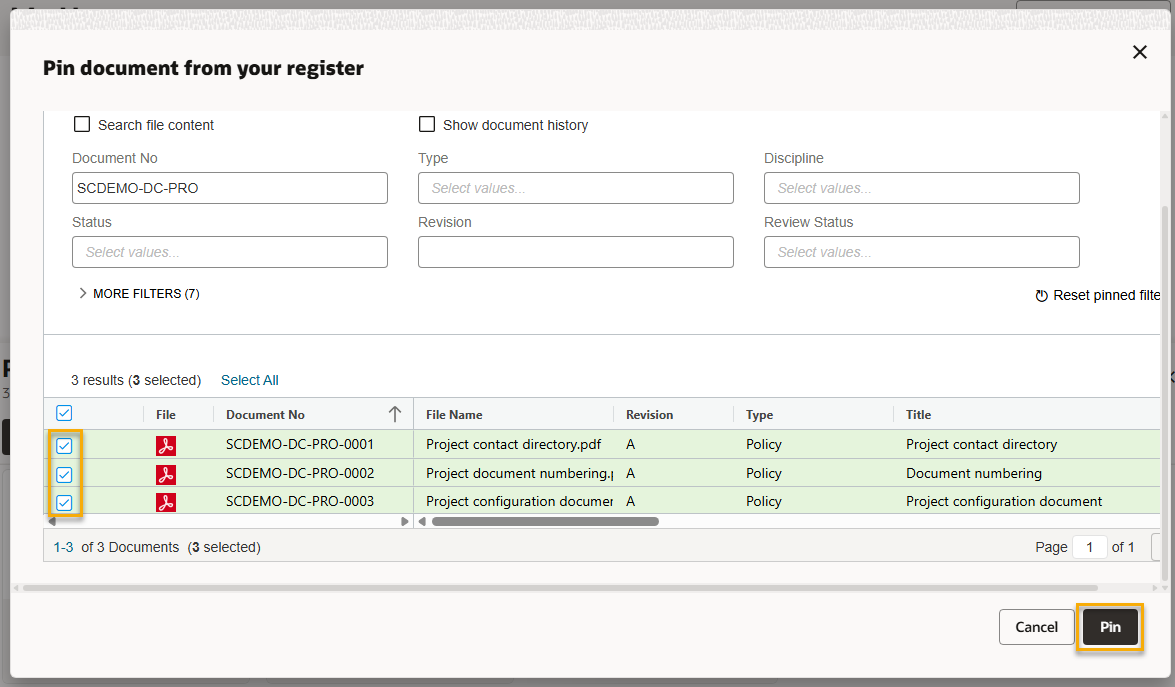
As the Project Admin from the project-owning organization, you can pin important files to the Home screen for all users.
Project Administrators can make specific files accessible to everyone on the project from the home screen. This space is intended for reference materials like the project configuration document and the information management policy. These files won't be updated automatically, which means all users can reference a specific version of a document. It also means you should check regularly to make sure the documents are still current.
You can click the remove button to unpin the document from the Home screen.
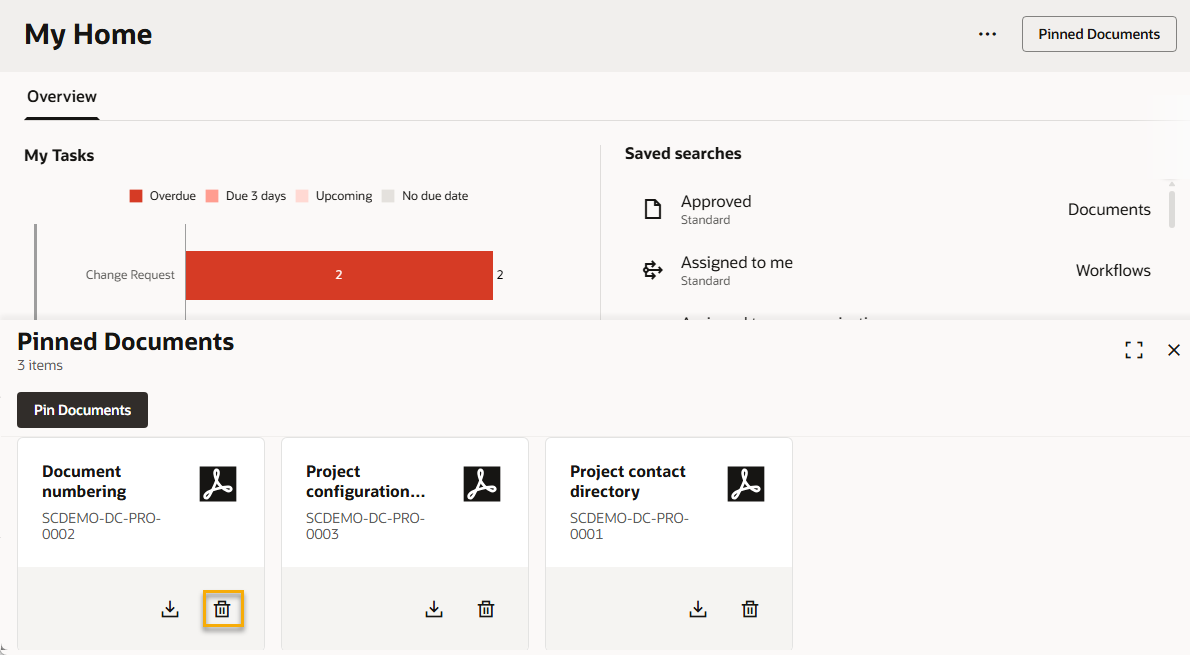
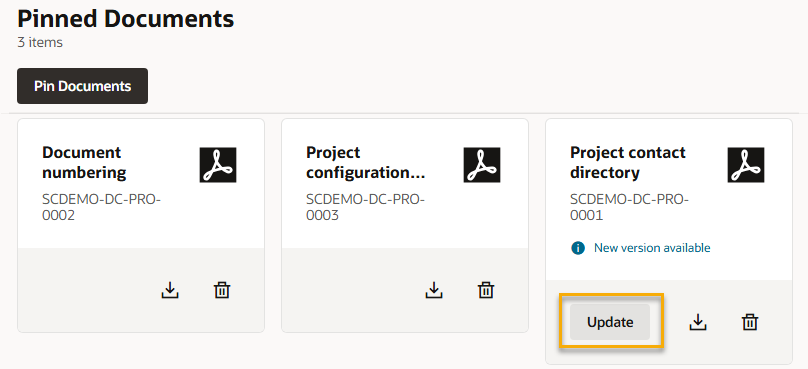
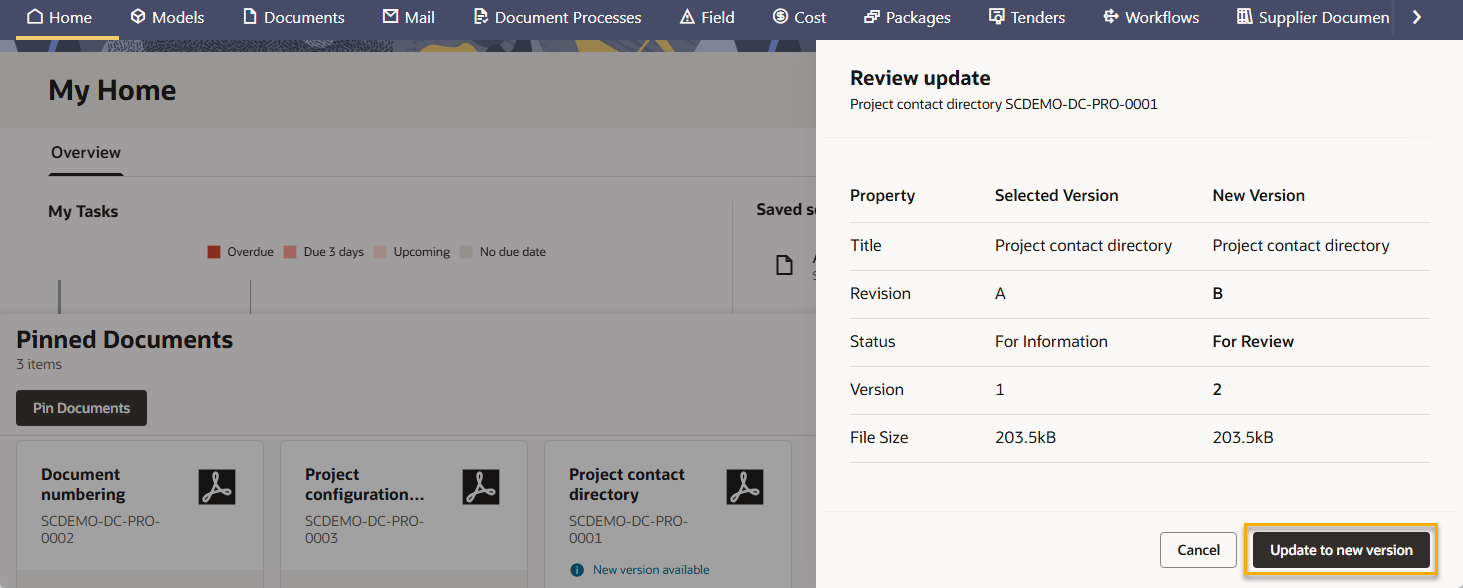
If a pinned document is updated in your organization's document register, the new version will not automatically update on the Home screen. This gives you control over which version of the document is displayed to all your project's participants.