Support Central



Subcontractor-Initiated Documentation Review
Electrical design documentation review on a high-rise apartment project
In this example, the main contractor for a residential and commercial high-rise apartment requires all electrical design documents to be reviewed and approved by relevant organizations before construction. They need a centralized system to track the review process and manage all issues/comments to resolution. They've configured the Review Matrix so all electrical documentation issued for review is automatically routed into the correct review process.
Who is involved?
There are multiple organizations participating in the review:
- An electrical subcontractor registers and issues the relevant documentation.
- Engineers and consultants across different disciplines (such as Fire and Hydraulics) ensure the electrical design aligns with their services.
- The main contractor manages and participates in the review.
- A supervision consultant (known as an employers representative, or authority having jurisdiction). They decide whether the review can proceed to the client.
- A cost consultant appointed by the client to make sure any changes are costed out.
- The client who provides a final technical acceptance of the submitted documentation.
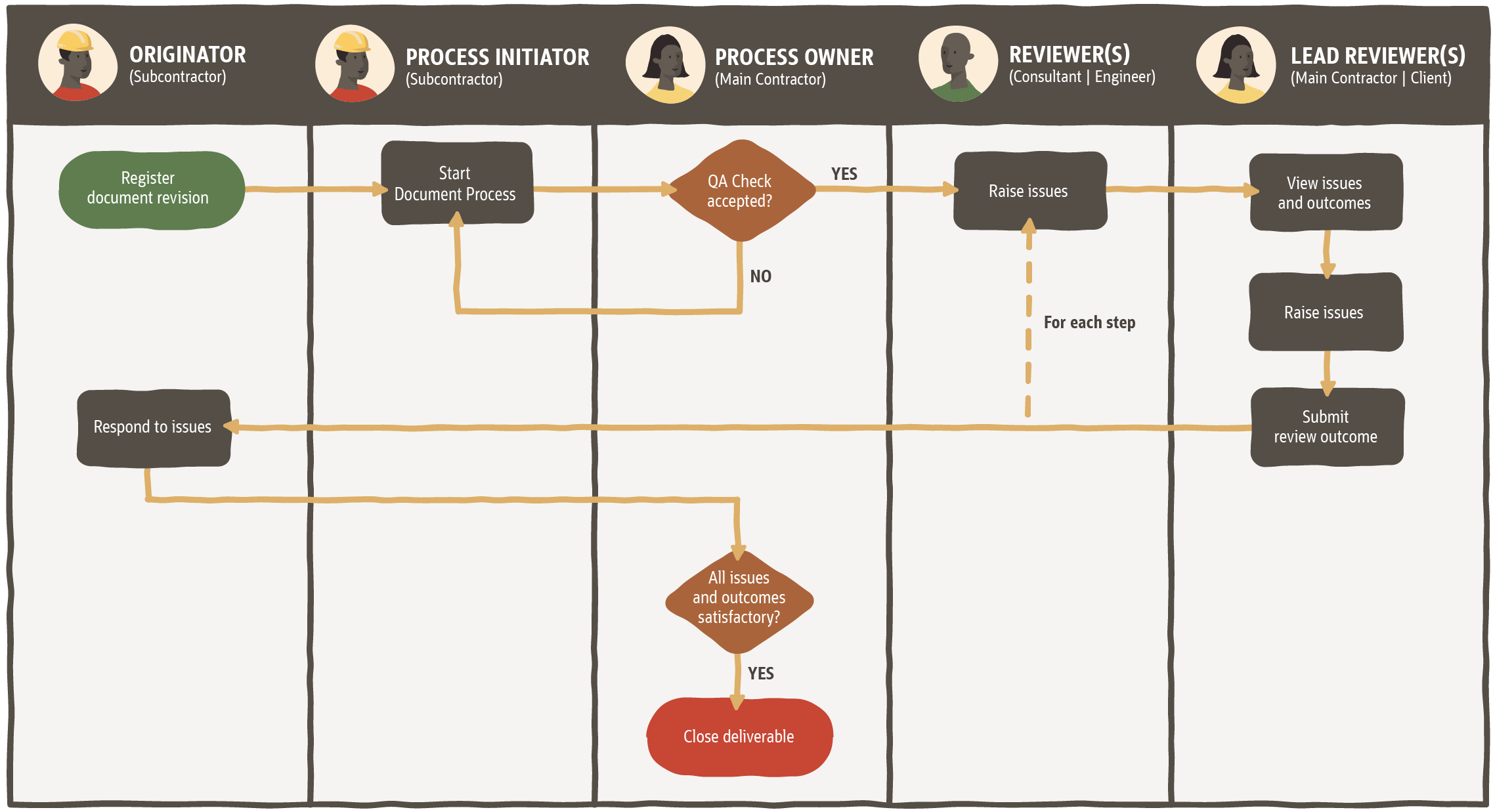
What is the process?
- The subcontractor selects the relevant registered documentation to be reviewed.
- The main contractor performs a QA Check to ensure documentation complies with policy and specifications.
- For each step of the review, the reviewers add their issues/comments, while the Lead Reviewers provide an outcome to keep the process moving.
- After the last step is submitted, the issues/comments are assigned to the subcontractor to resolve.
Document Processes provides a highly configurable Review Matrix to suit many different project types. This is just one example. See Get started with Document Processes to learn more. If you need help with implementation, our Professional Services consultants can help you with process discovery and mapping.
Review Matrix configuration
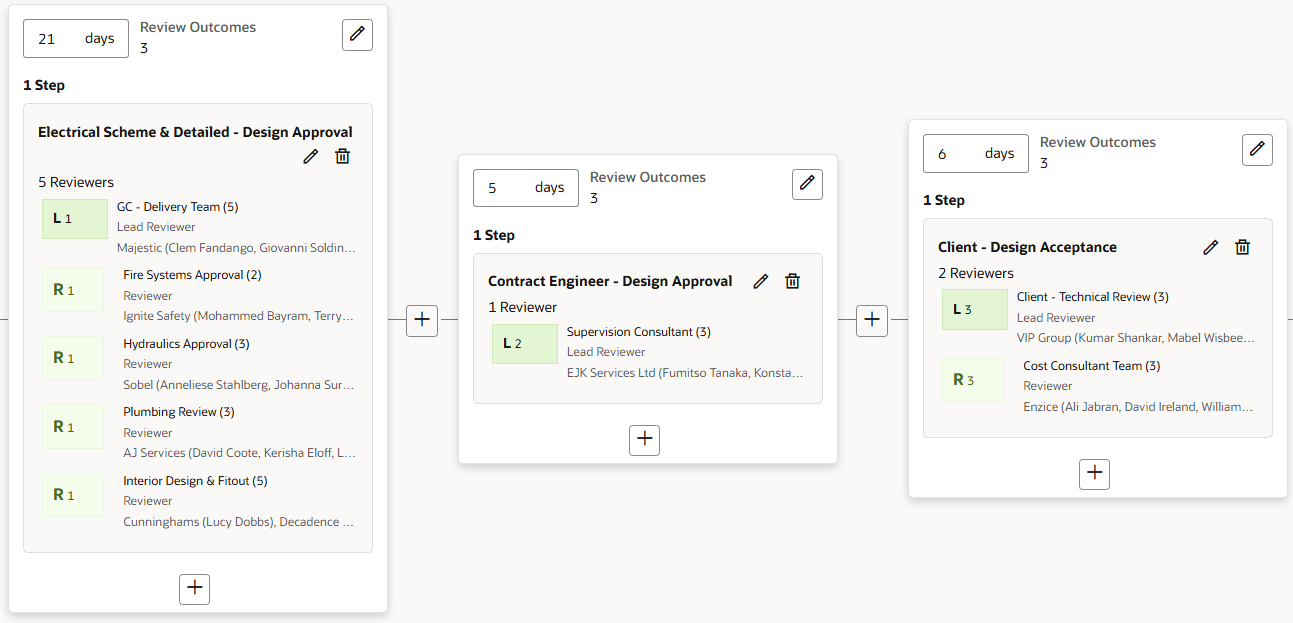
In Document Processes all review processes are configured in the Review Matrix. For this example, the Review Matrix is configured as below.
Originator: Electrical subcontractor. When the last step is submitted, they'll be assigned all issues raised.
Process owner: Main contractor. They manage the review process (can skip steps, add reviewers, terminate the review, and assign issues).
The review process has three steps with different organizations participating in each one:
Step 1: Electrical Scheme & Detailed - Design Approval
- The engineers and consultants are configured as Reviewers. Shorthand code: R1.
- The main contractor is configured as a Lead Reviewer. They check the issues raised by the reviewers and decide if the review can proceed to the next step. Shorthand code: L1.
Step 2: Contract Engineer - Design Approval
- The supervision consultant is configured as a Lead Reviewer. They review the documentation and check all issues raised in the previous step. Shorthand code: L2.
Step 3: Client - Design Acceptance
- The cost consultant is configured as a Reviewer. Shorthand code: R3.
- The client provides final technical acceptance of the submitted documentation and is configured as a Lead Reviewer. Shorthand code: L3.
Step 1: Upload drawings
- The subcontractor uploads their drawings, specifications and other documents to the Document Register.
Step 2: Start review
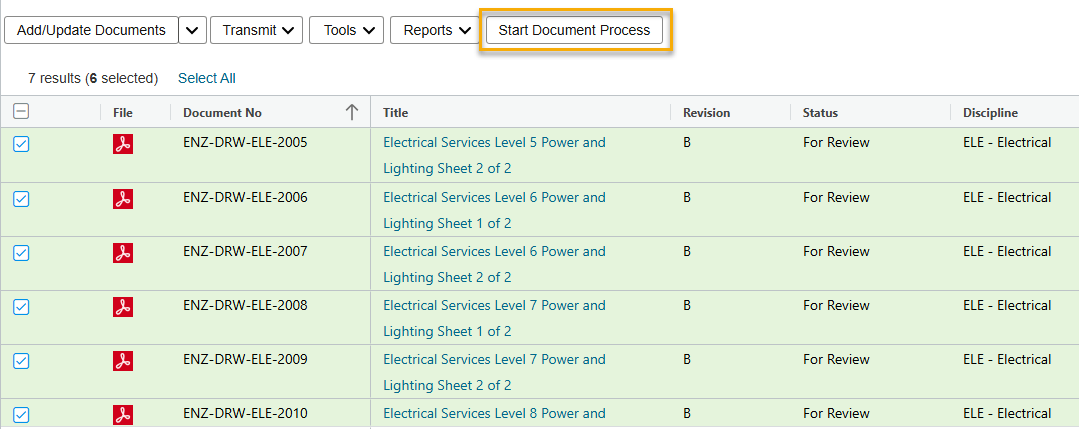
- The subcontractor selects their drawings and starts a review process. The documents are automatically placed into the appropriate review process, as configured in the Review Matrix.
Step 3: Perform QA check
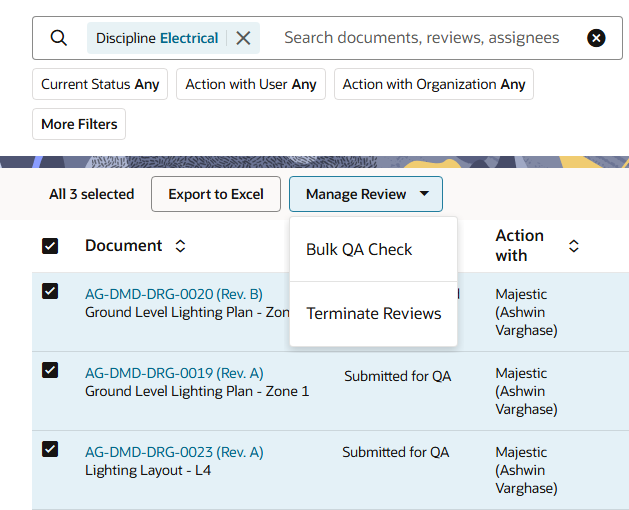
- The main contractor checks the documents and and sets the QA Outcome as Accepted using the bulk QA Check.
- Each document goes into the review process and is tracked as a separate deliverable.
Step 4: Review document(s)
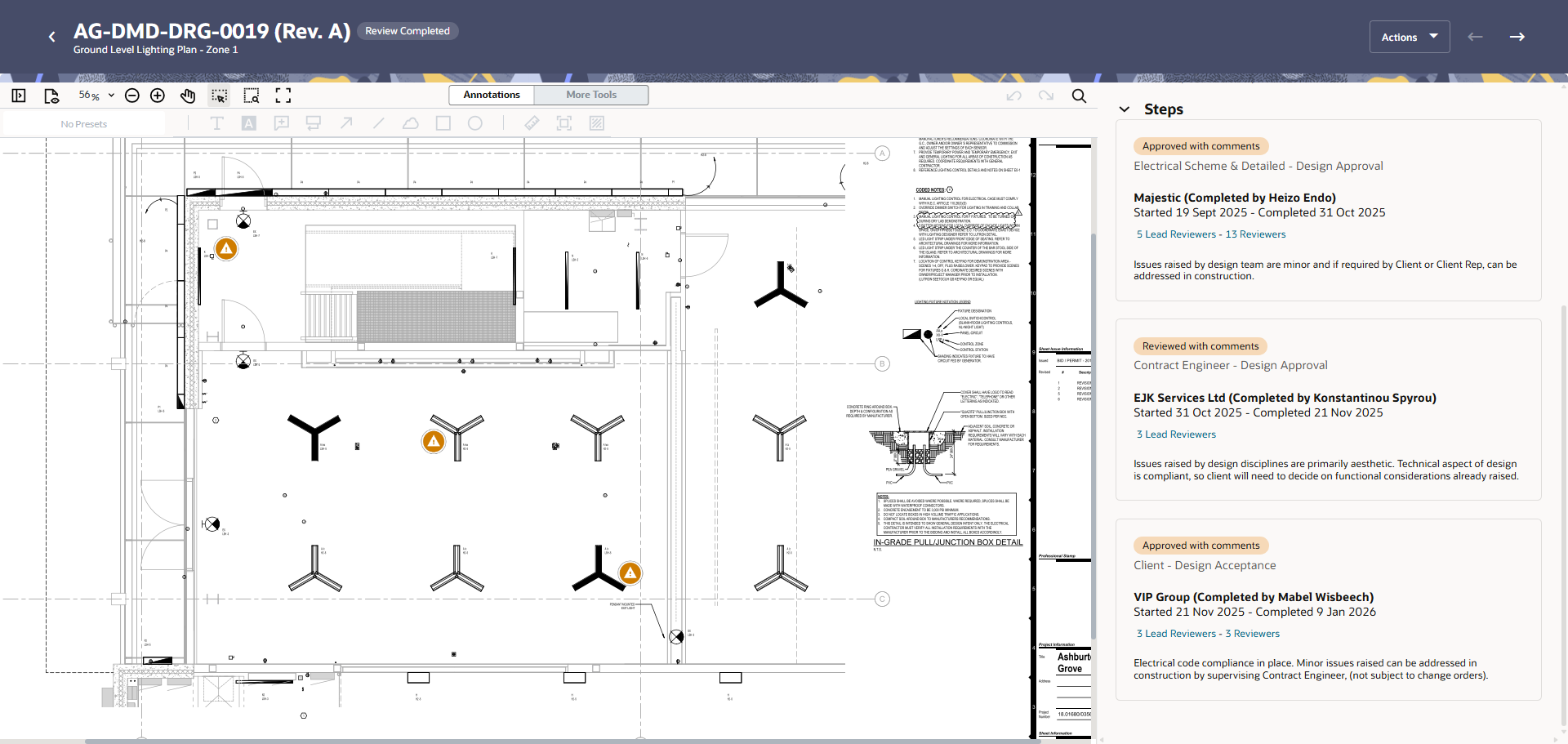
Each document is reviewed separately. In this example we'll look at what happens during the review of a single document - the ground level lighting plan drawing.
- In the first step, the engineers pinned three issues to the drawing. The main contractor set the review outcome as Approved with Comments, noting the issues are minor.
- In the second step, the consulting engineer set the review outcome as Approved with Comments, noting the issues are primarily aesthetic and the technical aspect of design is compliant.
- In the final step, the client approved the drawing with the minor issues to be addressed in construction.
Tip!
Lead reviewers must provide an outcome to submit the step.Step 5: Respond to issues
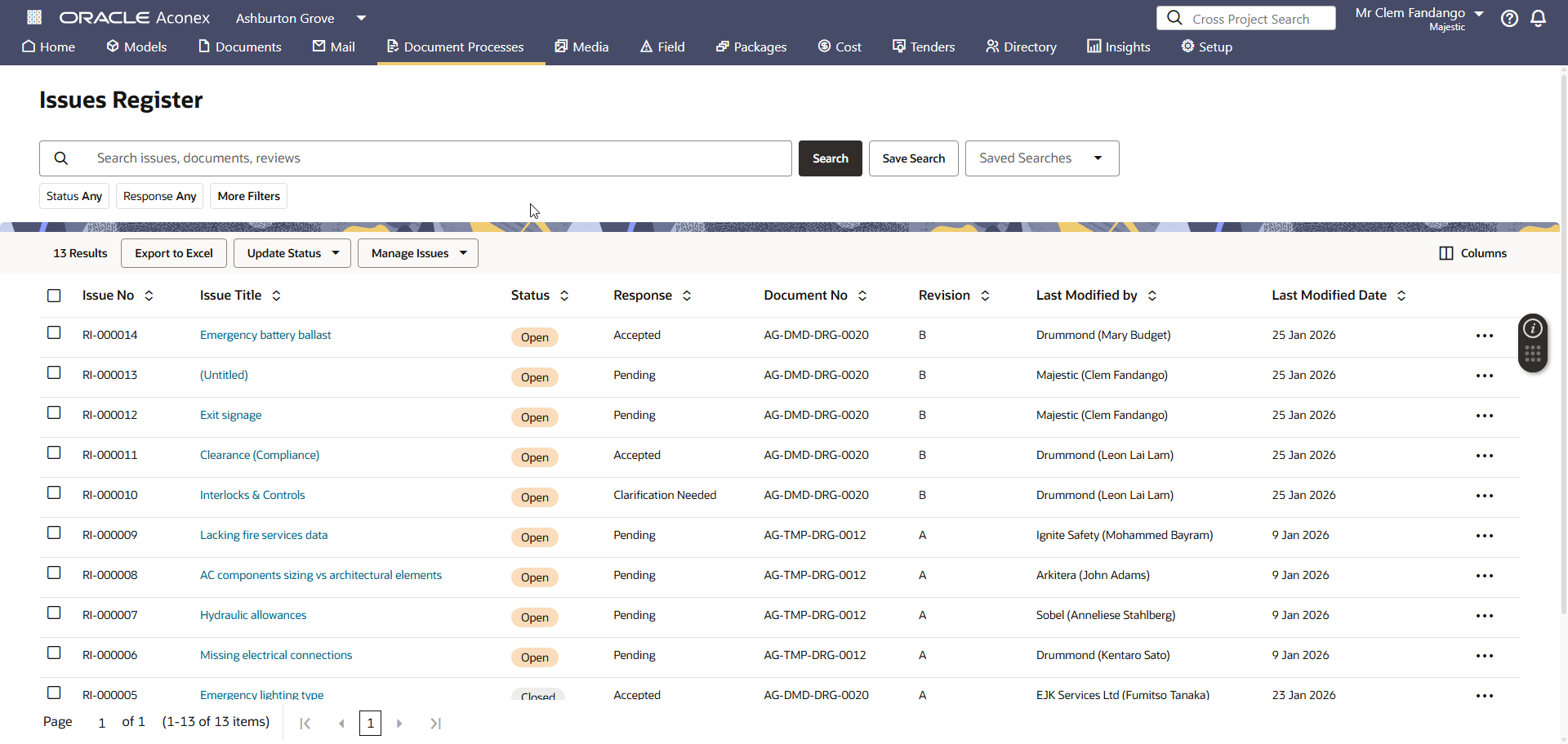
- The review process is completed and the issues are automatically assigned to the subcontractor to respond to.
- While the example document above was approved, there were issues raised on other documents in the design set that require further action.
- Issues raised across all documents are tracked in a dedicated issues register where they can be filtered, managed, assigned, and exported.
Next Steps
After the issues have been managed, the next steps for each document can vary depending on the outcome. Some possible scenarios are:
- The subcontractor and main contractor discuss issues raised with other members of the project team to resolve them.
- The main contractor reassigns the issues to the appropriate person for resolution.
- The subcontractor updates the document based on the issues raised and puts them into the next review cycle for approval.
- The main contractor is satisfied with the outcome and closes the deliverable.
Viewing the audit trail
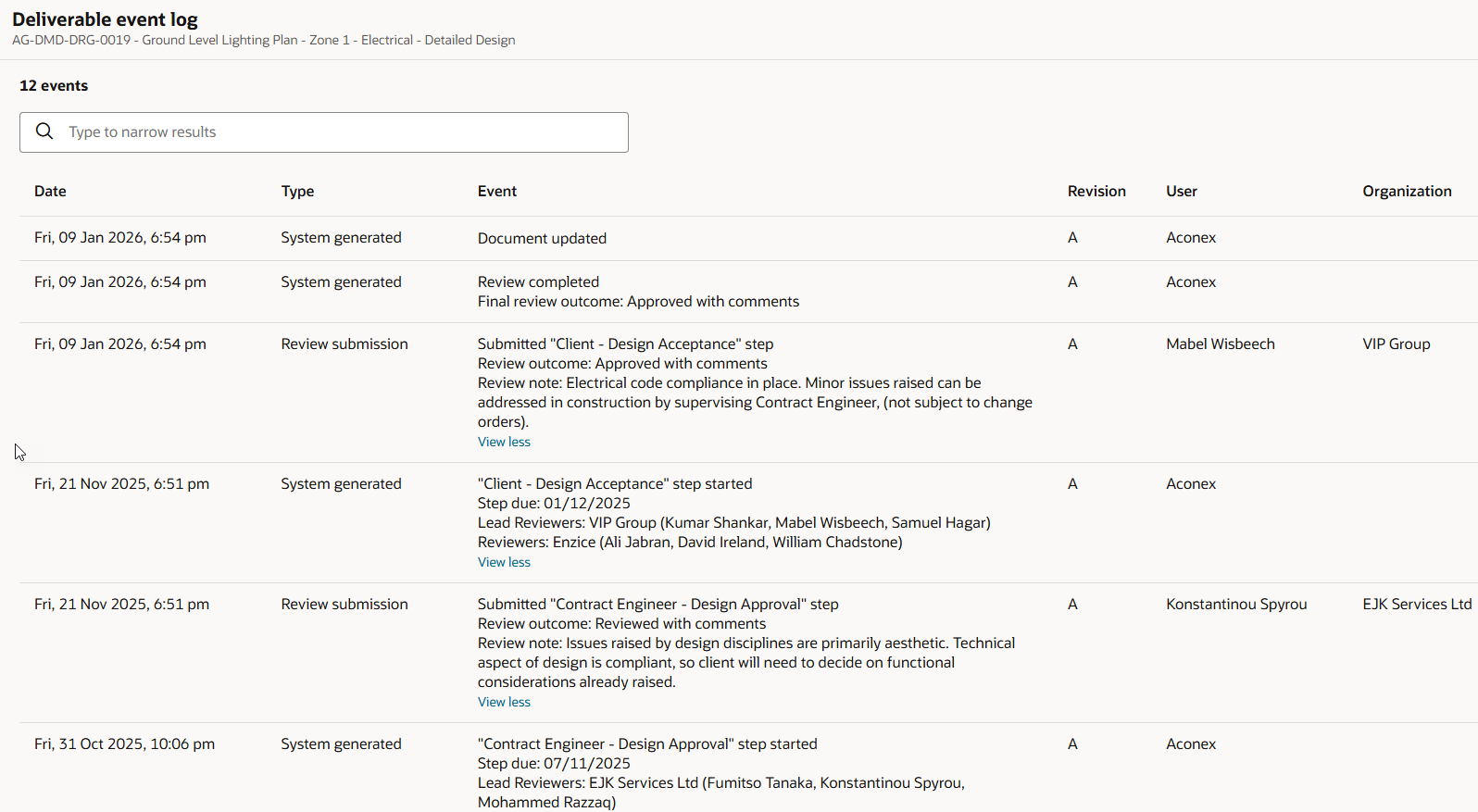
- Every action that happens in the review process is recorded in the deliverable event log. This is an immutable audit trail that cannot be edited or deleted by any organization.
- At any time, any user can view the event log to understand the decisions that have been made up to that point in time. This provides a complete record of the review history and a single source of truth when resolving disputes.