
Support Central




January 2026
This month you'll find more control over permissions in Field, 2D file support in Models, and time saving improvements in issues.

This release is for:
- Field Admins who want to manage access to issues and Inspections separately.
- Project teams using Test Plans who want to export the test plans register.
- Inspectors working with issues who want to save some time.
- Model coordinators who need to work with 2D and 3D files.
- All organizations that have created a custom field inspection report.
Field
What's new
More control in Field roles
- We've split the Issues and Inspections Role in Field into two separate roles. You'll now see one role for Issues and one role for Inspections.
- This gives you more control over who can manage issues and inspections in your organization.
- The list of individual roles (such as Assignee, or Inspector) are the same in both the Issues and Inspection role sets.
- If you have an Admin role in either set, you can add users to the Field directory as before.
- Existing configurations will not change. If you were an Inspector in the Issues and Inspections set, you'll be an Inspector in each of the Issues and Inspections sets.
Export your test plans register
Note: Test Plans is currently only available to projects on the KSA1 and MEA instances. We'll continue to develop features based on feedback and announce availability for other Aconex instances at a later date.
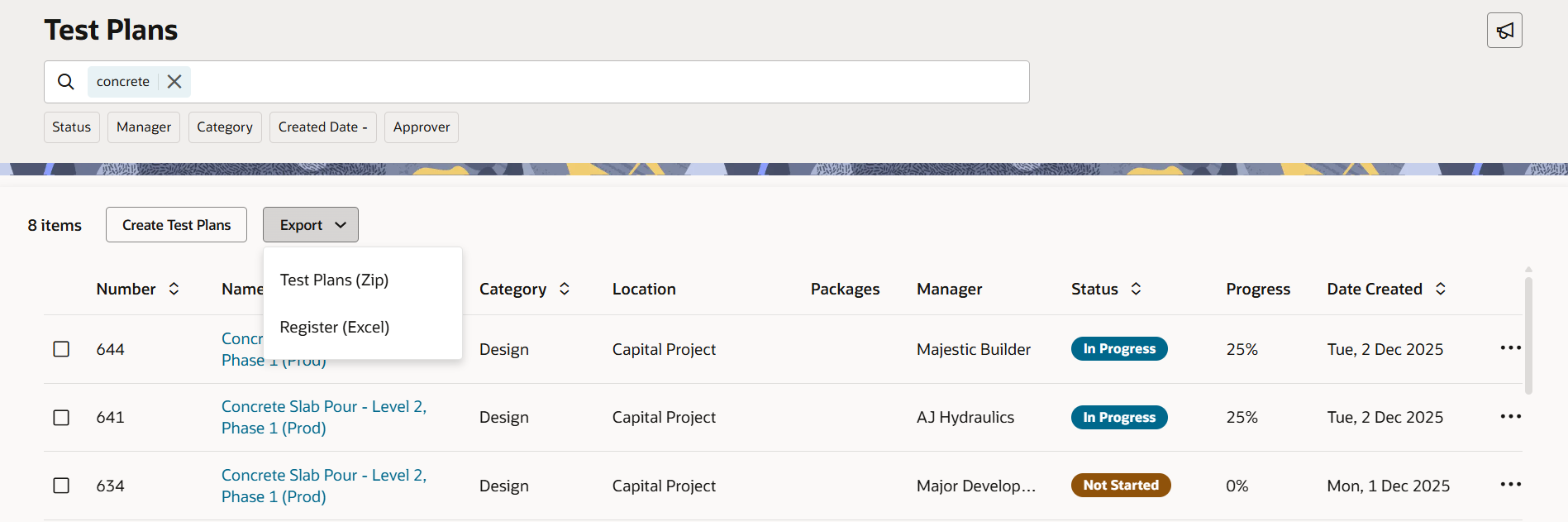
- If you're working with test plans, you can now export your list of test plans to Excel.
- Search and filter your test plans and export the results to create a custom report.
Improvements and fixes
Save time working with issues
Thanks to your feedback we've made it easier to work with issues:
- Find issues that haven't been added to a punchlist using the new Not listed filter. This helps you quickly move them to the correct punchlist.
- There's a new sort option to find your issues fast. You can now sort by Created Date (Oldest to Newest). For consistency, the default sort named Created on has been renamed to Created Date (Newest to Oldest).
- Excel exports are now in .xlsx format, allowing you to export larger data sets.
- We'll now remember your pinned filters after you log out. When you next view your issues list, your pinned filters remain in place, saving you time.
Working with image based signatures
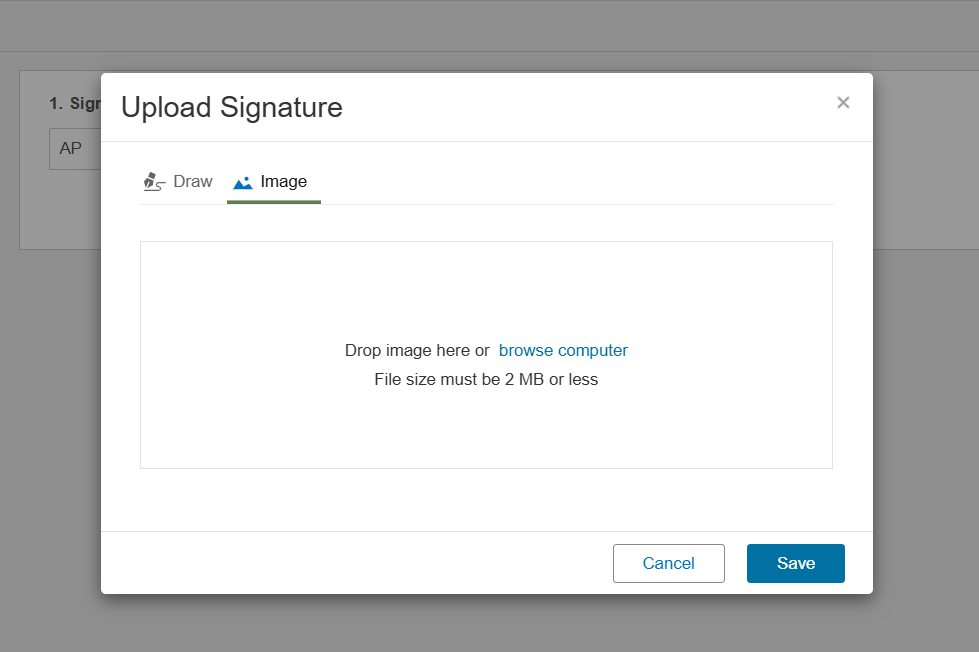
- We've introduced a maximum filesize of 2 MB for signature images. This was required to fix an issue when exporting inspections to PDF.
Documents
What's new
Temporary rollback for viewing models from the document register
- In a previous release we announced a new feature to view a model from the Document Register.
- We've temporarily rolled back this feature on all Aconex instances to address an unexpected behavior.
- Subscribe to release notes and we'll let you know once it's available.
- You can continue to view PDF documents as before.
Models
What's new
View 2D drawings alongside your 3D models
- The model viewer now supports DWG and DGN native CAD formats.
- This allows you to overlay CAD data with the BIM model to work in 2D and 3D simultaneously.
Precision alignment for your models
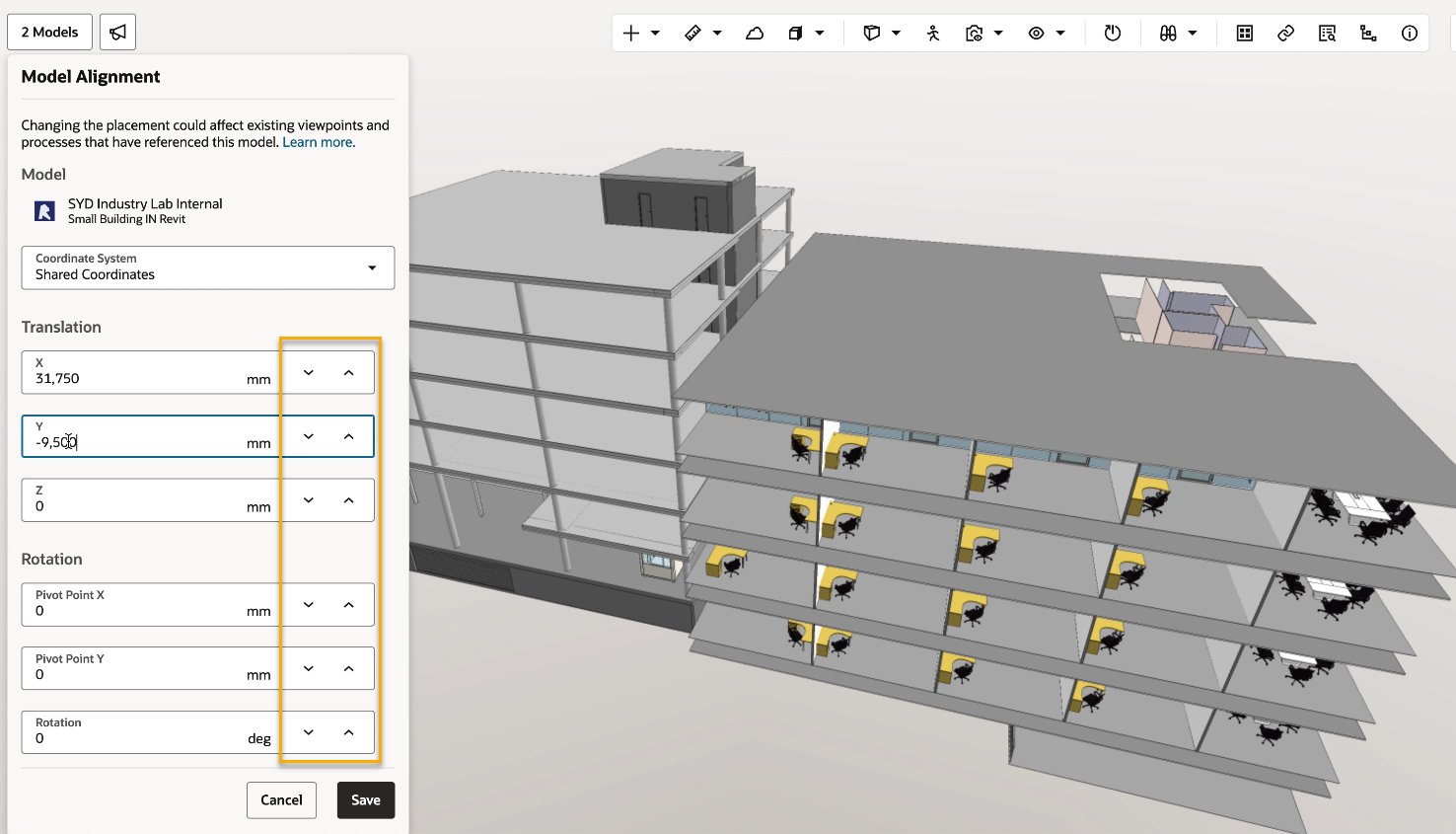
- Instantly adjust the alignment of a model using new stepper controls.
- The new controls allow you to incrementally move a model by 50mm by clicking the up or down arrows, or using the scroll wheel on your mouse.
- Holding the Shift key increases the movement increment by 10, allowing you to switch between finer or larger adjustments.
Improvements and fixes
We fixed some bugs
- We fixed the bug that emptied your models list when a viewed model was removed from the model list.
- Now when you move from a mail to a design issue you'll see all its details instead of empty fields.
Insights
What's new
Reminder - Update your Field Inspection reports
- In a previous release we announced changes to the structure of the Field Inspections subject area in custom reports.
- Some columns moved from the Field Inspections subject area into a new Field Inspection Items supporting subject area.
- If you've previously created a Field Inspection custom report, you'll need to update it to use the columns from the new Field Inspection Items supporting subject area.
- The old fields will be removed in March 2026. If you haven't already updated your reports, please update them now so they continue to work.
- Learn more about this change and what you need to do.
API
Improvements and fixes
Removing invalid characters in Documents APIs
- We've introduced a new parameter in Documents APIs to help you remove invalid characters from your metadata.
- This ensures your API requests are completed successfully without errors.
- Make sure you include sanitizeInvalidXmlCharacters=true in your request to ensure invalid XML characters are replaced with a whitespaces.

We'll gradually release each update over a 30-day period starting January 24.

These updates will be made available to all instances.
Release schedule
Features are gradually rolled out to each instance over a 30-day period, starting from the indicated dates below. You may not see all updates immediately. We can’t guarantee a global rollout of features across instances within the same timeframe. Oracle Aconex Mobile is updated in the fourth week of the month.
While we endeavour to keep this information complete and accurate, we advise you to thoroughly test and confirm feature availability before implementing new processes on your project. This information is accurate at the time of publishing and is subject to change without notice. Learn more about our release process
+ View schedule
| ASIA1: Jan 29 | EU1: Jan 24 |
| ASIA2: Jan 28 | KSA1: Jan 30 |
| AU1: Feb 05 | MEA: Jan 30 |
| AU2: Feb 04 | UK1: Feb 02 |
| CA1: Feb 01 | US1: Jan 31 |