
Support Central




November 2026
This month, copy document metadata, pin issues to 3D models, export pins and markups to PDF, and ask your AI agent to read project data.

This release is for:
- AI agents to connect to project data.
- Document Controllers who need to quickly create a document from an existing one.
- 3D model reviewers.
- Reviewers who need to export their pins and markups to share with others.
- Package admins who want to save some time.
- Test Plan owners who need to deactivate outdated templates.
Aconex
What's new
Connect AI agents to Aconex
- Coming soon, the Model Context Protocol (MCP) server for Aconex will let you connect a compatible AI agent, such as Codex or Claude to your project data.
- Once connected, use everyday language to ask your AI agent to:
- Summarize your unread mail.
- Draft a response to an RFI.
- Find the latest approved drawings.
- Help you find and manage other project data.
- Subscribe to Release Highlights to be notified when the MCP server becomes available and how to get started.
Login
What's new
Reminder: Reset your password... but just once more
- Following the previous announcement, we'll soon ask you to change your password one last time.
- Your new password must be at least 12 characters long, but you no longer need to include a mix of numbers, symbols, uppercase and lowercase letters. This helps you choose a secure password that you can remember.
Documents
What's new
Retiring previous uploads
- In January 2027 all users will move to the new enhanced upload and we'll retire all previous uploads (Classic Upload, New Upload, and Legacy Bulk Processing).
- We're giving you early notice so you can plan your transition to the enhanced upload now.
- The new enhanced upload allows us to deliver features and improvements faster, while allowing Project Admins to enable additional features such as Renditions and a project-wide naming convention.
Copy document metadata
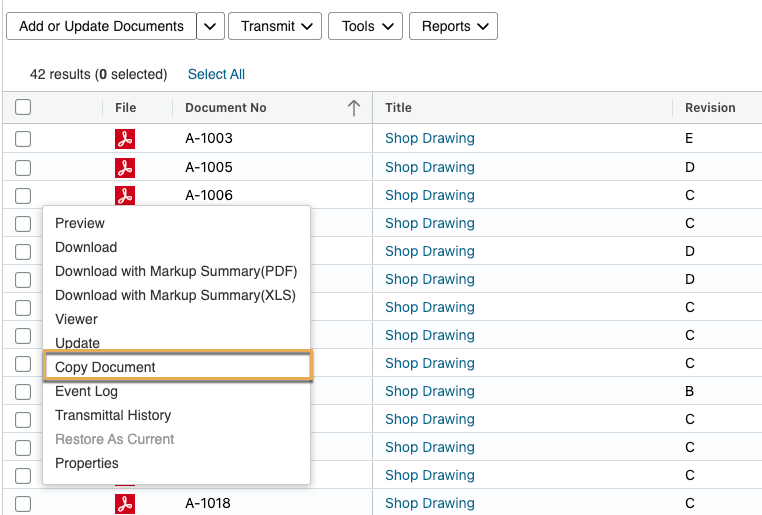
- Create a new document by copying an existing document’s metadata.
- All metadata is copied except for the document number, revision and file(s). You'll need to set the Document Number (unless it's auto-numbered) and revision and attach any required file(s).
- Available for the new enhanced upload only.
- You'll find the copy option in the three dots menu in the Document Register and in the document properties screen.
- You'll need permission to create placeholders or upload documents (if you want to add a file to the copied document).
A new look for Access Control
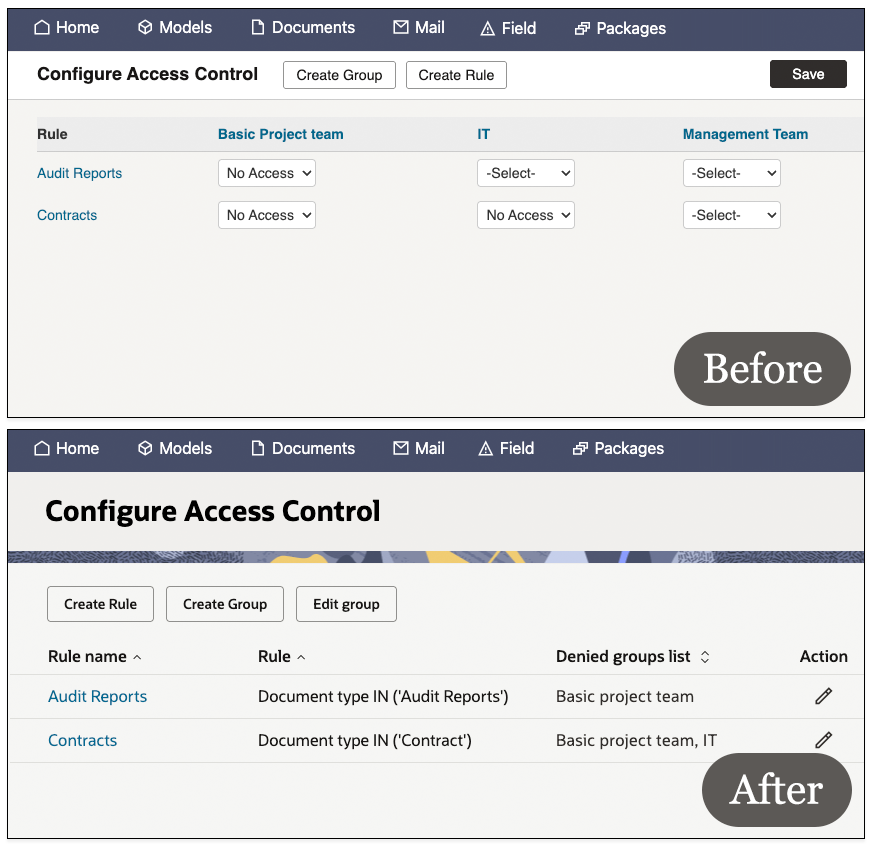
- Access Control settings have a cleaner, refreshed design that makes it easier to view and manage your document access rules.
Best practice for projects with long document type names
- Excel has a limit of 31 characters for sheet names. If you use a multi-sheet upload template and your document type is more than 31 characters long, it will trim the name past that limit. This can create duplicate sheet names.
- For example, both of the below document types would produce the sheet name Design Approval Certificate for:
- Design Approval Certificate for Building A
- Design Approval Certificate for Building C
- If this happens, you cannot use a multi-sheet template and must switch your project preference to use a single metadata sheet template. You'll see a message in-app if your project is impacted.
- You can export your project settings report and check for any document types that exceed 31 characters.
Improvements and fixes
Delete an upload profile
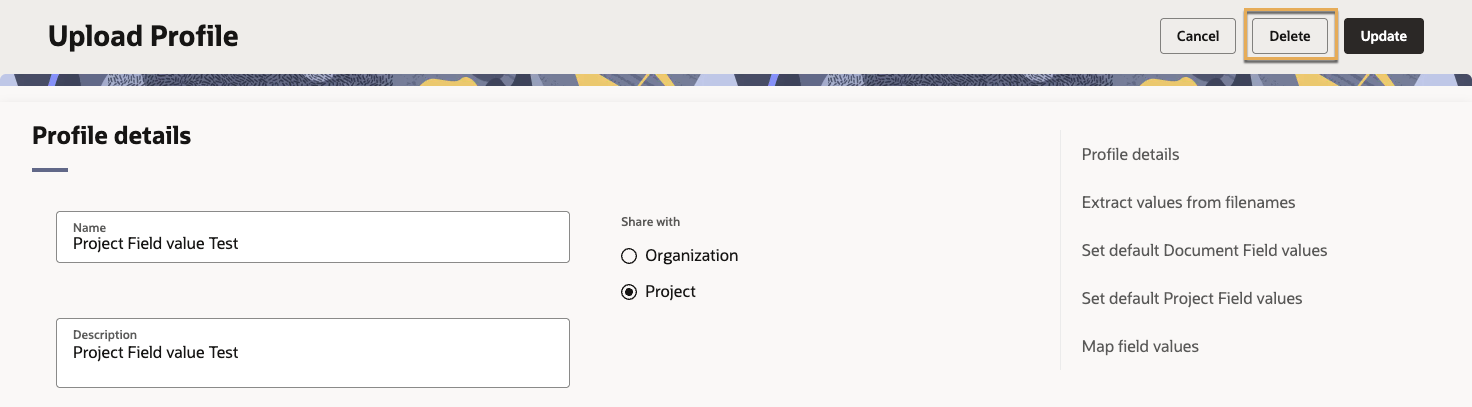
- If you have an upload profile created by your organization that is no longer used, you can delete it.
- If you need to delete the default profile, you'll need to select a different default first.
Zip download notifications
- In-app messages now let you know when a zip download is in progress and when it’s complete.
- If your access to a document changes during the download (using Access Control or Confidentiality), each affected document will be replaced in the zip file with a text file explaining that the document could not be downloaded.
A new look for transmittal history by organization
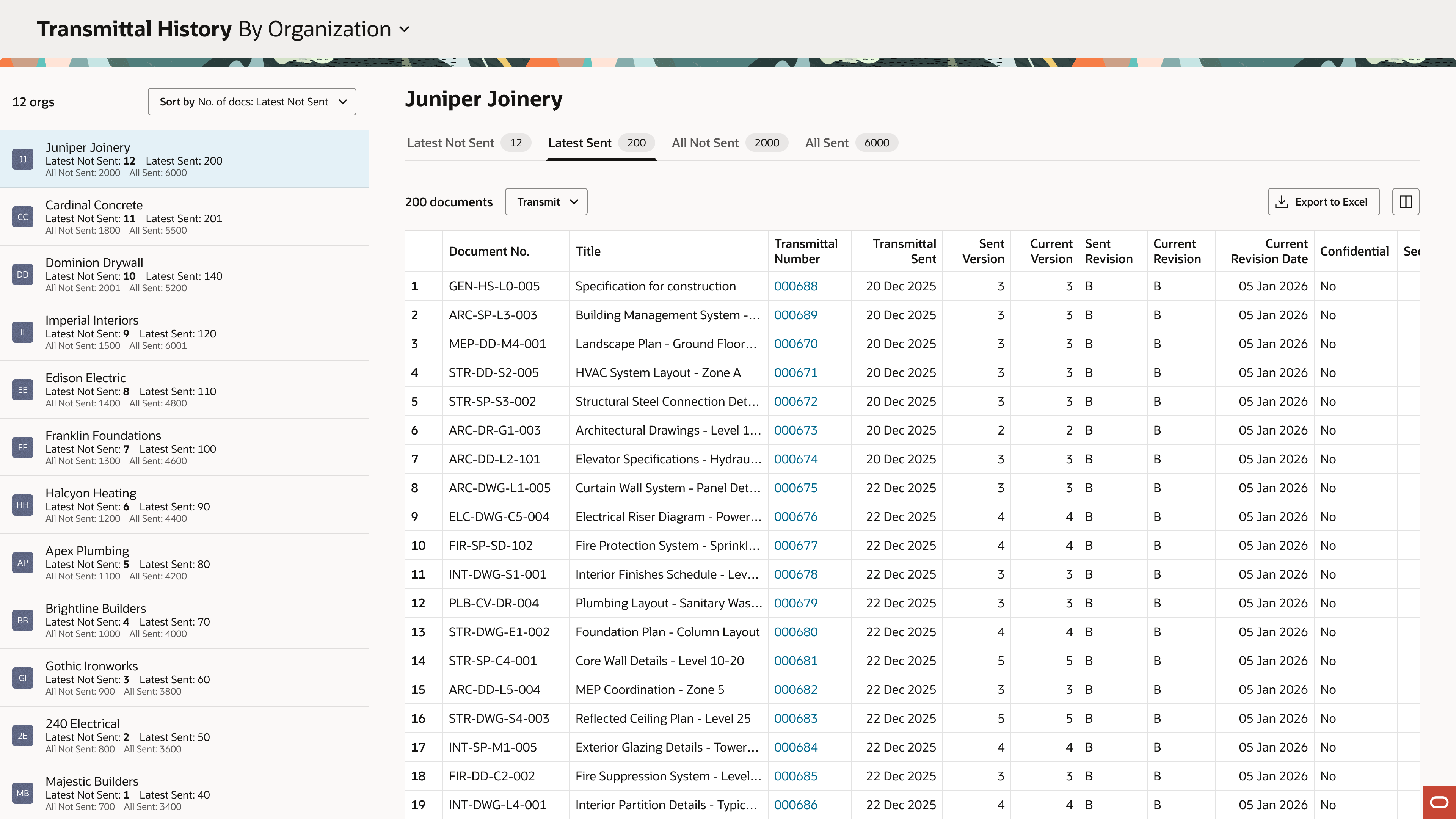
- We've given the Transmittal History by Organization report some love to help you quickly see which organizations need to receive updated documents.
- This update will roll out to EU1 and CA1 only. We'll update the remaining instances in a future release.
Document Processes
What's new
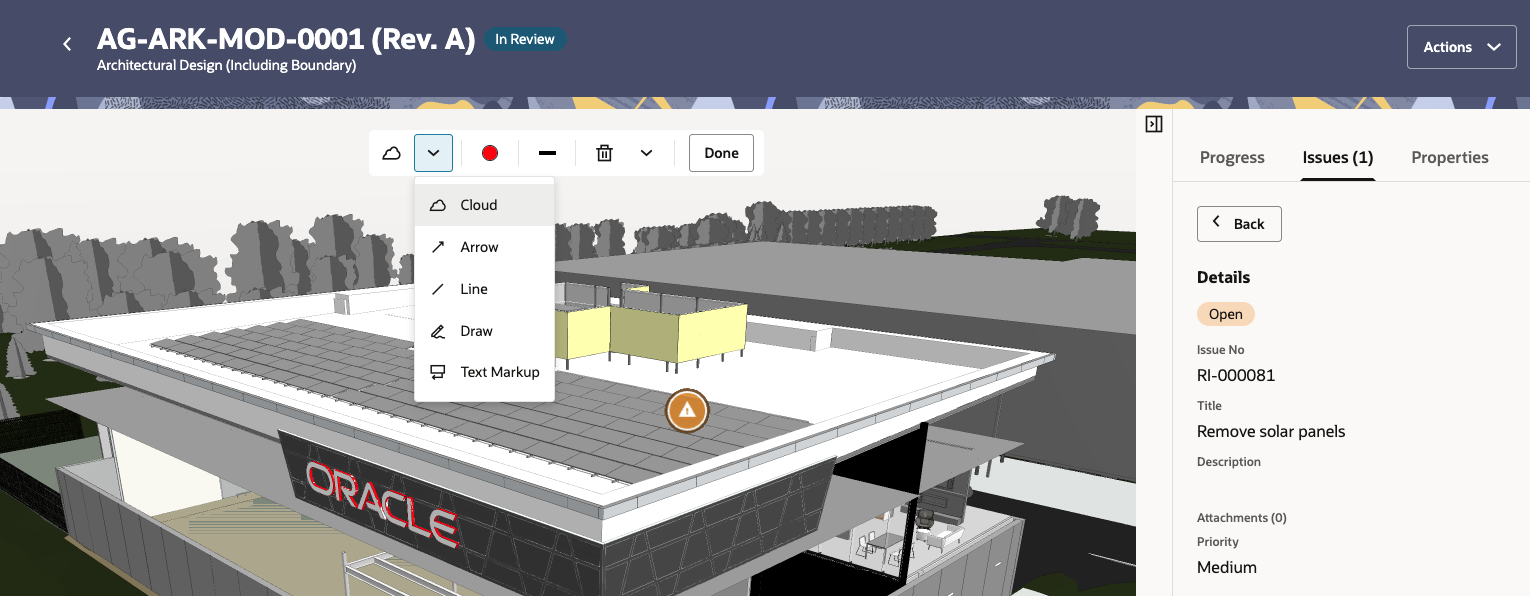
Pin a 3D model
- You can now pin issues directly onto a 3D model to add comments and markups.
- This allows you to communicate precisely where an issue applies in the model.
- Note that pins cannot be moved.
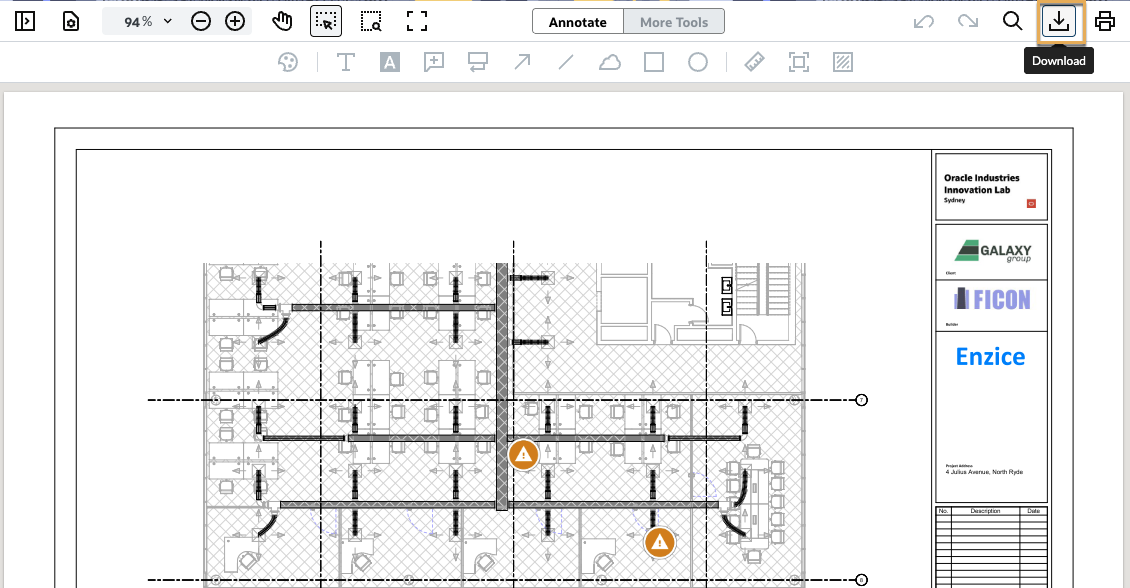
Download a PDF with issues and markups
- Download a marked-up version of a document to share outside of Document Processes.
- In the downloaded PDF, you can hover over a pin to see the issue number.
Improvements and fixes
Activate rules in bulk
- You can now select multiple draft review rules and activate them in one go, saving time.
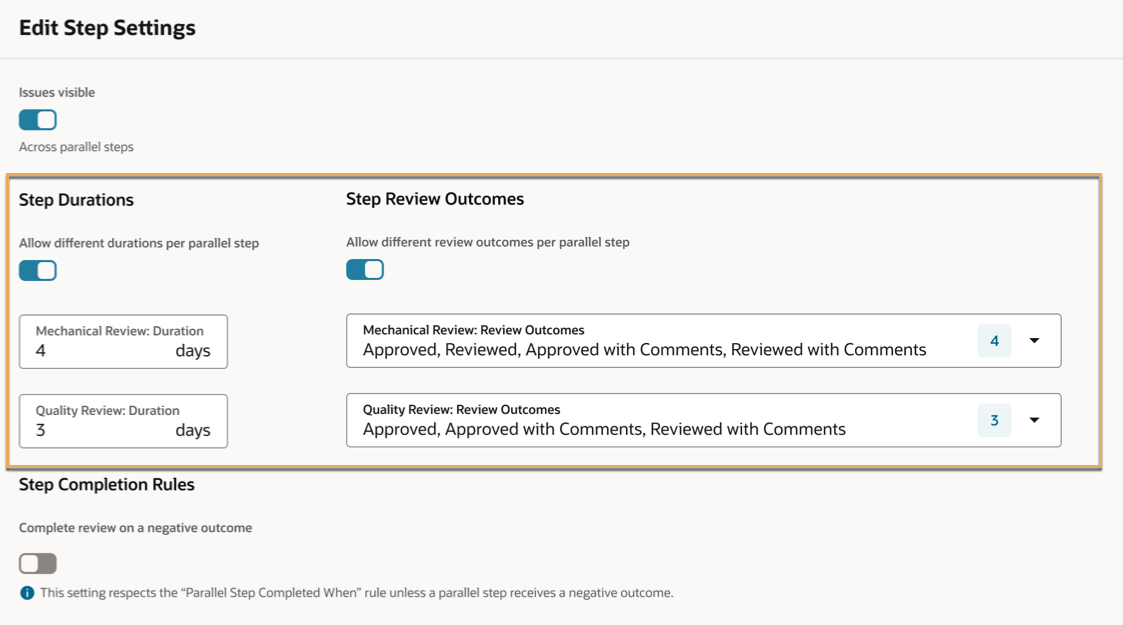
Set review durations and outcomes in parallel steps
- You can now set different durations and review outcomes for reviewers in parallel steps.
- For example, the operations team may need three days to complete the review, while the legal team requires 10 days.
Targeted reminders
- Once you've completed your review, you'll no longer receive daily reminders to complete it, even if the step is waiting for other participants to respond. This helps you focus on work that still requires your attention.
Clearer transmittals
- Informed participants are now shown in the CC field of the transmittal instead of the To field to better represent their role in the process.
- A new Review Status column helps you see the outcome directly in the transmittal without needing to jump to the Document Register.
Packages
What's new
Copy a package
- Create a new package by copying an existing one.
- All metadata and linked records, such as documents, mail, collaborators, and test plans, are included. You can choose which linked records to keep in the new package.
- To copy a package, open its properties screen and select Copy from the three-dot menu. To copy a previous version, select that version first, then select Copy.
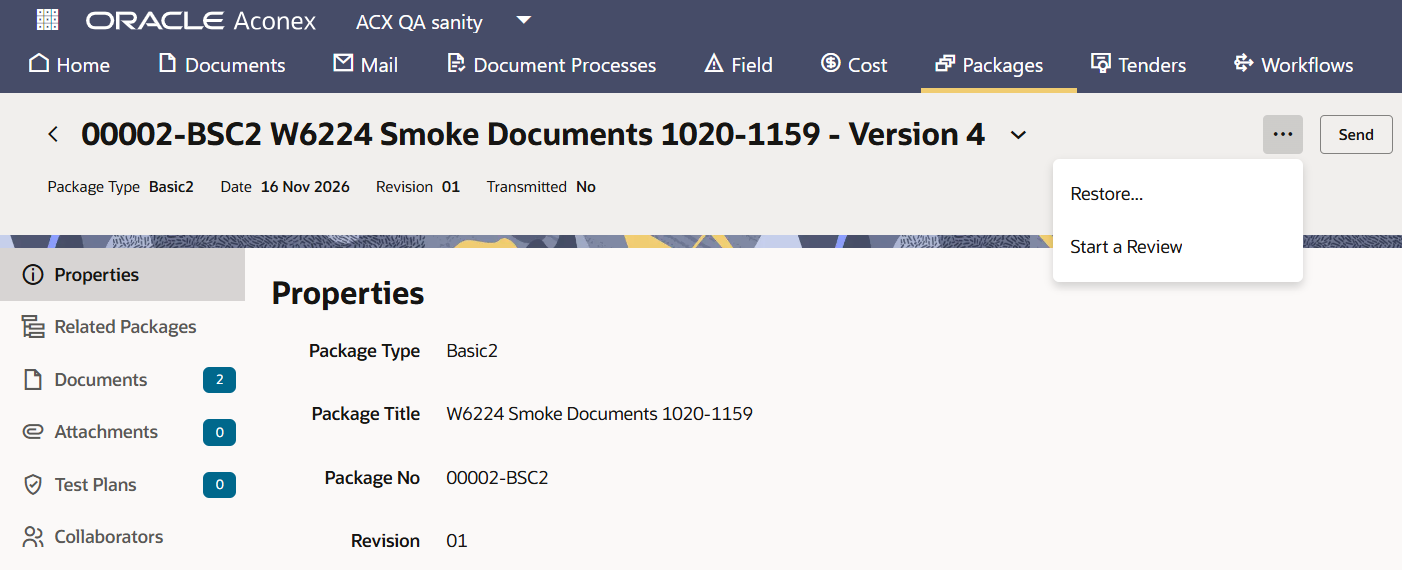
Restore a previous package version
- Package Admins and Editors can select a historical package version and set it as the current version.
- The action is recorded in the Event Log and the previous version is kept in version history.
- This provides a fast way to go back to a previous version without having to recreate it.
Improvements and fixes
Work with packages faster
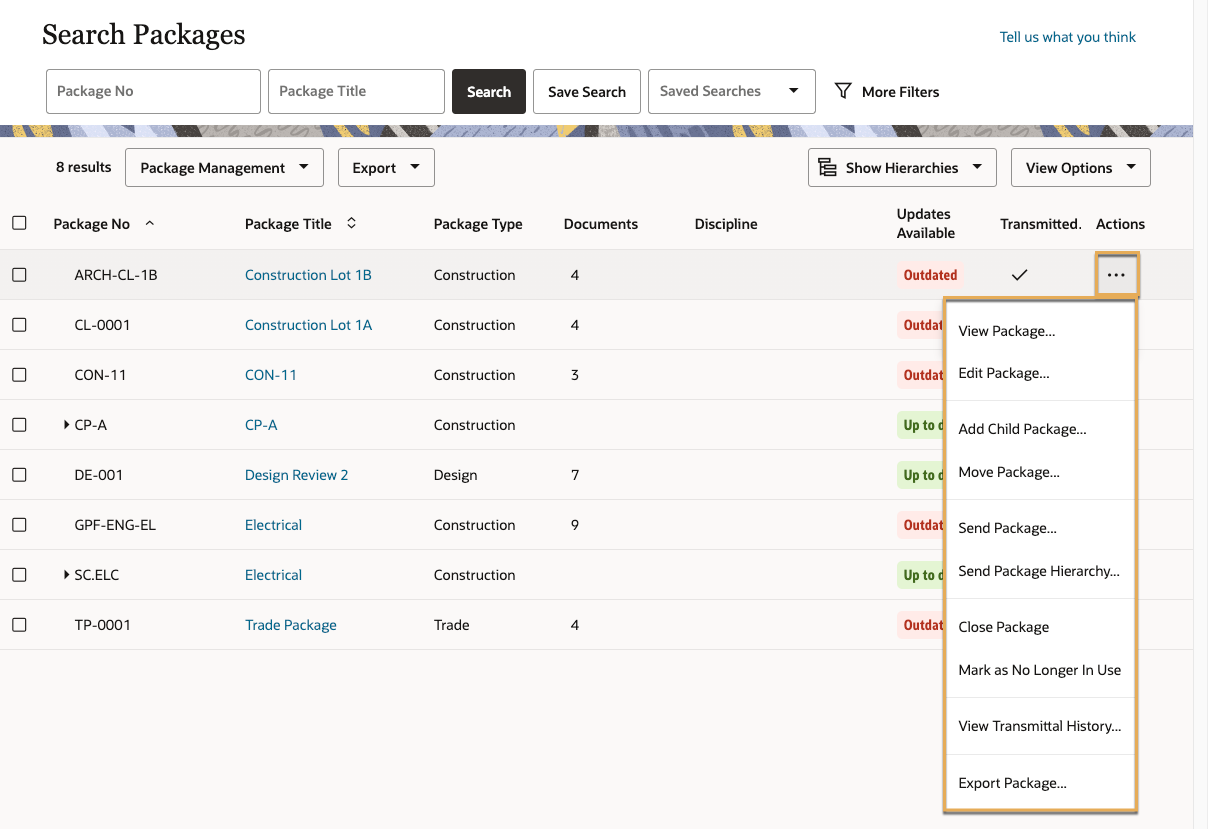
- You can now edit, send, start a review, or export a package directly from the Actions menu in the Package Register. You no longer need to open the package first.
Field
What's new
Tidy test plan templates
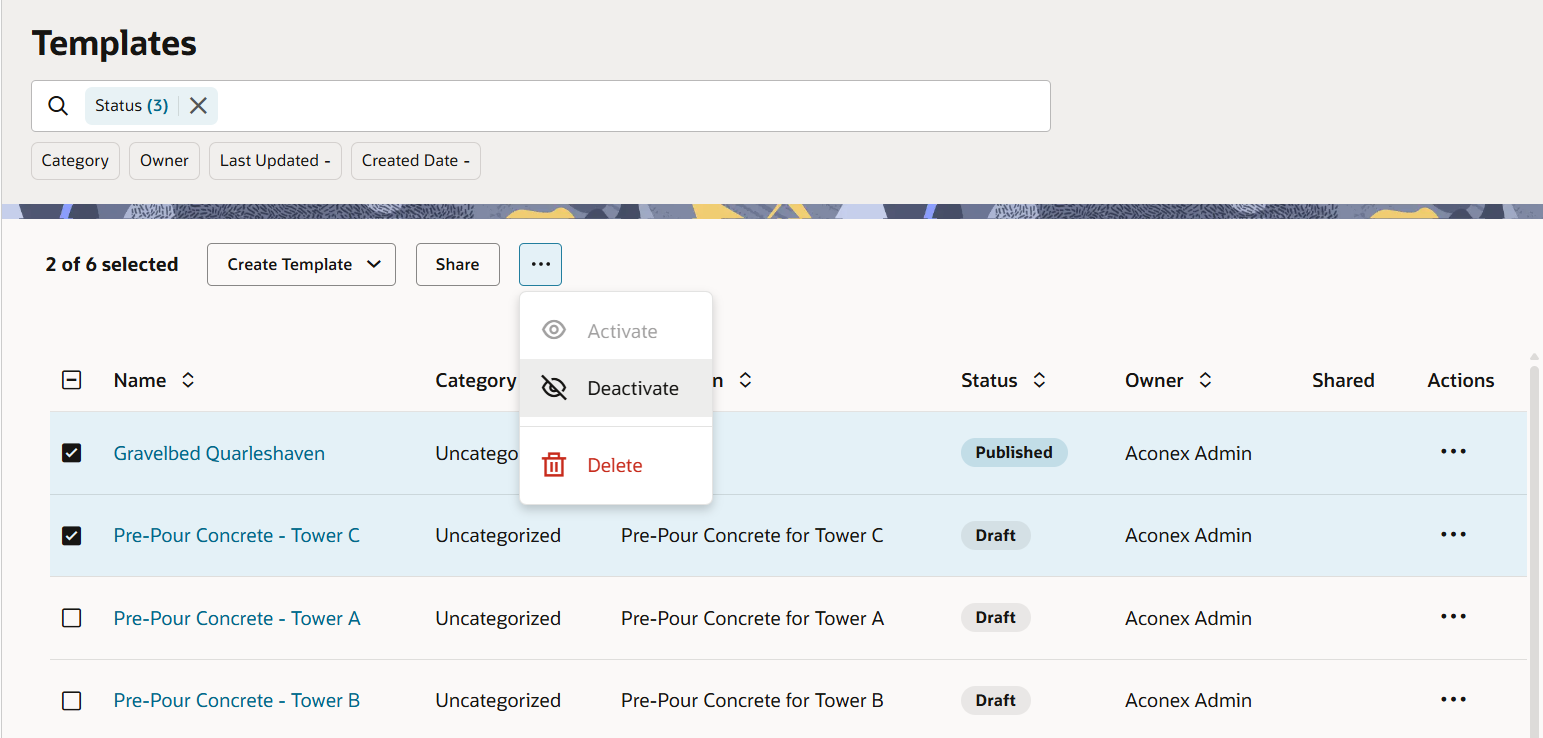
- Administrators and Associates can now deactivate and reactivate their test plan templates.
- Deactivated templates cannot be used to create new test plans, but can be viewed for governance and reporting.
- This helps your team find the most current templates.
Find overdue issues
-
You can now sort your issues and punchlists by due date (newest to oldest). This helps you find issues that are overdue so they can be resolved.
API
What's new
Reminder - Migrate to OAuth for enhanced security
- On 1 February 2027 we'll retire all Integration IDs. This means that Basic Auth will no longer be accepted for API access from this date.
- From December 2026, you'll no longer be able to create new Integration IDs. Existing Integration IDs will continue to work until they are retired.
- You must migrate to OAuth to strengthen the security of your integrations, benefit from ongoing platform enhancements, and keep your integrations running when Basic Auth retires.
- If you're not already subscribed to receive updates, we encourage you to subscribe to API News for important information regarding Basic Auth retirement.
Improvements and fixes
Maintain review status when updating a document
- The Documents API now supports the project preference to Maintain review status when superseding document. This ensures the review status is kept when updating a document using the API.
Manage workflow templates in bulk
- You can now activate, deactivate, or delete up to 500 workflow templates in bulk using Workflow APIs, allowing you to manage which templates can be used for reviews.
- The new endpoints are:
- POST /projects/{projectId}/workflowTemplates/activate
- POST /projects/{projectId}/workflowTemplates/deactivate
- POST /projects/{projectId}/workflowTemplates/delete
Find supplier documents by update date
- The Supplier Documents API now supports the updated_after and updated_before query parameters to filter records by update date.
- This helps you get records for a relevant update period using APIs, reducing the number of records you need to filter.
Manage package attachments
- Use the Package API to rename or remove attachments from packages owned by your organization.
See who created each package and version
- Package and package-version query responses now include the createdByUserId field, helping you identify the original package creator or the creator of a specific version.
Workflows
Improvements and fixes
Set markup options per step
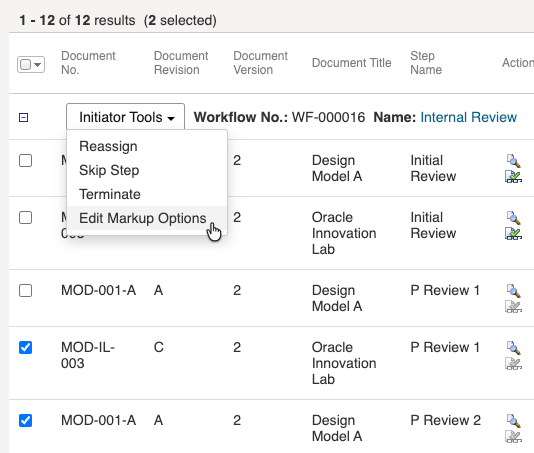
- When editing the available markup options from initiator tools, you can now apply them to specific steps, instead of the entire workflow. The default options are initially set from your project settings.
Tenders
Improvements and fixes
Delete draft tenders
- If you have permission to create tenders, you can now delete unwanted draft tenders created by your organization.
- Drafts can be deleted one at a time or in bulk, helping you keep your tender list clean and focused.
Cost
Improvements and fixes
Preserve distribution curves when moving work packages
- The Cost Worksheet now preserves valid distribution curve values when work packages are moved between control accounts or WBS elements.
- This ensures curve information is retained when reorganizing project structures.
Faster processing for configured manual fields and payment applications
- Changes to eligible configured manual fields no longer trigger recalculations if they don’t affect calculated cost values. This reduces processing time, particularly for large projects.
- We’ve also optimized access checks to help reduce delays when updating payment applications and their items.
Models
Improvements and fixes
A new home for model colors
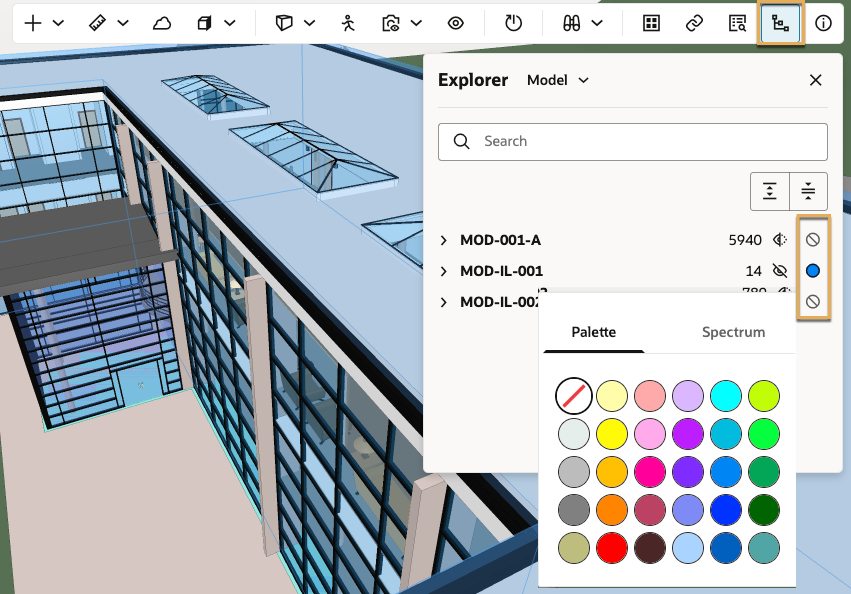
- The option to set a color for your models has now moved from the model list into the explorer tree.
- This allows you to set colors when viewing models in other areas of Aconex such as the Document Register and Document Processes.
Lobby
Improvements and fixes
Release a user from your home organization
- Lobby Admins can now remove the home organization assignment for users who have been incorrectly assigned to their home organization.
- Use this option if you are not an admin of the user’s correct organization (such as a joint venture). Once released, the user can be assigned to the correct home organization by one of its admins.

Insights
Improvements and fixes
Aligned date filtering
- Date filters for the past 7, 30, 90, and 365 days now align with the Document Register to make results easier to compare.
- For example, when filtering the past 7 days on the 14th of July:
- The report previously included 8–14 July, inclusive.
- Now the report will include 7–14 July, inclusive, resulting in one additional day included.
Mobile
Improvements and fixes
Reminder - Update your mobile device
- From January 2027, if you use an iPhone or iPad to access Aconex, you must update your device to iOS 26 or above to continue using the mobile app.
- We'll begin encouraging you to update your device now before it becomes mandatory.

We'll gradually release each update over a 30-day period starting November 28.

These updates will be made available to all instances.
Release schedule
Features are gradually rolled out to each instance over a 30-day period, starting from the indicated dates below. You may not see all updates immediately. We can’t guarantee a global rollout of features across instances within the same timeframe. Oracle Aconex Mobile is updated in the fourth week of the month.
While we endeavour to keep this information complete and accurate, we advise you to thoroughly test and confirm feature availability before implementing new processes on your project. This information is accurate at the time of publishing and is subject to change without notice. Learn more about our release process
+ View schedule
| ASIA1: Dec 03 | EU1: Nov 28 |
| ASIA2: Dec 02 | KSA1: Dec 04 |
| AU1:Dec 10 | MEA: Dec 04 |
| AU2: Dec 02 | UK1: Dec 07 |
| CA1: Nov 29 | US1: Dec 05 |