
Support Central
Upload new documents or update files for existing documents in your document register.
Follow this guide to:
Before you start, it's a good idea to prepare your files with a consistent naming convention. We recommend including at least the Document number and Revision in the filename. This helps Aconex prefill information during the upload process; saving time.
In Aconex, document information such as Title, Revision, or Status is called metadata. After uploading your files, you'll need to populate metadata for them, so they're easy to find when you need to review or send them.
Use Bulk Processing if:
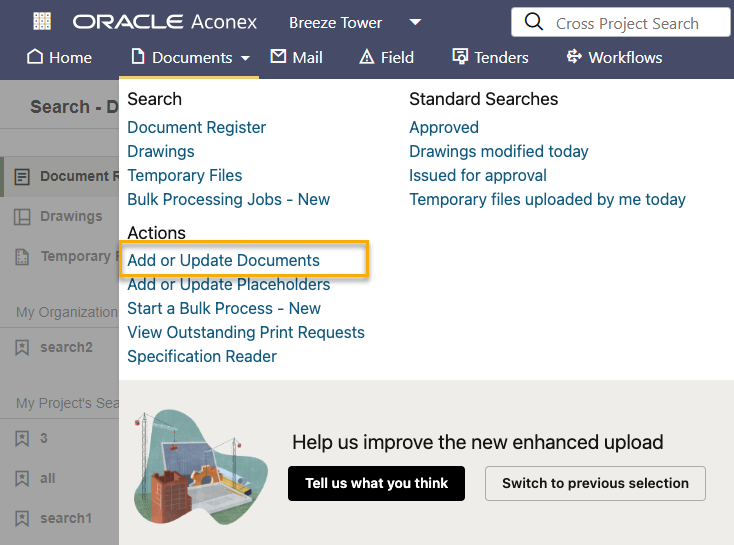
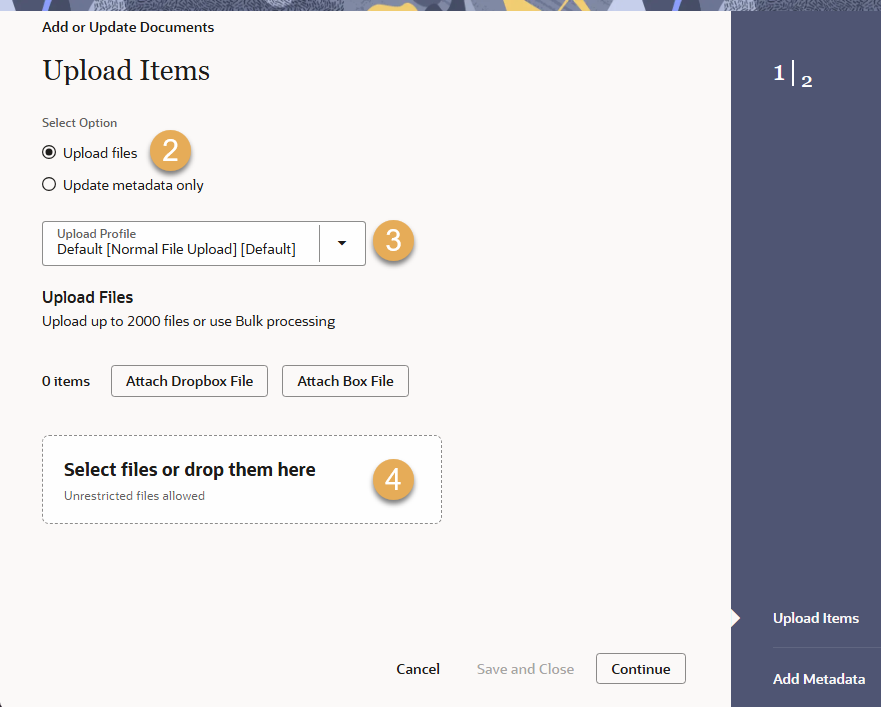
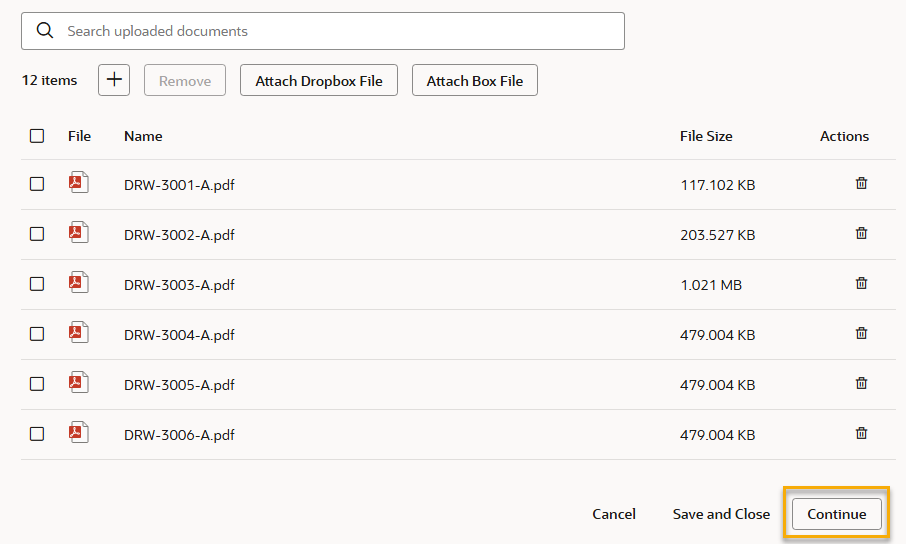
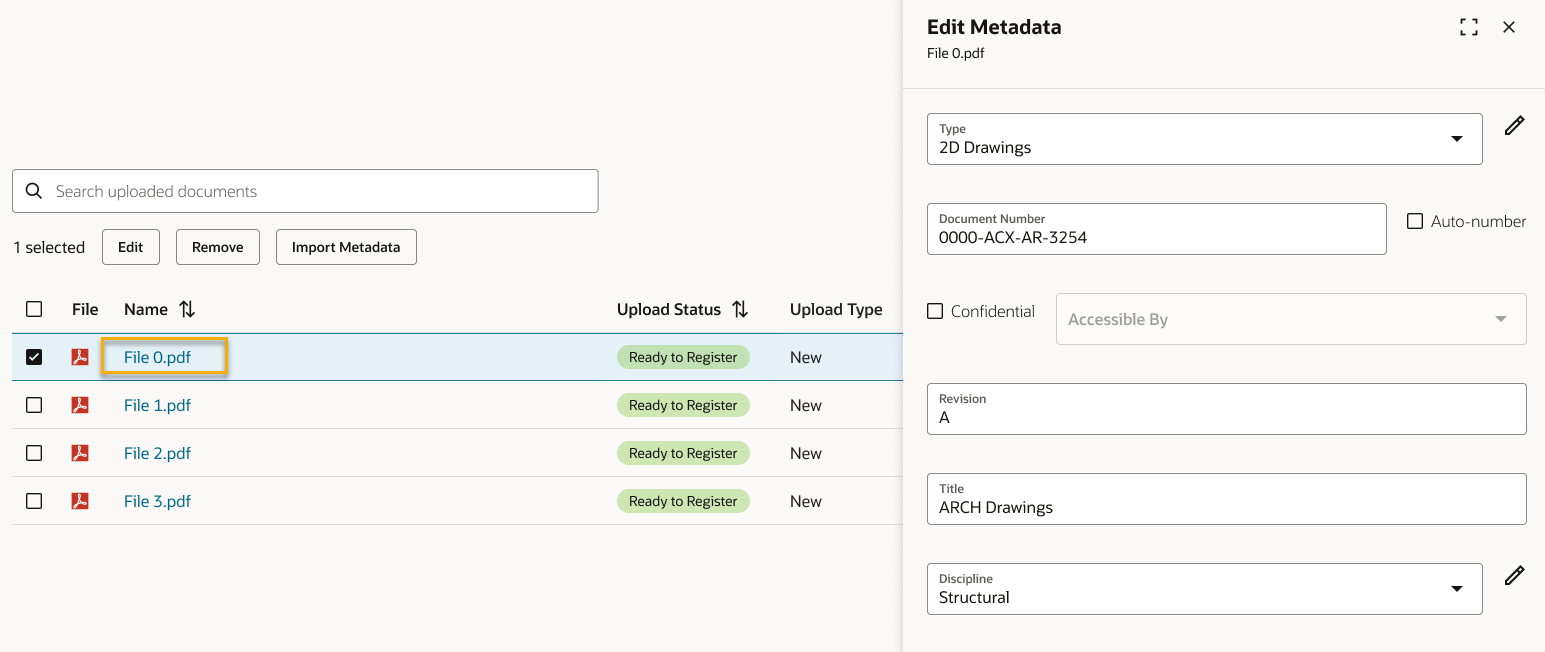
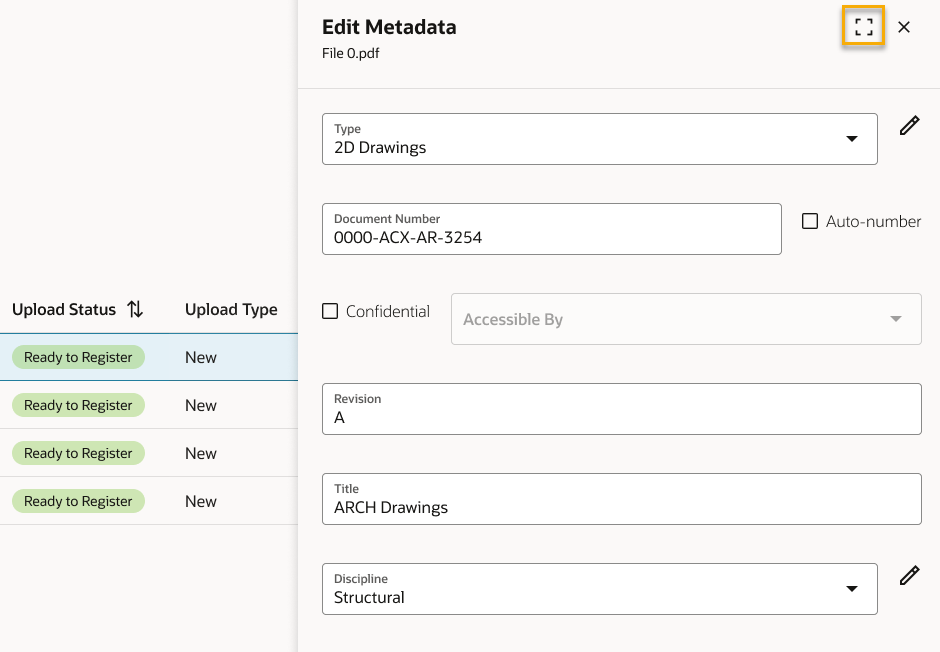
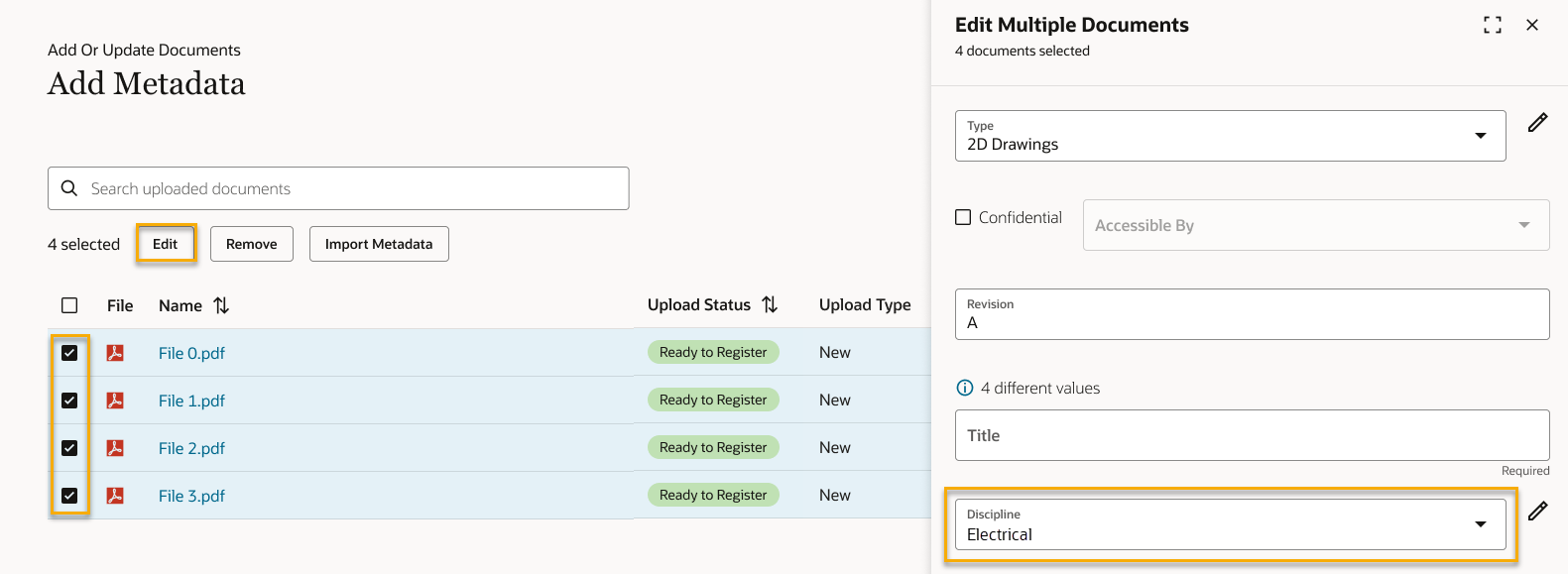
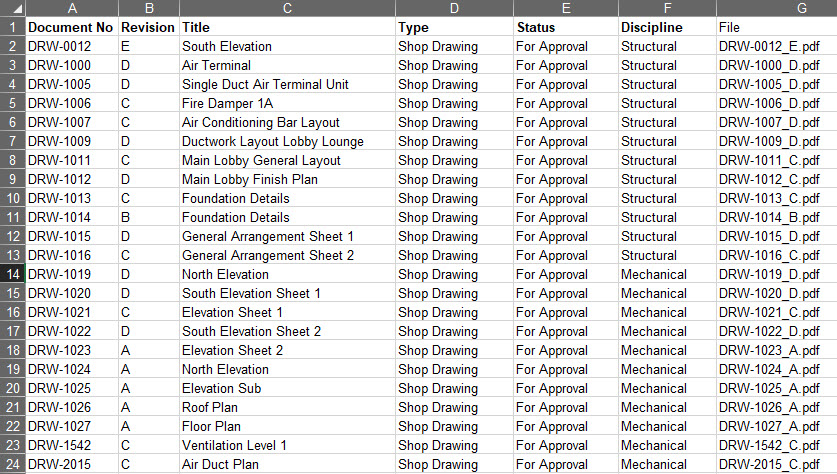
If you have lots of files to update you can populate your metadata from an Excel spreadsheet. Otherwise, you can skip to the next section of this guide below, titled Finalize and register your documents.
If your project is configured to use a multi-sheet template, you'll see a worksheet for each document type. Also, if you've uploaded files, you'll find a worksheet containing your filenames. Copy these to the relevant worksheet for each document type. Note: During the import process, worksheets are read from left to right. If a document is changing its document type from one version to the next, the order of the sheets can be changed to achieve the correct ordering of versions. Do not remove any of the worksheets otherwise the process may fail.
If your project is configured to use a single-sheet template, you'll find the filenames in the file column.
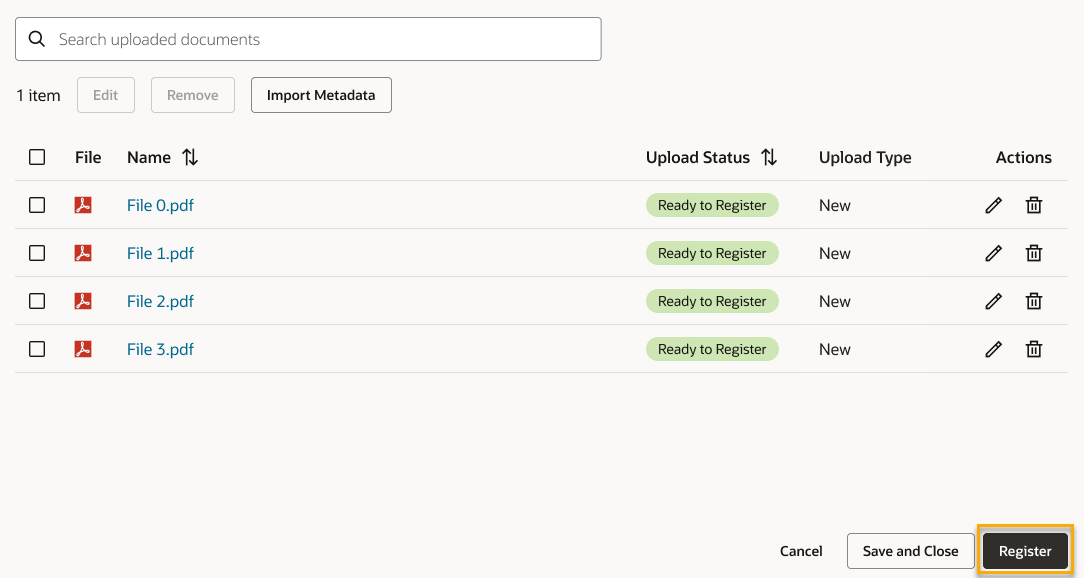
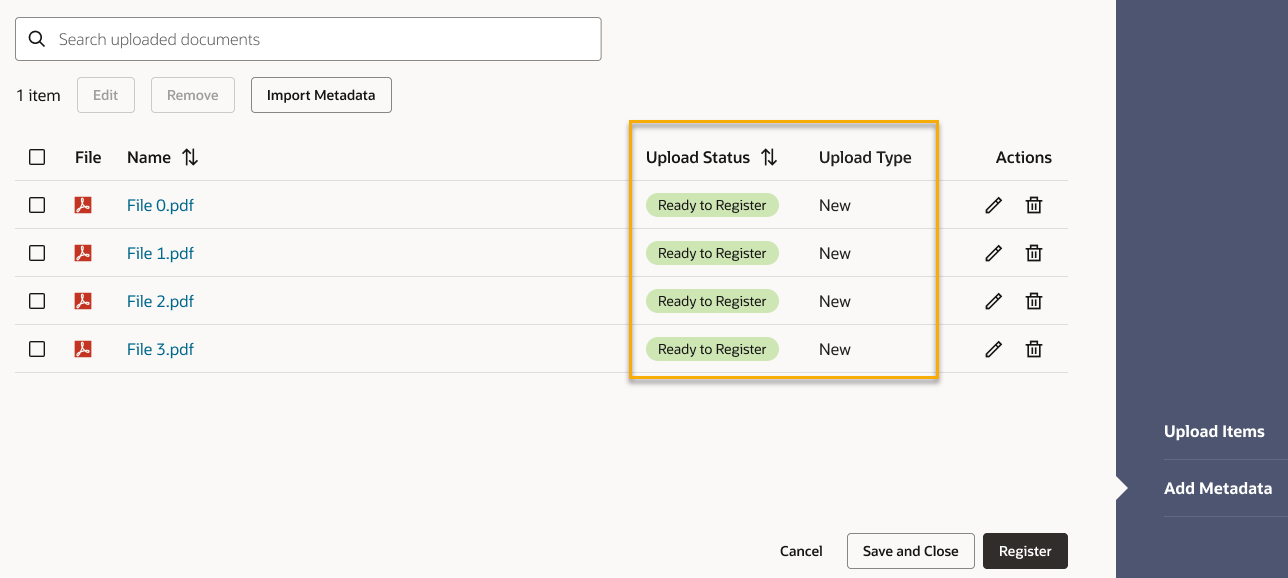
New: This is a new document that will be uploaded to your document register
Missing information: This document has missing mandatory metadata that must be completed
Ready to register: This document has all mandatory metadata completed and is ready to be upload to the document register
Placeholder: This document has no associated file and will be registered as a placeholder
Update: A version of this document already exists and will be updated with this new file.



