
Support Central




May 2026
This month you'll find a file naming preference for uploads, mandatory issue fields for reviews, project field hierarchies for packages, and an easy way to find your Org Admin.

This release is for:
- All API developers.
- Everyone who uses the Outlook plugin.
- Document Controllers who want to save time renaming files.
- Project Admins who need to make issue fields mandatory in Document Processes.
- Package Admins who asked for project field hierarchies.
- Test Plan Admins who need flexibility when assigning participants in their templates.
- Model coordinators who need more control of their view.
- Users who are unable to log in and need to find their Org Admin.
Outlook
What's new
Important information regarding the Outlook plugin
- If you currently use the Aconex for Outlook plugin, please note it is not available for the new version of Outlook.
- After you, or your organization has migrated to the new Outlook (also known as One Outlook), you'll need to manage Aconex Mail directly within Aconex.
- The plugin will remain available for use on classic Outlook only.
API
What's new
Ensure your API integrations support 64-bit records
- We're preparing to upgrade Aconex database fields to 64-bit, across all Aconex instances. If your organization integrates with Aconex APIs, you'll need to review them and ensure they support 64-bit data types. Learn how to review your API integrations
- Any Aconex data being managed or stored as a 32-bit Integer must be updated to a String or Long, depending on your implementation.
- We'll soon update the EA1 Aconex instance to 64-bit so it's ready for you to start testing. Subscribe to API News to be notified when it's ready (expected in June 2026).
Migrate to OAuth for enhanced security
- Towards the beginning of 2027 we're planning to retire all Integration IDs. This means that Basic Auth will soon no longer be accepted for API access.
- We're providing early notice so you can start planning to migrate to OAuth to avoid additional effort later.
- If you're not already subscribed to receive updates, we encourage you to subscribe to API News for important information regarding Basic Auth retirement.
Documents
What's new
Automatically rename uploaded files in the enhanced upload
UPDATE 5-Jun: This feature will rollout to instances from June 16.
- If renaming files is one of your least favorite tasks, you'll love this update.
- Project Admins using the new enhanced upload have a new project-wide preference to rename uploaded files.
- You can configure the naming convention to include the Document Number, Revision, Title, separators, and custom text.
- Files uploaded or updated by anyone using the new enhanced upload will be renamed according to the configured convention.
- This reduces manual renaming, improves consistency for uploaded files, and saves time for everyone using the new enhanced upload.
- Important: Read the important considerations and guidelines before you enable this setting.
Improvements and fixes
Clear messaging in the enhanced upload
- The Edit button in upload/update screens has been renamed to Bulk Edit.
- The Save and Close button in upload screens has been renamed to Save in Temporary Files.
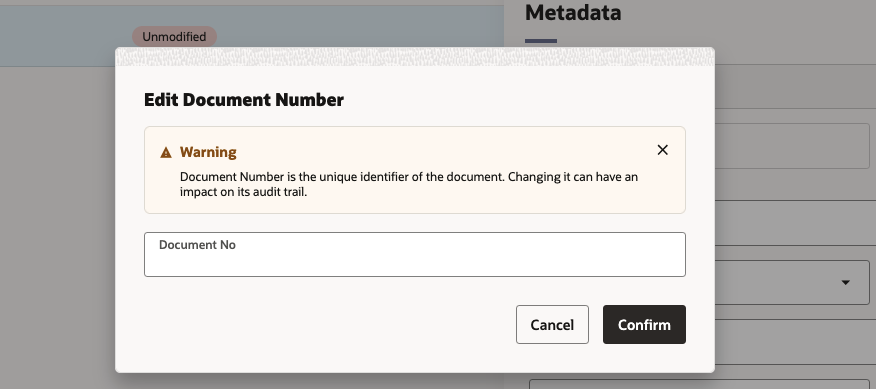
- When updating a document, you'll find a pencil icon next to the Document Number field. Click the pencil to edit the document number. A warning message will be displayed before you make changes.
Lobby
What's new
Find your Org Admin
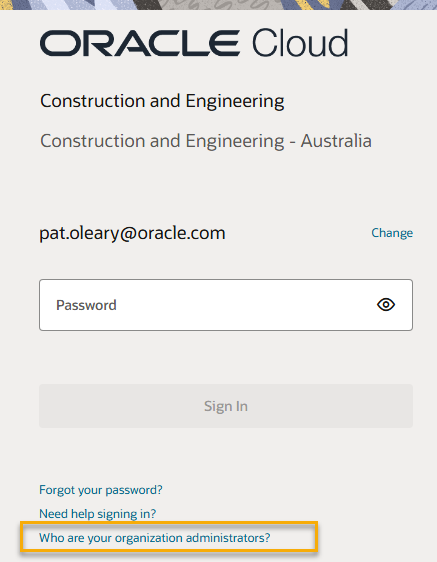
- There's a new link on the login page to help you find your Org Admin. Click this link to receive an email with the details of your Admin(s). You can ask them for help to reset your password or 2-step verification.
Improvements and fixes
Sync your projects
- We've added messaging to the project list to remind you to sync your projects if you've recently been added to a new project.
Document Processes
What's new
Make issue fields mandatory
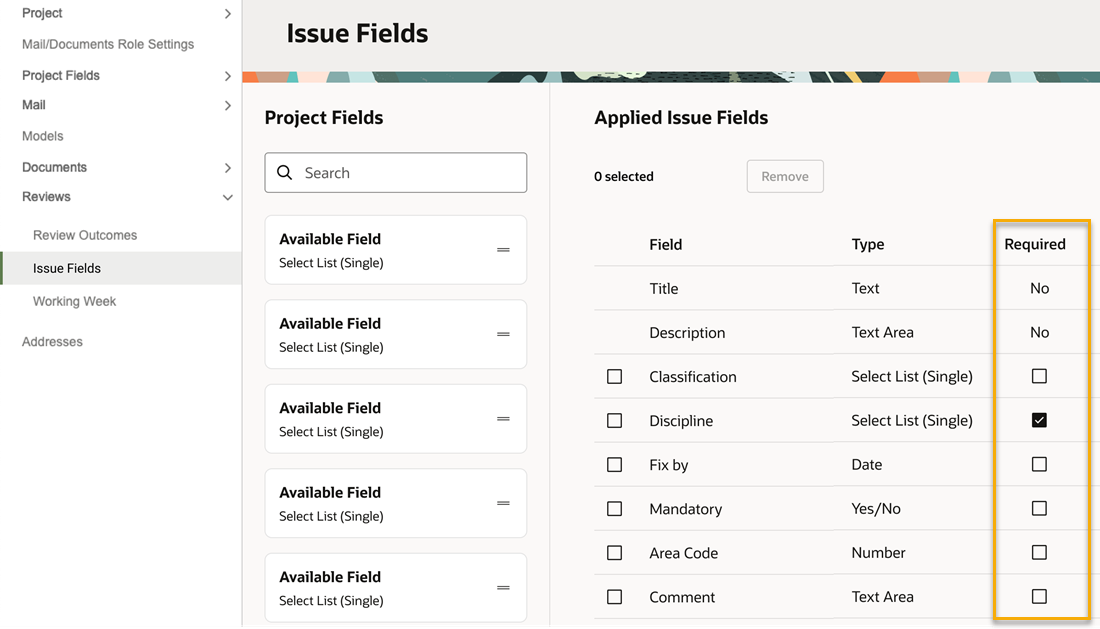
- Project Admins can now decide if issue fields are mandatory or not. Previously these were optional.
- This ensures reviewers capture all the required information when raising their issues.
- For fields already used on issues, setting those to mandatory means they must be populated when the issue is next updated.
Choose a reason for issue
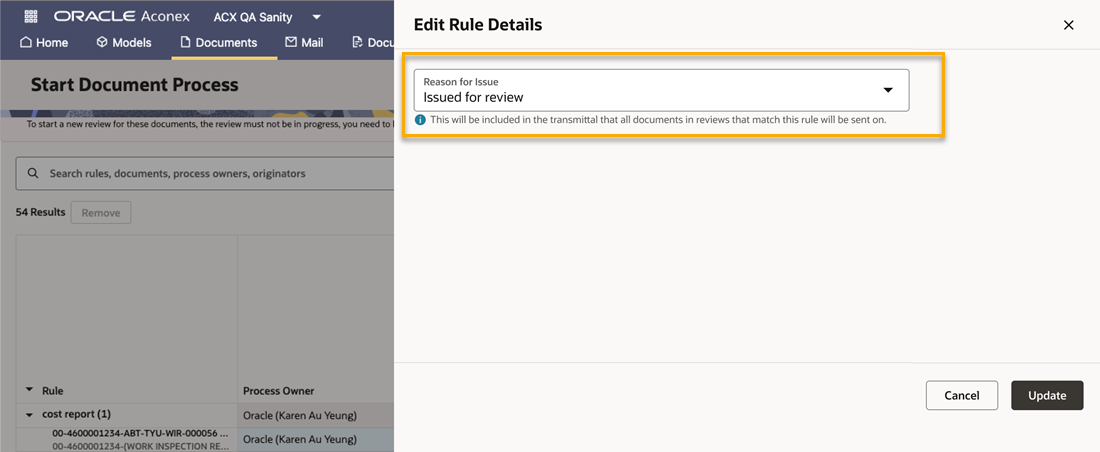
- When creating a review rule, you can now configure the Reason For Issue, which will be included in the transmittal.
- After a Process Initiator starts a review they can select a different reason if required.
- This helps the Process Owner know why a review was started and aligns with existing behavior in Workflows.
Improvements and fixes
Enter issue details faster
- Thanks to your feedback, an issue will now begin in edit mode as soon as you drop the pin. You no longer need to separately click the Edit button to fill out the issue details.
Packages
What's new
Project field hierarchies for packages
- Project Admins can now add project field hierarchies to package types.
- This ensures accurate data capture for better reporting and classification.
A new look for package reviews
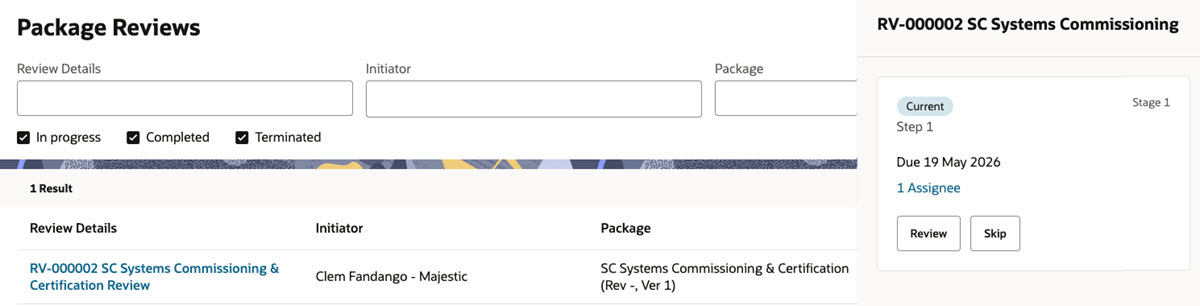
- You'll see a modern look and feel when searching package reviews.
- Click the name of the review to view the step details, where you'll find actions to review or skip steps.
'
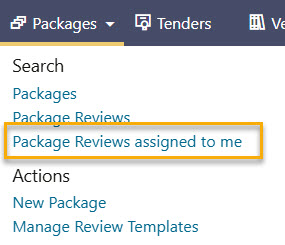
- UPDATE 9-Jun: We've also moved the tab to see your assigned reviews. You'll now find this option under the Packages menu.
Improvements and fixes
Change a package type
- Package Admins can now change the package type for a single package.
- This allows you to fix errors while retaining the package number.
- If the package has already been transmitted, you can only change its type to one with matching settings for mail, attachments, and test plans.
A new look for sending packages and managing collaborators
- You'll see a modern look and feel when sending packages or managing collaborators. This update aligns the experience with other screens throughout the module.
Field
What's new
Flexible test plan participants
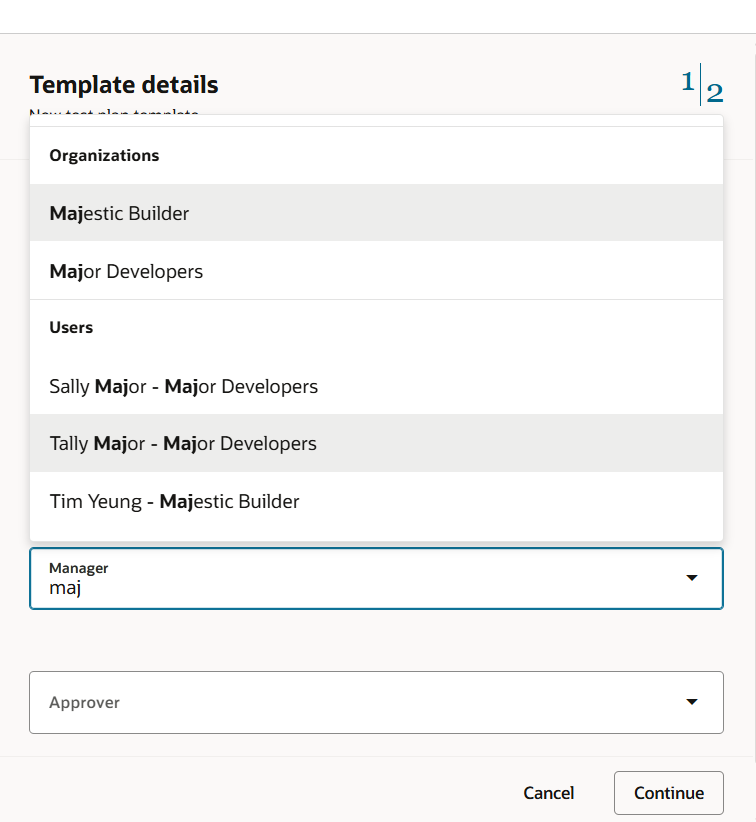
- When creating or editing a test plan template, you can now assign a participant role to users in other organizations.
- This provides flexibility and reduces manual adjustments after a test plan is created.
Select and export inspections
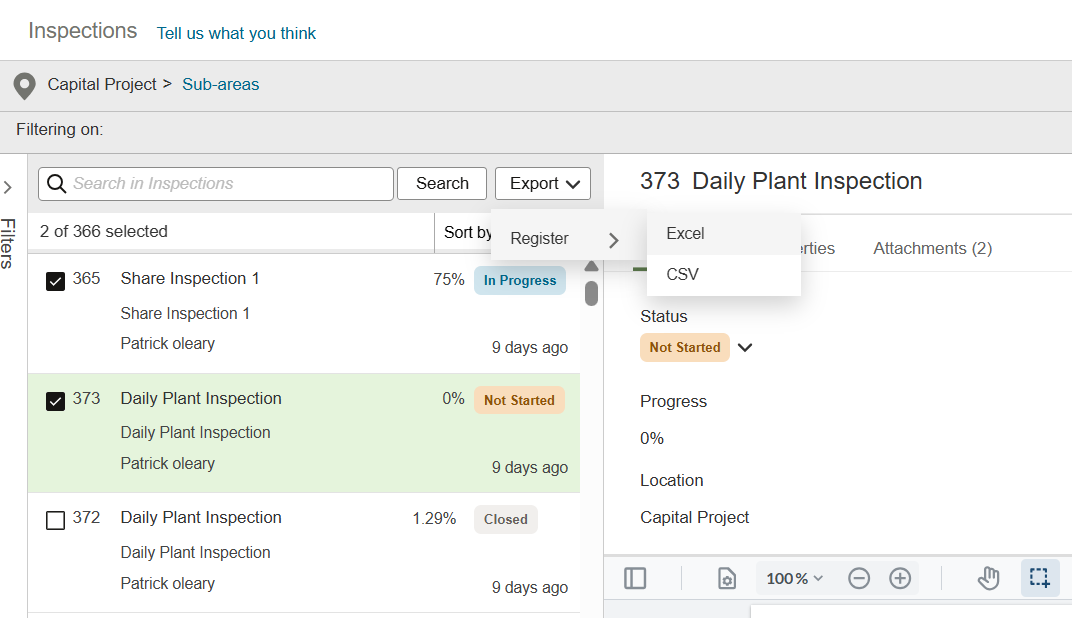
- Now you can select specific inspections you want to export, instead of exporting the entire list.
- Select the new Register option to export your selection to Excel or CSV.
Improvements and fixes
Add more details to test plans
- We've increased the character limit from 500 to 1000 for the following fields in test plan templates: Test Plan Description, Activity Description, Acceptance Criteria, and Records Required.
- We've increased the file size limit for attachments added to activities from 50 MB to 200 MB.
- You can now add up to 50 attachments to test plan records from the document register. Note: the number of reference documents that can be added remains at 10.
More details in test plan attachments
- When viewing an attached file, you'll now see its description and the organization who uploaded it. This helps you see important information about attached evidence at a glance.
Models
What's new
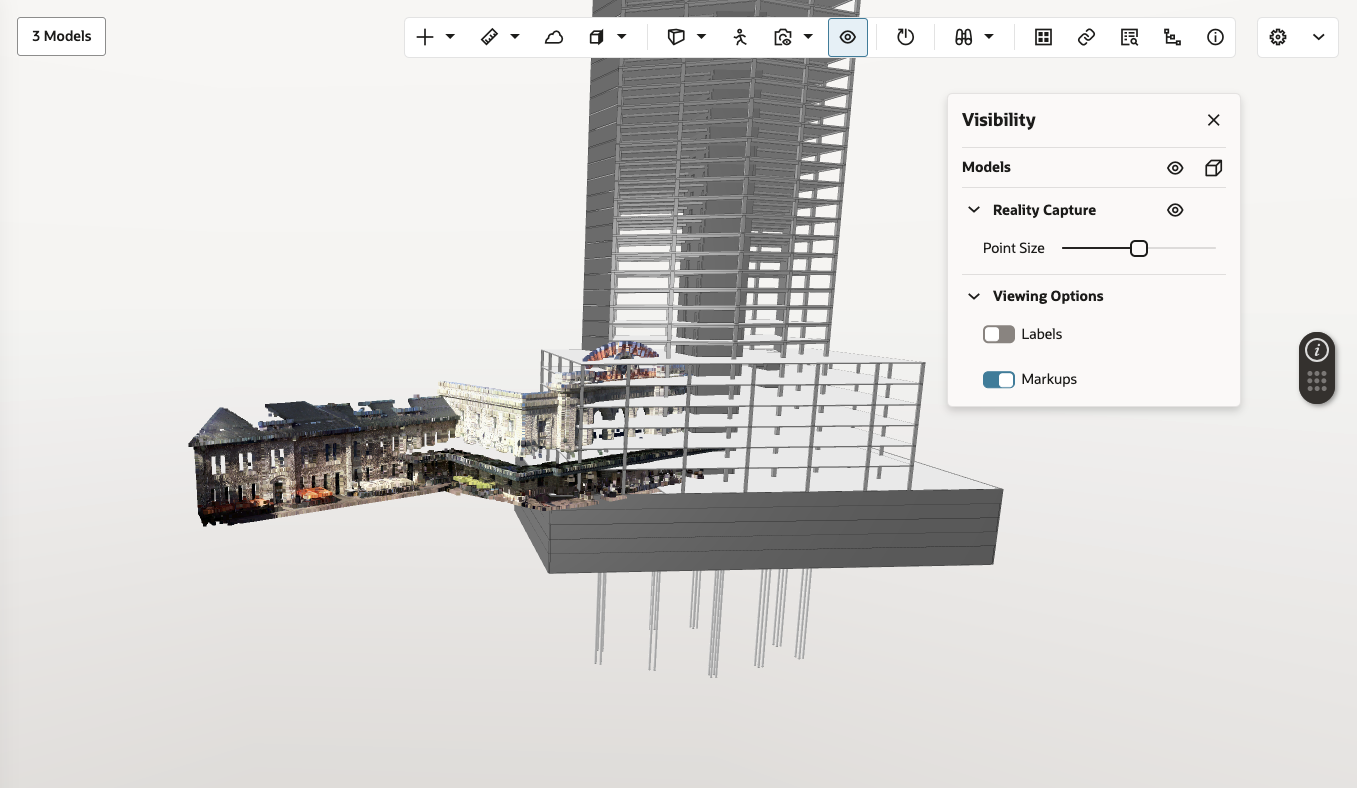
Enhanced model visibility
- We've updated the visibility panel to give you more control over what you see in the viewer.
- Show or hide all models or make them transparent for focused reviews.
- Adjust visibility and point size for reality capture.
- Toggle labels and markups on or off to reduce visual clutter.
Improvements and fixes
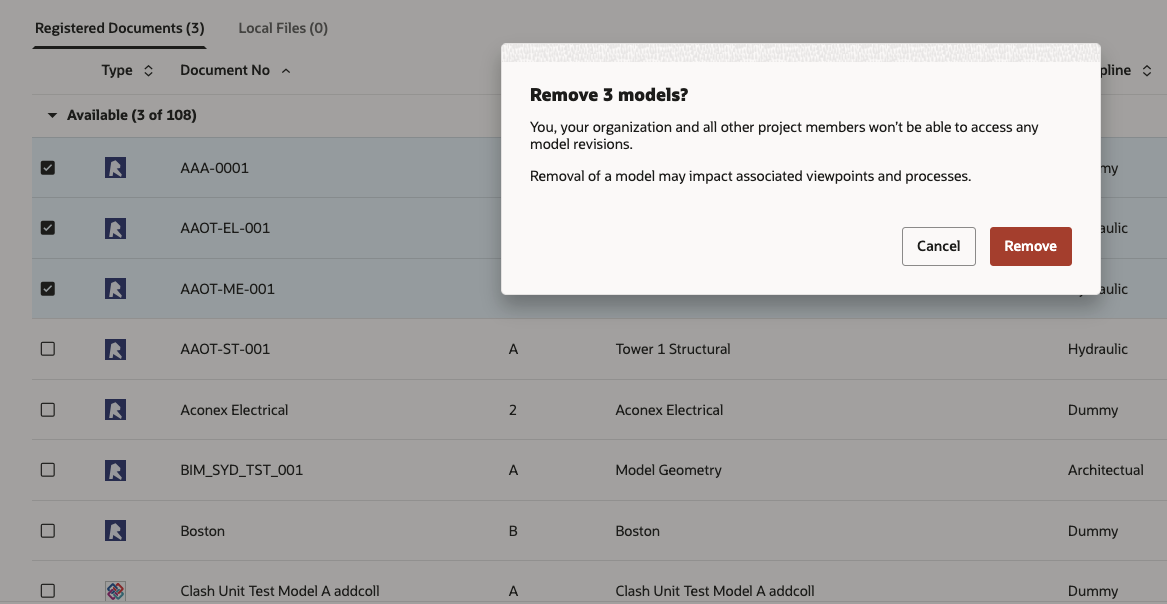
Remove models in bulk
- We've made it easier to clean up your list of models.
- This is helpful if you have lots of outdated, duplicate, or unnecessary models in the list.
- Select multiple models from the table list view and remove them with a click.
- You can also hold your Shift key to select a group of models in one go.
Mobile
Improvements and fixes
Find and resolve old issues
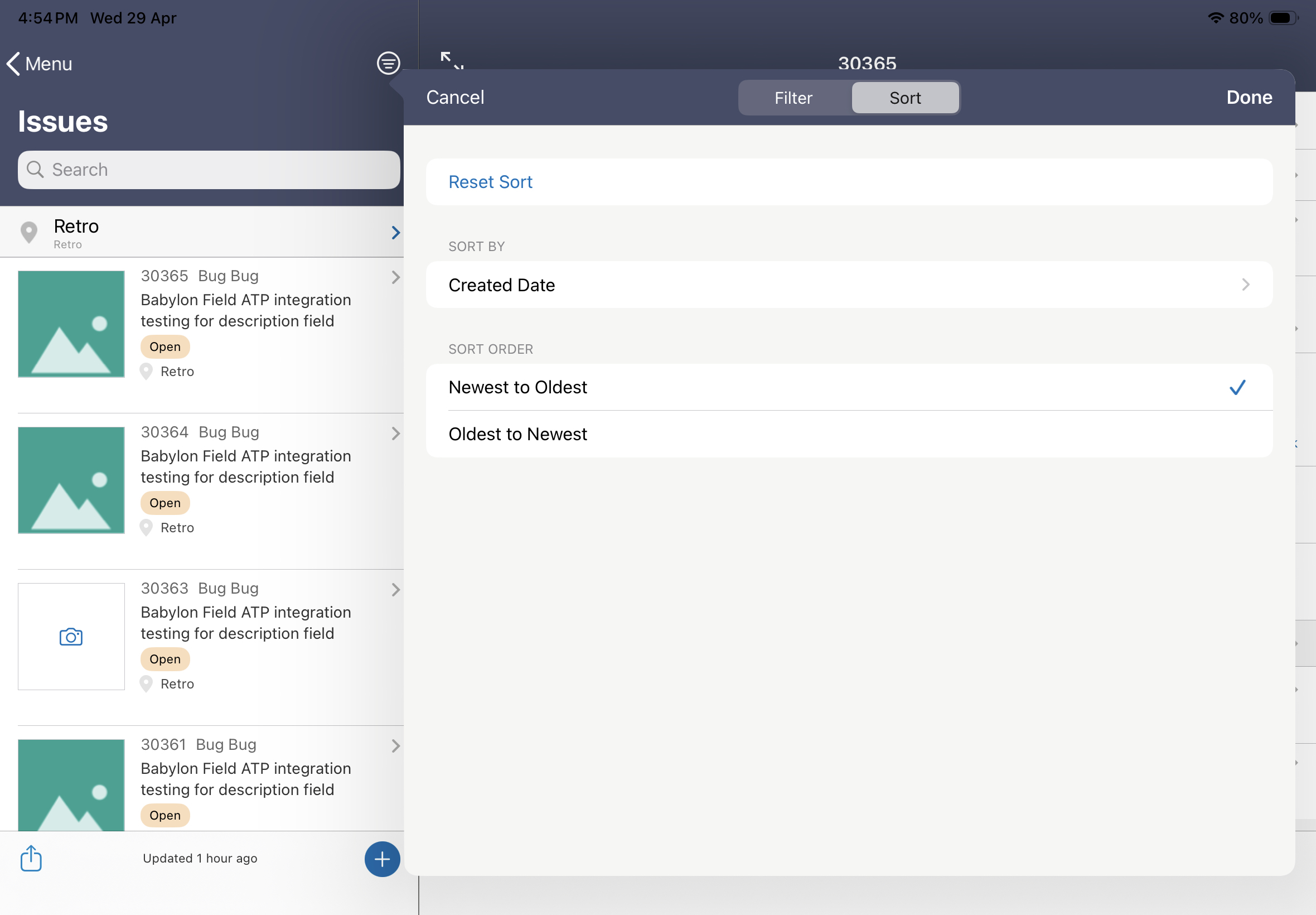
- You can now sort your issues by oldest to newest. This helps you find issues that have been opened the longest, so they can be resolved.
- We've also renamed the Date Captured sort option to Created Date.
Consistent image attachment descriptions
- You can now include a description when adding images from an image thumbnail or when changing an issue’s status.
- This ensures a consistent experience wherever you add images to issues on your mobile.
Cost
What's new
View the current contracted value
- We've added a Current Contract field to Contract Change Items to help you see the current contracted value without needing to switch between grids.
- This new field is also available in the Reporting Data Category for Contract Change Items and Configured Calculated Fields for Contract Change Items.
- This improves reporting, calculated field configuration, and historical visibility across contract changes.
Improvements and fixes
See tag changes in the activity stream
- Tag-related changes are now tracked in the Cost Activity Stream, providing a complete audit history of tag updates across Cost records.
- This helps you see what changed, when it changed, and who made the change, improving traceability and auditability.
Troubleshoot API errors faster
- API validation messages in Cost now provide the correct missing required parameter, making integration errors easier to understand and troubleshoot.
- This helps you quickly pinpoint issues and reduce time spent debugging errors.
Improvements and fixes
A new look for mail approval email notifications
- We've updated the fonts and colors in mail approval email notifications, making them easier to read and action.
Insights
Improvements and fixes
Optimized organization reports
- We've reduced the time required to download the Project Participant Report and Hosted Named Users Report.
Setup
Improvements and fixes
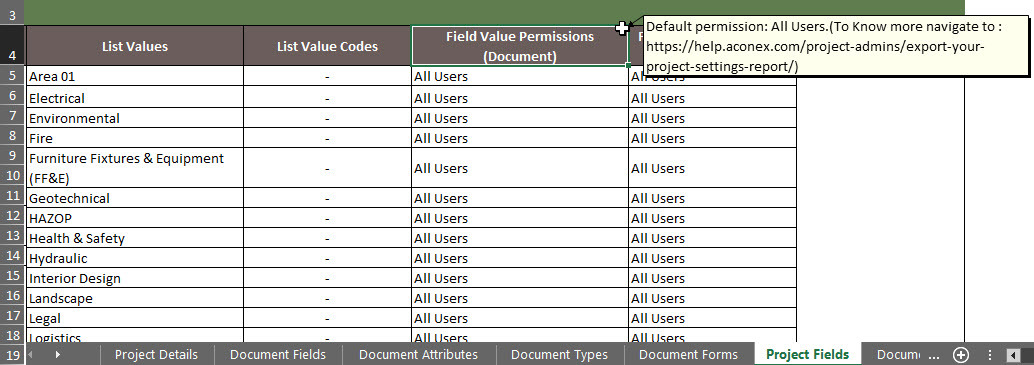
Understanding list value permissions in the project settings report
- We've added a note to the Field Value Permissions columns in the Project Fields sheet to help you understand the values in these columns.

We'll gradually release each update over a 30-day period starting May 23.

These updates will be made available to all instances.
Release schedule
Features are gradually rolled out to each instance over a 30-day period, starting from the indicated dates below. You may not see all updates immediately. We can’t guarantee a global rollout of features across instances within the same timeframe. Oracle Aconex Mobile is updated in the fourth week of the month.
While we endeavour to keep this information complete and accurate, we advise you to thoroughly test and confirm feature availability before implementing new processes on your project. This information is accurate at the time of publishing and is subject to change without notice. Learn more about our release process
+ View schedule
| ASIA1: May 28 | EU1: May 23 |
| ASIA2: May 27 | KSA1: May 29 |
| AU1: Jun 04 | MEA: May 29 |
| AU2: May 27 | UK1: Jun 01 |
| CA1: May 24 | US1: May 31 |