Document Type = “Drawing” or “Shop Drawing” or “As Built Drawing” or "Plan"
and:
Status = “For Construction” or “Issued for Construction” or “As-built”
I can’t open a particular file in Oracle Aconex Mobile. Why not?
Oracle Aconex Mobile will display many common file types. If it can’t display a file type, you can use the Open in… feature to open it using a compatible application on your device. If your device won’t open a particular file type, you’ll need to log into the Aconex web app to view it.
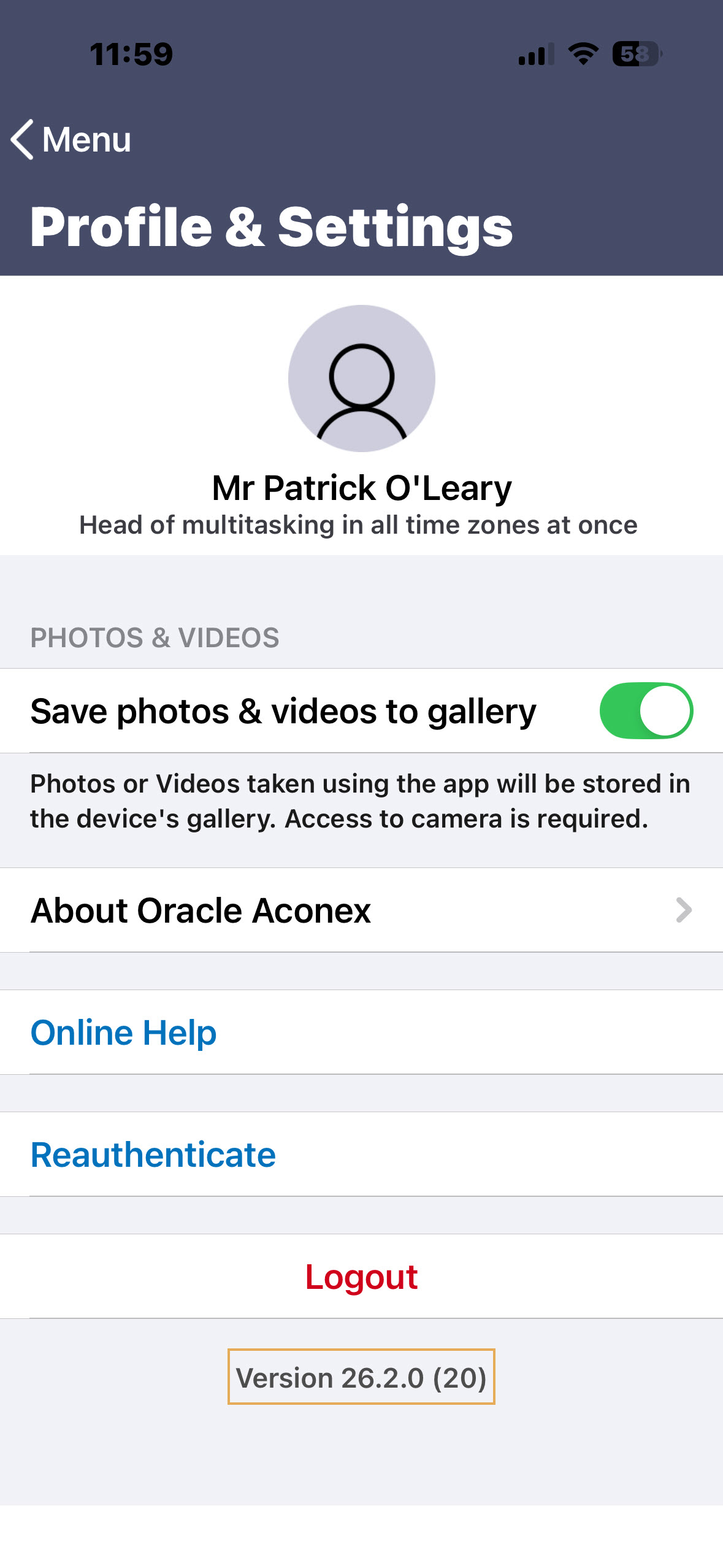
What version of the mobile app am I on?
Open the mobile app and you'll find the version number at the bottom of the screen. If you’re already logged in, click the profile icon at the top left and find the version number at the bottom of the screen.
We don't support versions that are more than two versions old:
If your app is one version behind, you will be prompted to update to the latest version.
If your app is more than two versions behind, you won't be able to use it and will need to update to the latest version. An alert will appear prompting you to take action.
In the image below our app is Version 26.2.0. This means it’s current as of February 2026. We encourage you to keep your mobile app updated, giving you access to the latest features, improvements, and performance enhancements.